

Canvas and Pages
Three canvas types are supported — standard pages, notification panels and global widgets — with adjustable layer order and batch component copying for fast page element reuse.


Embedded configuration design software for LM Gateway HMI panels. Build pages by drag and drop, bind gateway data, configure event logic, user permissions, alarms and multiple languages, then preview and download to the device.
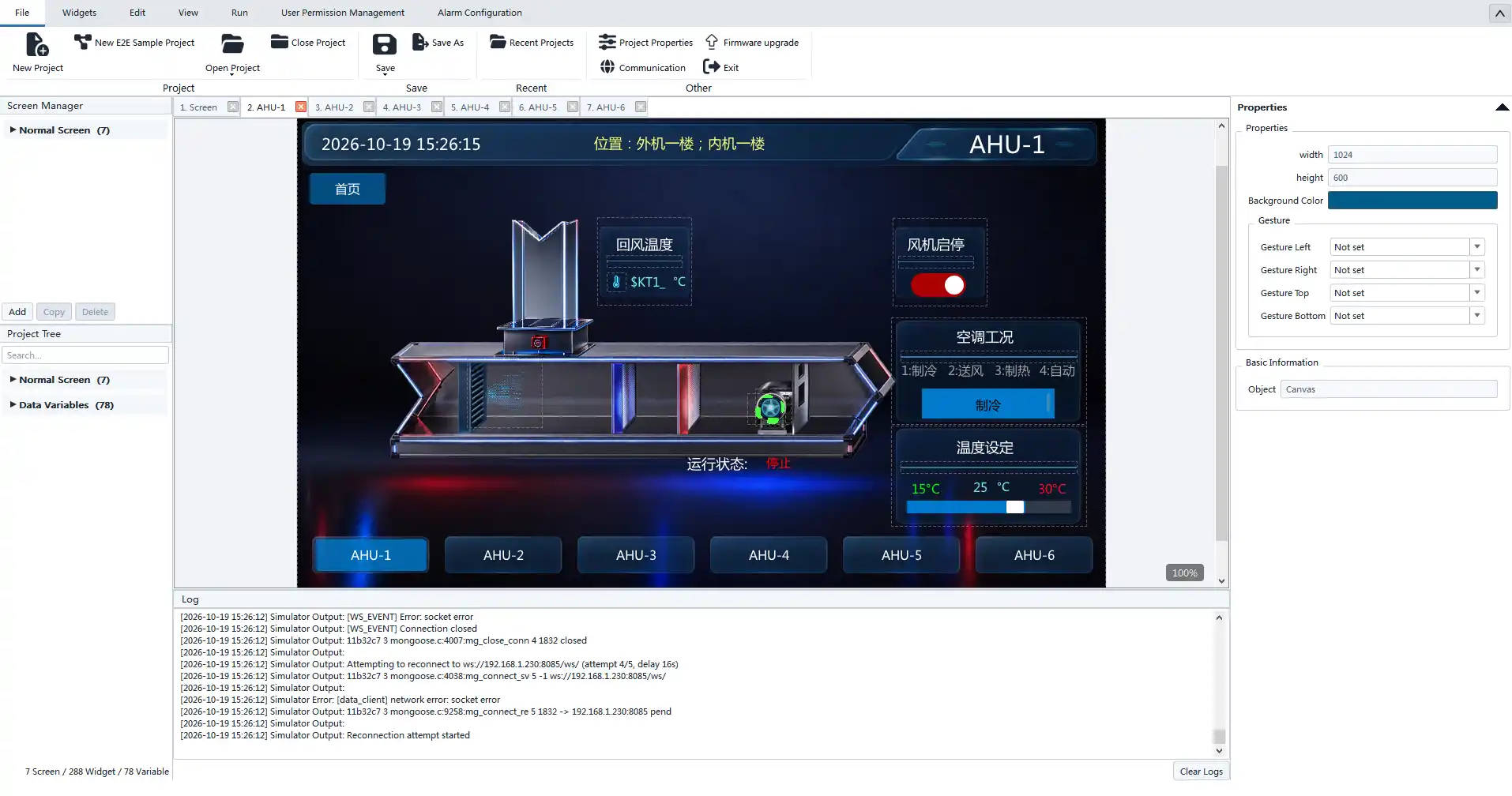
Three canvas types are supported — standard pages, notification panels and global widgets — with adjustable layer order and batch component copying for fast page element reuse.
Communicates with the gateway in real time over WebSocket to read and write data points; bound variables are kept when a project is opened offline.
Events are triggered by component interaction and can act on the component itself, on other components on the page, or read and write gateway and internal variables.
A single button cycling the $currentLanguage variable switches the whole project between Chinese and English.
Permission groups and user accounts control which components a signed-in user can see, operate and trigger events on.
The alarm record table component records and displays gateway-pushed data point alarms automatically, with thresholds and alarm levels configured per point.
The editor is an embedded HMI configuration design tool for product, design, development and operations teams, covering page building, content configuration, preview and project download and publishing.
Six areas of the interface:
The canvas comes in 3 types covering common panel layouts, along with page, layer and template management.
Canvas types and management:
The editor establishes real-time communication with the gateway over WebSocket, reading online gateway data points and writing values to them.
Data binding capabilities:
Events are triggered by component interaction (control actions such as button clicks, switch state changes and slider writes) and fall into three categories by execution target:
Event action categories:
The event binding area at the bottom edits component action logic, configuring the trigger event, the target component / variable and the target property value; a small lightning mark assigns the event output value straight to the target property.
Events can carry conditional tests: once IF/ELSE branches are configured they run only when the condition holds, with both a visual configuration mode and a Lua code mode.
At runtime execution follows the order “trigger event → evaluate condition → assign property / modify variable”, and the process details can be inspected in the log area at the bottom.
Permissions control whether a component is visible and operable to a user: only signed-in users belonging to the specified permission group can read and write the component and trigger its bound events.
Permission capabilities:
The alarm record table component displays the data point alarms pushed by the gateway on the page.
Alarm capabilities:
Downloading pushes the finished project to the HMI panel to run; the editor supports downloading to a gateway at 192.168.1.230 by default.
Download and publishing: