User Point
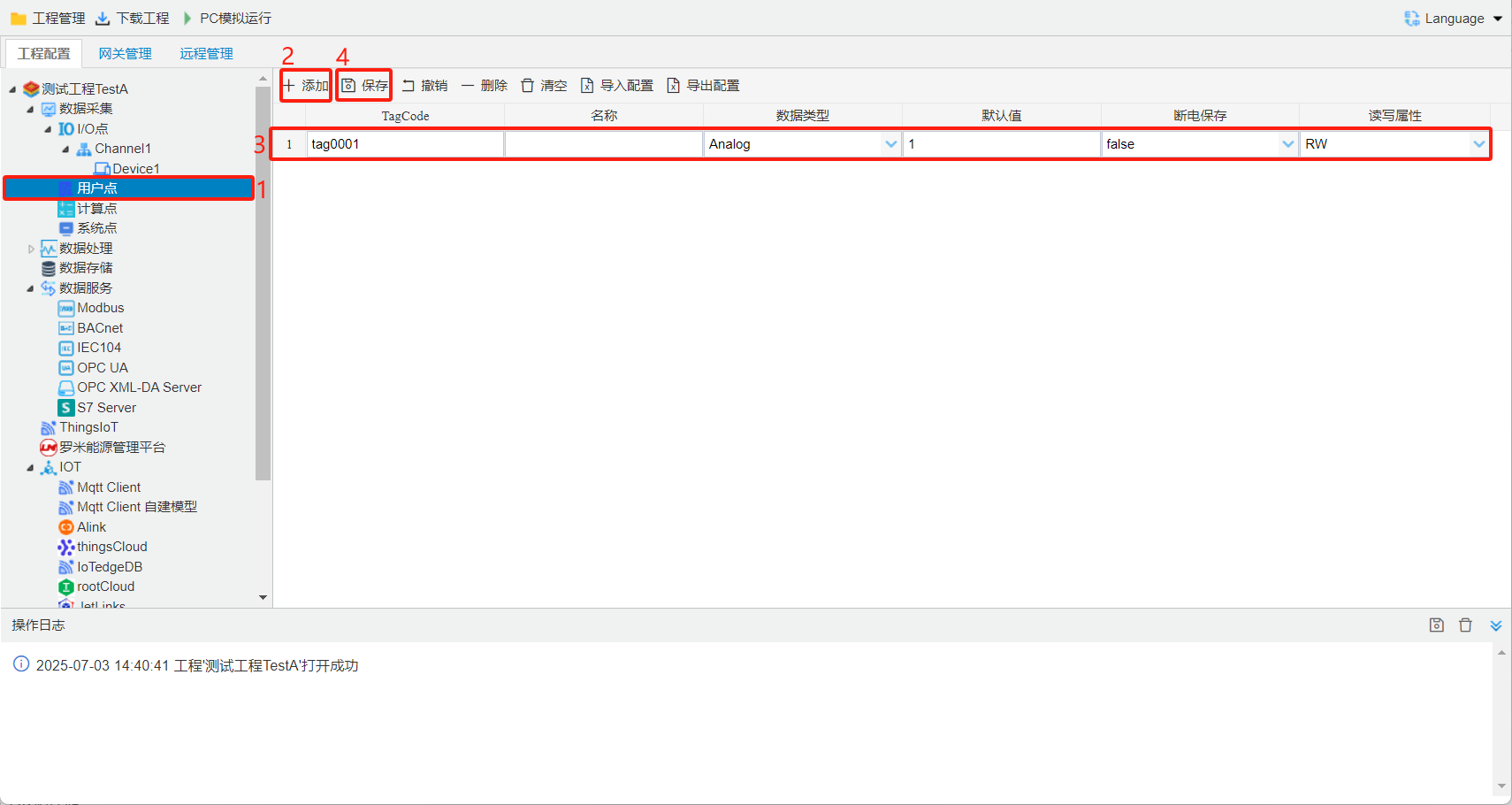
User points are read-write internal points. They can be used in JS scripts or serve as control signals.See the figure below for detailed steps.
- Click the User Points node on the project tree.
- Click the Add button to create a new user point.
- Enter a unique name on the configuration page, select the point type (Analog or Discrete), and set its default value.
- Click Save to finish creating the point.