New Channel
Create channel
Right-click I/O Points and select New Channel. A window for channel parameter settings will pop up. Select the channel, driver and other parameters based on the actual connected acquisition devices.
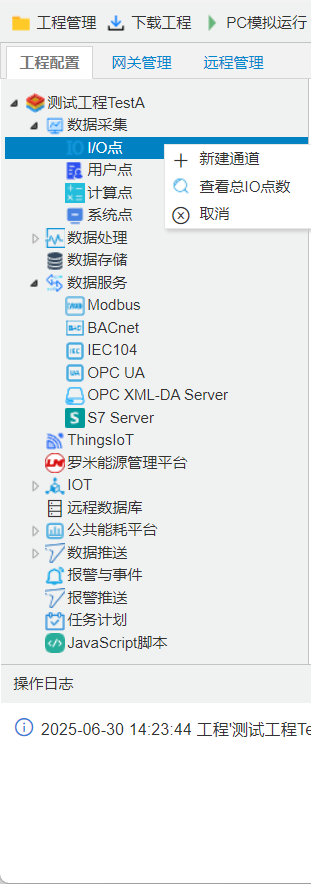
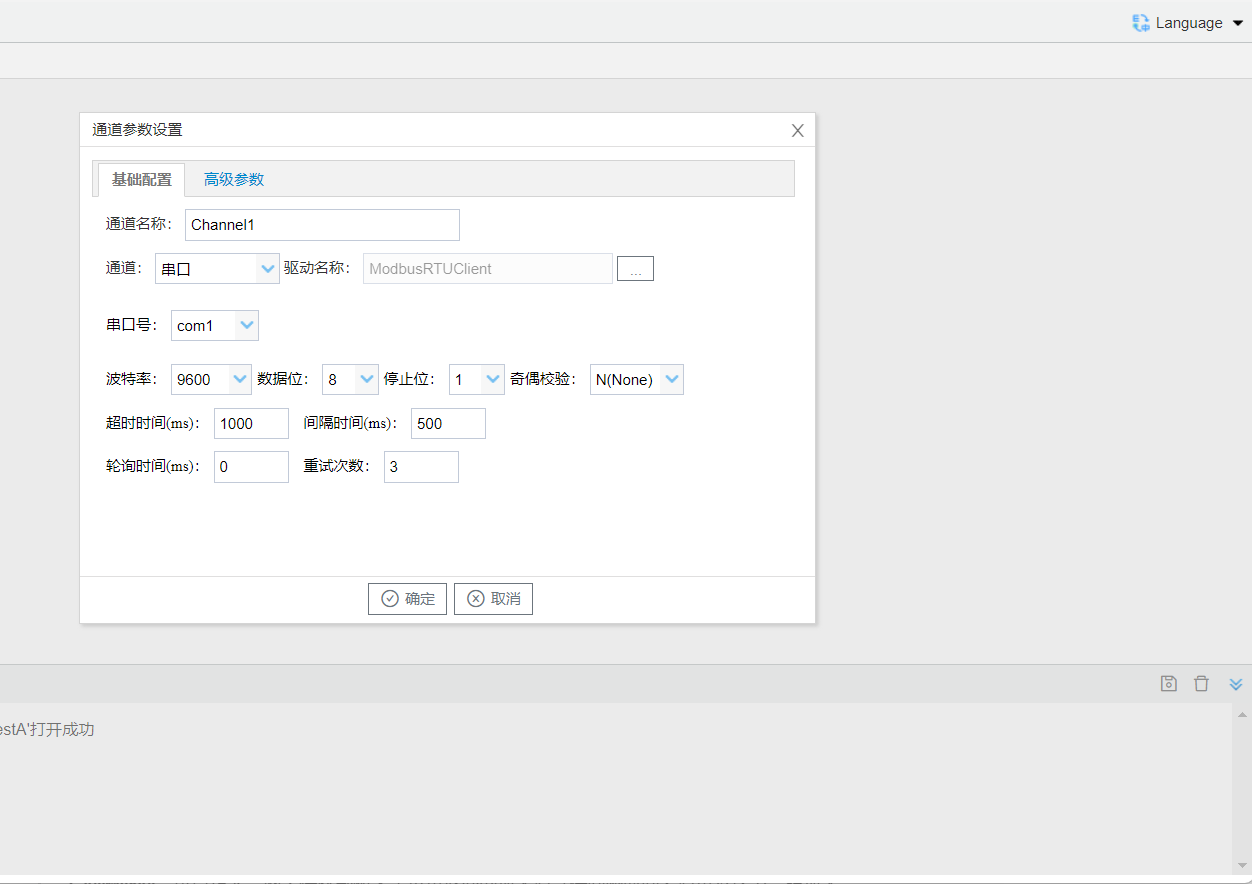
Configure the settings from top to bottom in the channel parameter pop-up window following the steps shown above:Every protocol includes four basic parameters: timeout, interval, polling period, and retry count. Their definitions are as follows:
- Channel Name: Edit channel name;
- Channel: Select either serial port or Ethernet port for the driver channel;
- Driver Name: Choose the corresponding driver.;
- Communication Parameter: Set relevant communication parameters according to the selected driver protocol.
The button for advanced parameters will appear automatically based on the selected protocol. Advanced parameter options vary for different protocols.
- Timeout Period: The waiting duration for a response after the gateway sends a message to the field device. Under normal communication conditions, a longer value will not affect transmission speed. If the device responds slowly, extend this value to prevent communication failures.
- Interval Time: User-defined waiting period. The gateway will wait for this interval before sending the next batch of messages after receiving a reply from the device.
- Polling Period: After finishing all data acquisition tasks on the channel, the gateway waits for this duration before starting the next polling cycle.
- Retry Count: The number of retransmission attempts if communication fail .
Note: Please refer to the link below for configuration instructions of other acquisition protocols.
Channel creation completed.
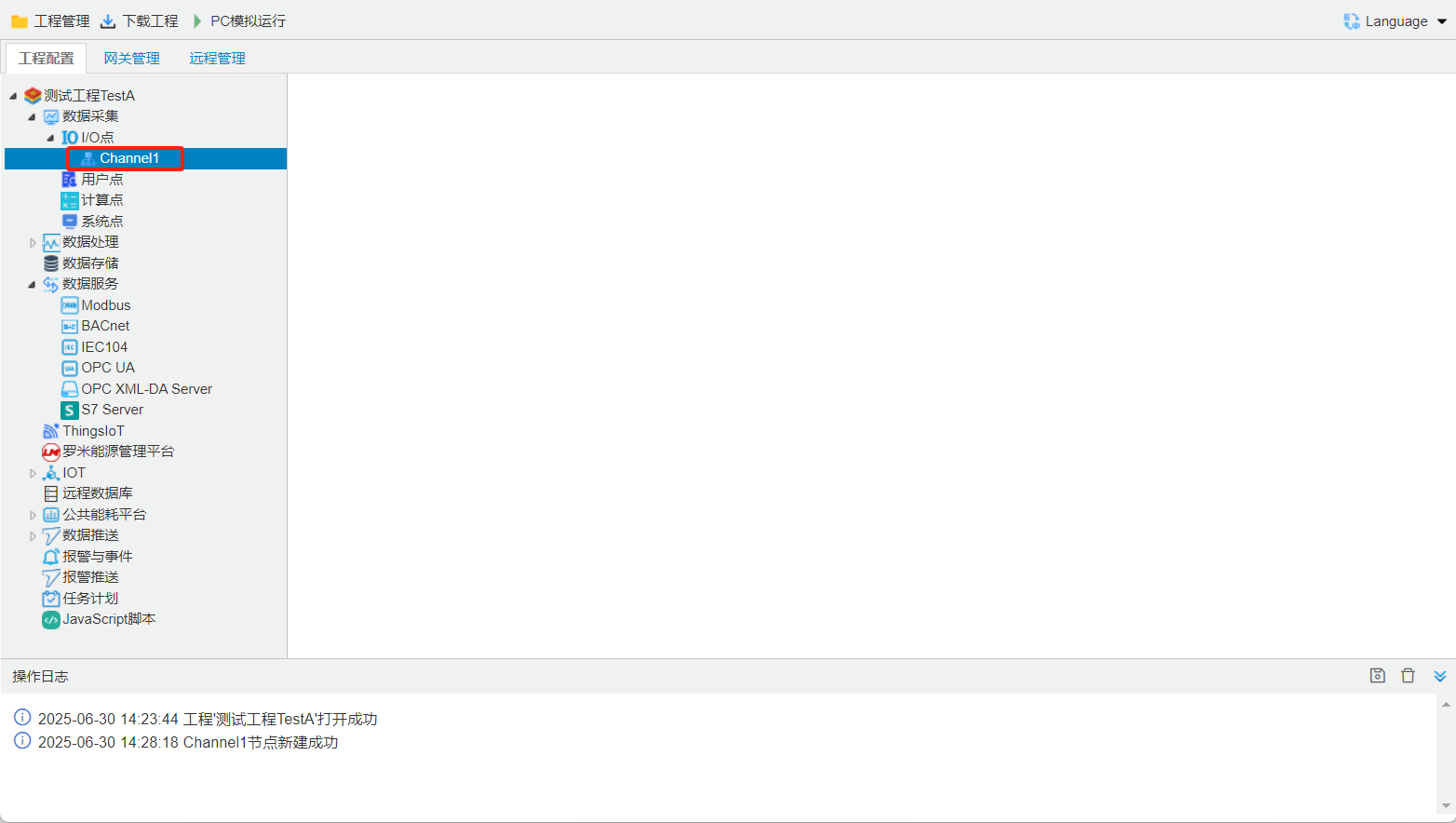
Batch Add Channels
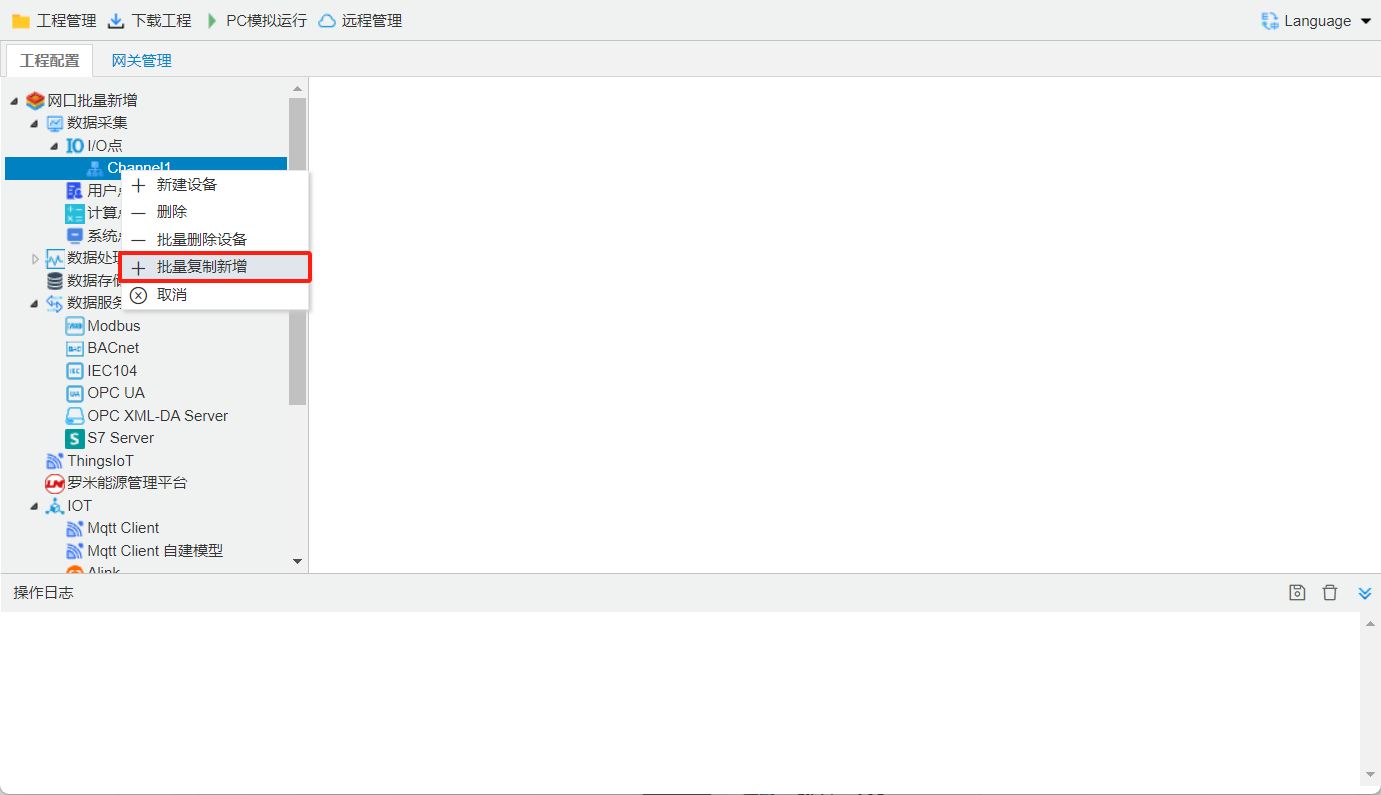
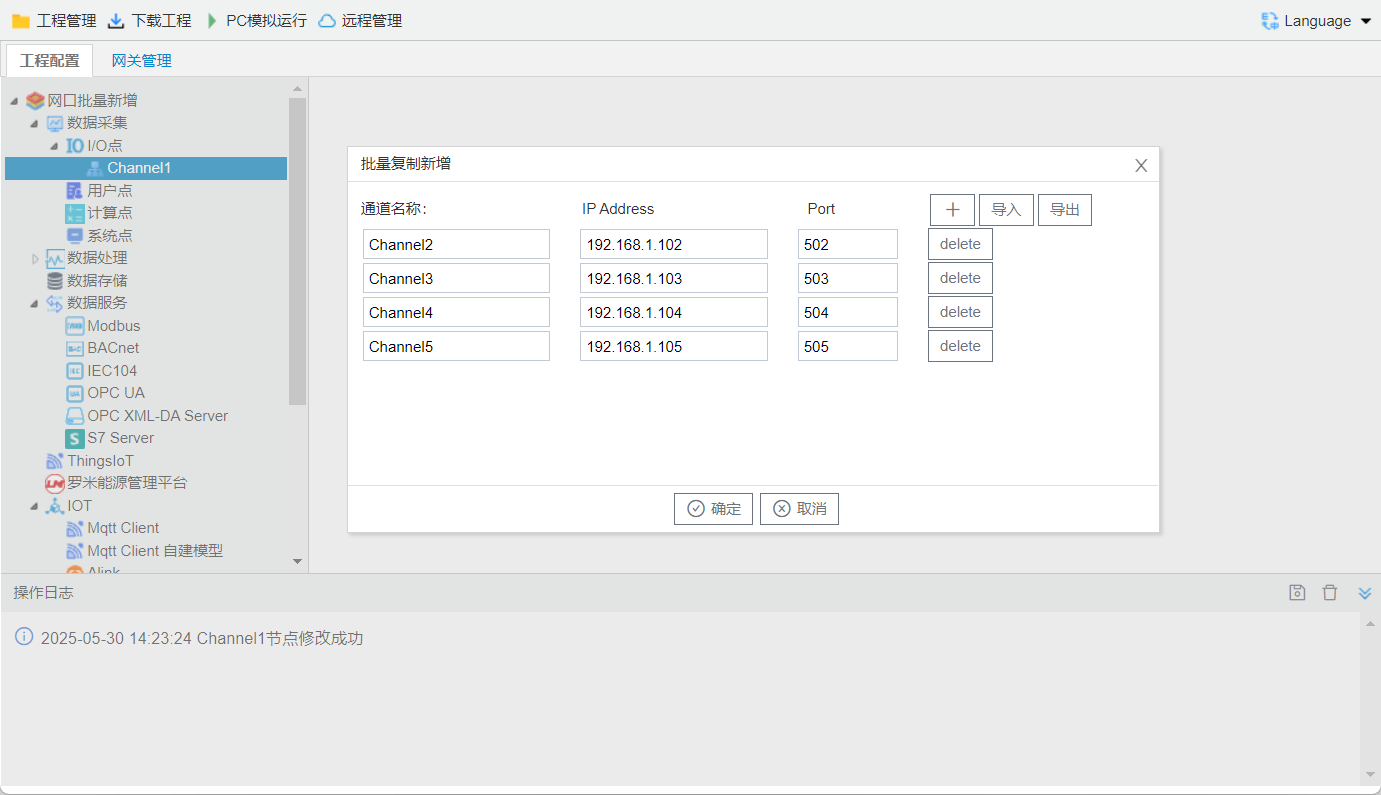
The configuration tool supports batch duplication and creation of channels to help users finish bulk setup quickly.
Right-click and select Batch Duplicate & Add
Click the + icon to add new channels. Only modify the IP address and port number; All other channel settings will remain unchanged.
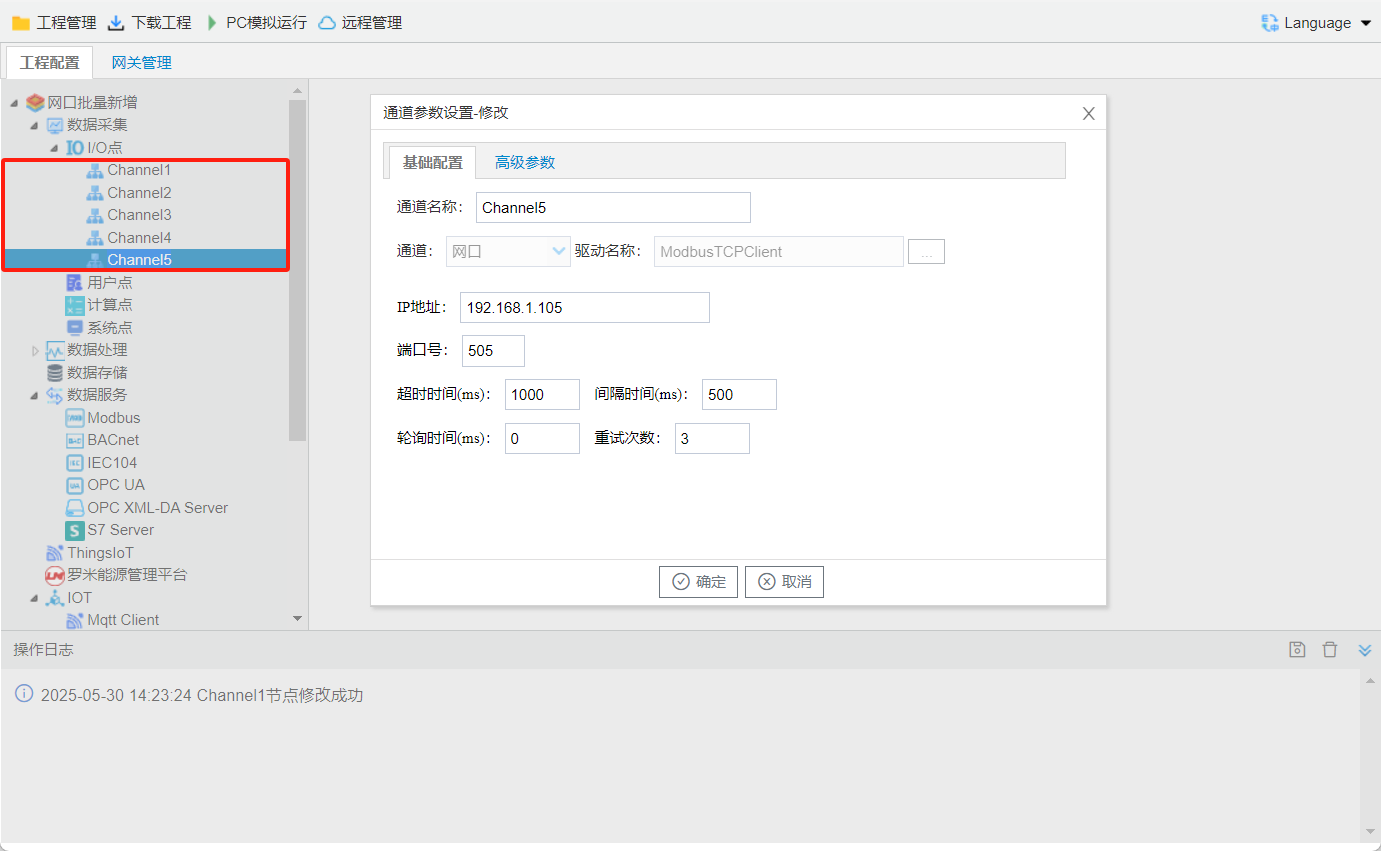
complete channel added
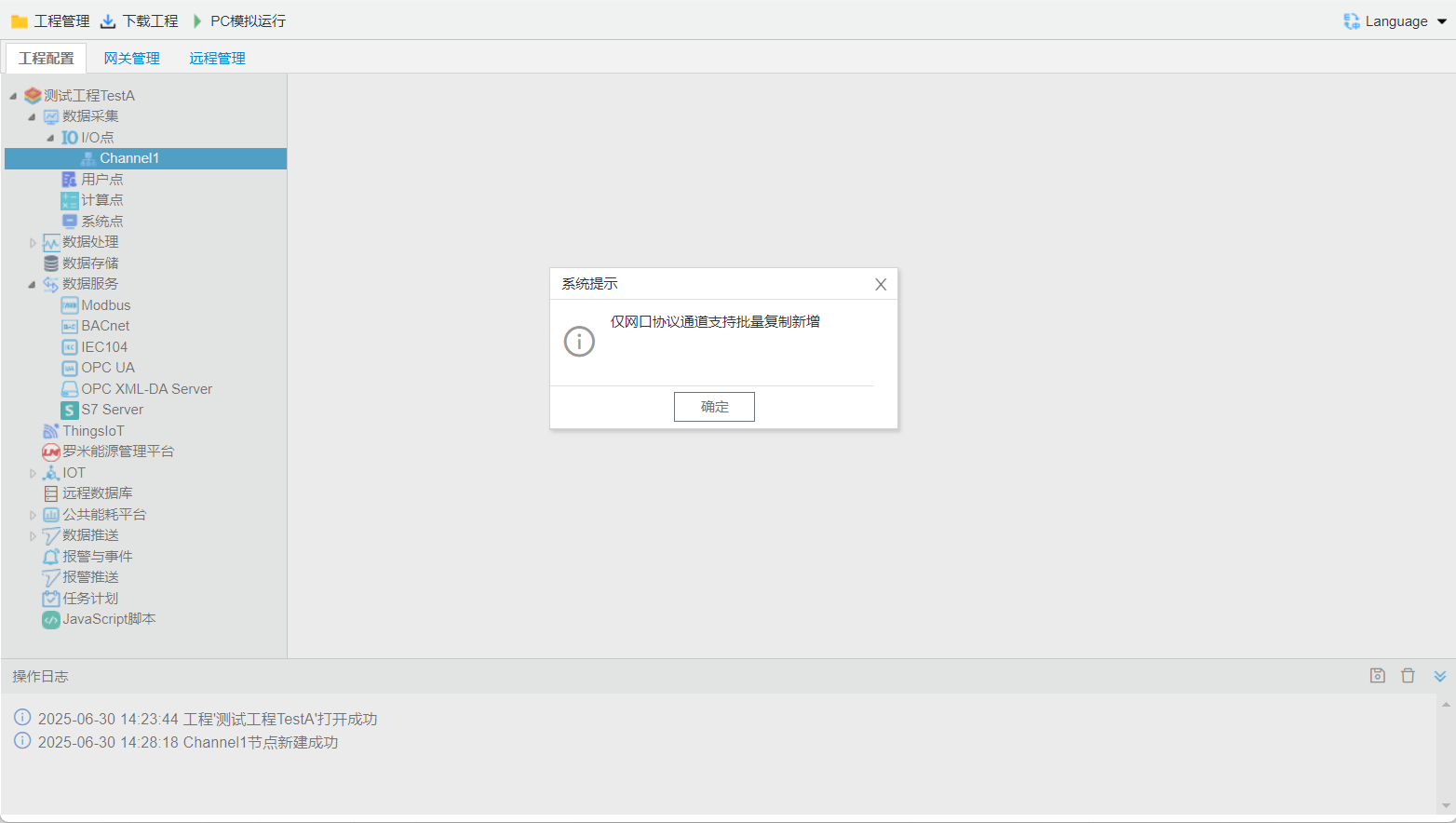
: Note: Batch duplication is only available for Ethernet protocol channels.
Number of New Channels Supported by the Gateway
| gateway | serial portsupportschannel | Ethernet portsupportschannel |
|---|---|---|
| 1column | 1 | 6 |
| 2column | 2 | 6 |
| 4column | 4 |