MQTT Client
Function Configuration
Click MQTT Client to complete MQTT parameter configuration.
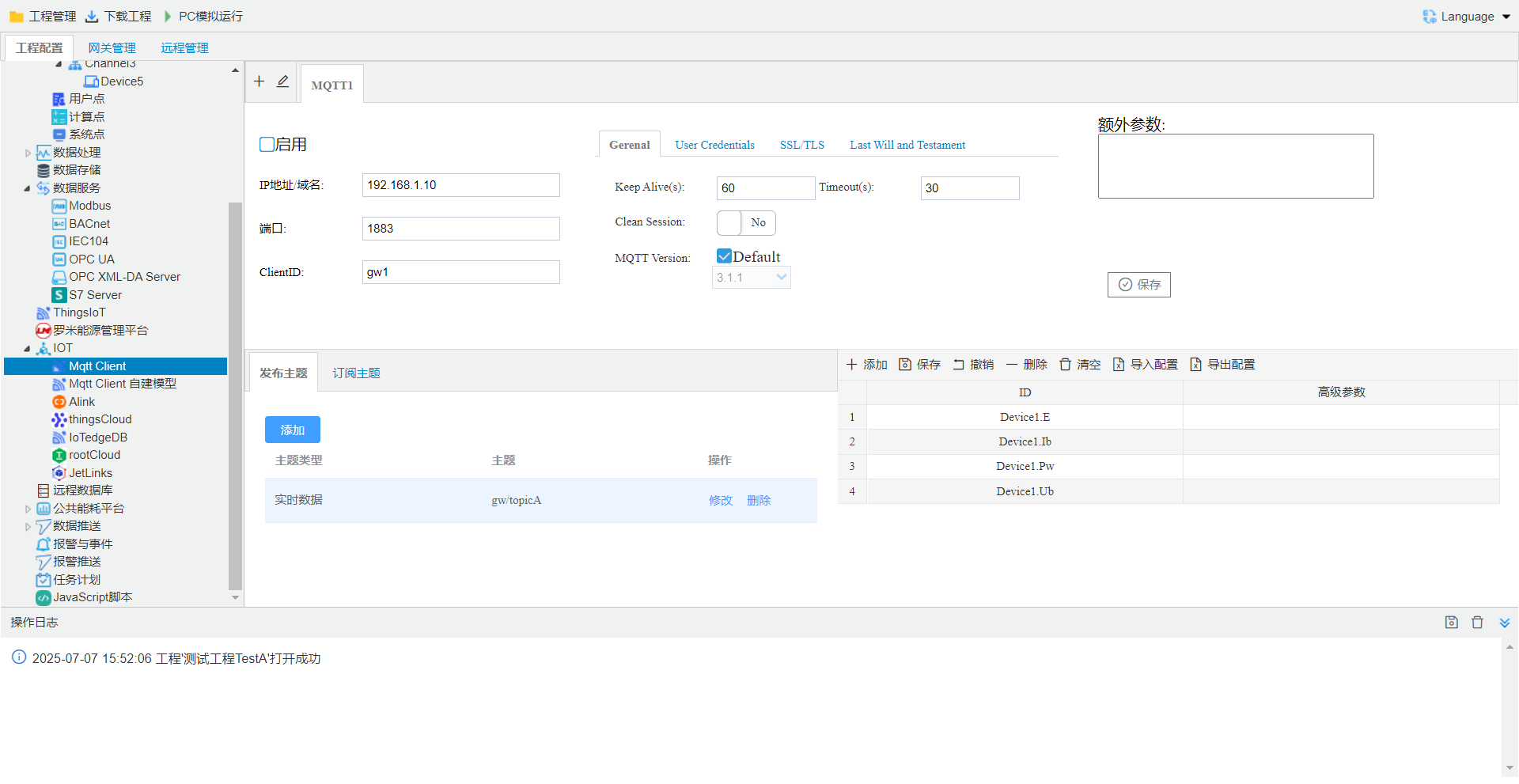
connection
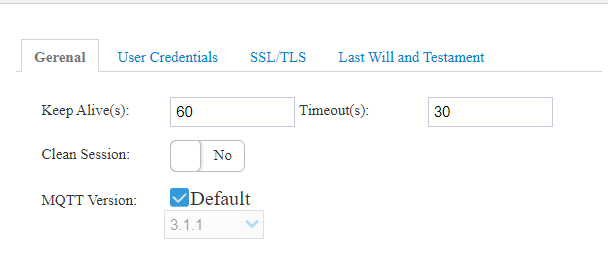
Configuration(General)
- Keep Alive(s): , clientin Connect whenSettings Keep Alive when. ifservicein 1.5 * Keep Alive timewithinclient message, client network connection, is 60 seconds.
- Timeout(s): clientsend time, clienttimeafterinconnection, is 30 seconds.
- Clean Session:
log in(User Credentials)
Username, Password: according tobroker Configuration, OKmqttconnectionwhenisneed to Username, Password .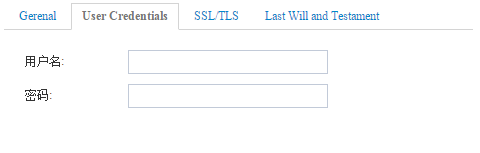
SSL/TLS
customerin MQTTneed to SSL/TLSwhen, canopen SSL/TLSpage.
SSLconnectionmode, enable SSLconnection:- to——need to upload CAgateway, gatewayandbrokerconnectionwhen, gatewayisclientprovidebroker. CAserviceprovide.
- to——need to upload CA, Cert, KEYgateway, gatewayandbrokerconnectionwhen, gatewayandbrokertoprovide. CA, Cert, KEYserviceprovide.
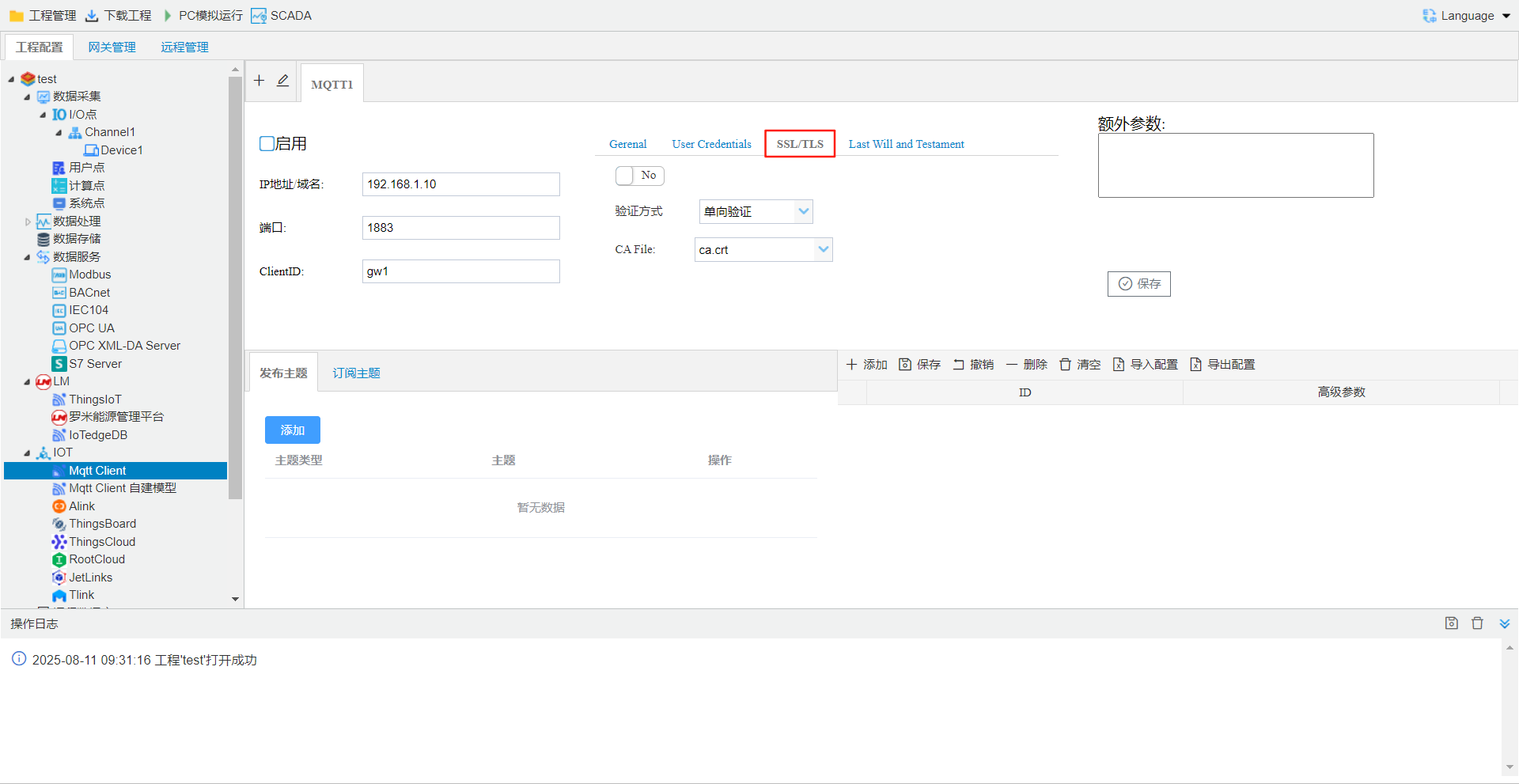
contentsavein [\GWConfigure V 2.4.25\mqtt\ssl\cafile]under, ifcustomerneed to can in specifiedunderadd. MQTTpagecan.
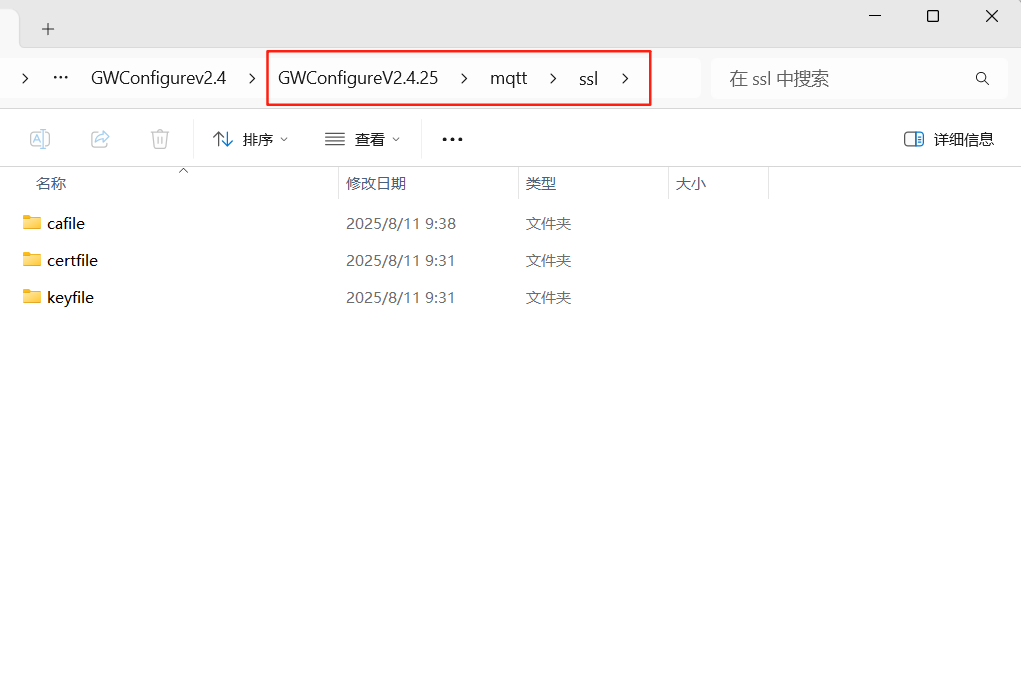
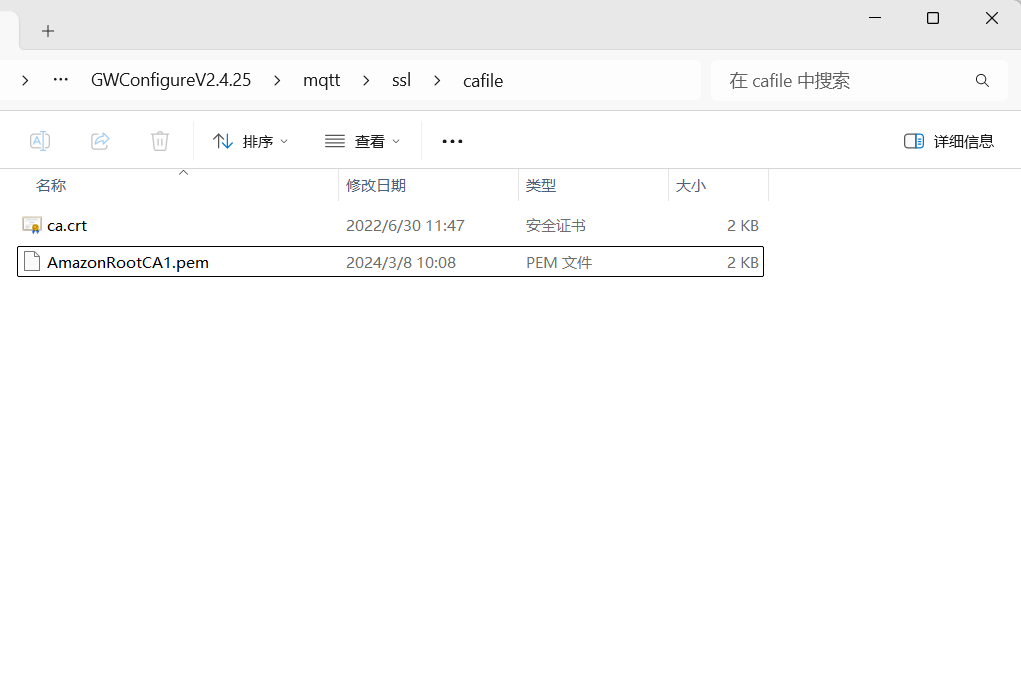
projecteditcompleteafter, Template Downloaddownloadgatewayin.
Configuration(Last Will and Testament)
isnetwork connectionwhen, clientaccording to. enablewhenneed to Settingsand. enable.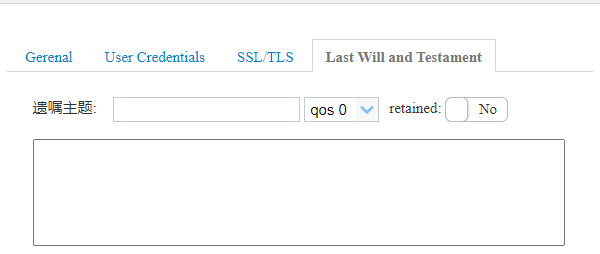
add Real-Time Dataand Configuration.
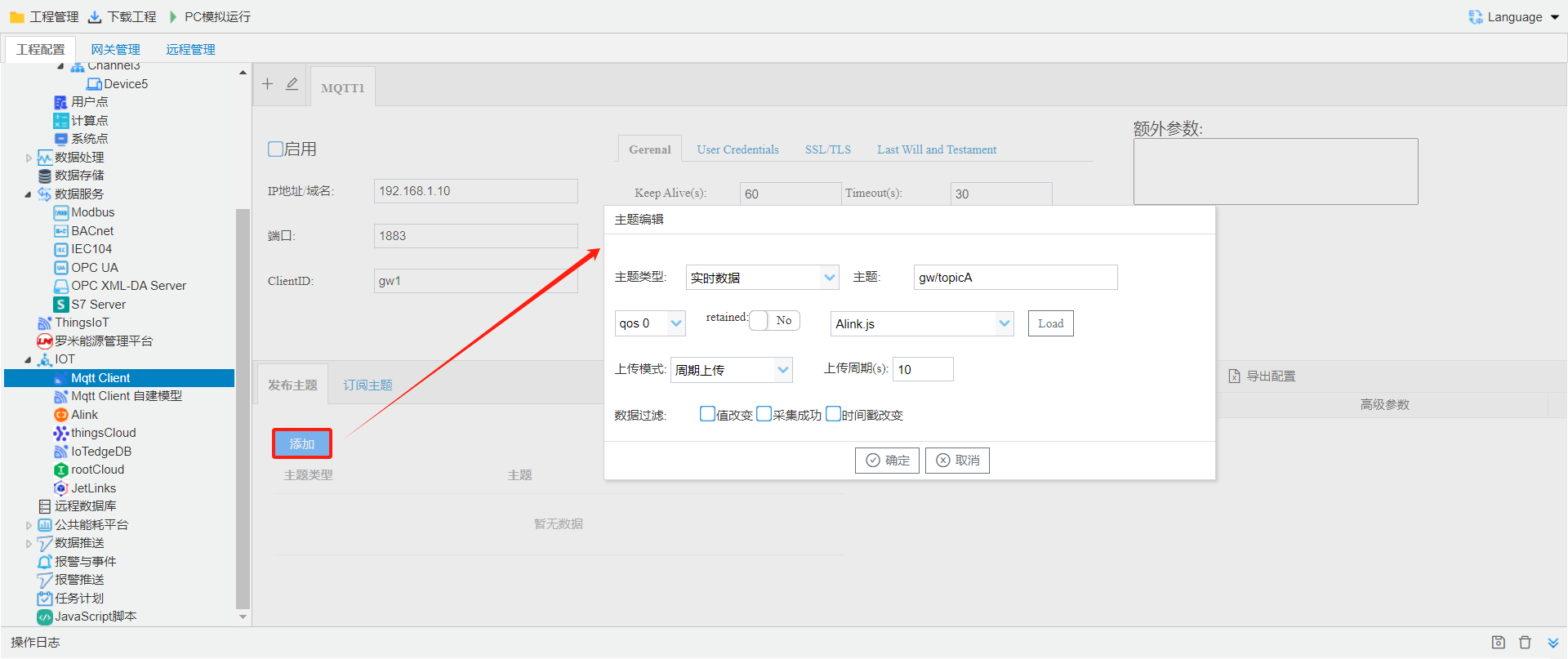
- Type: MQTT Type. includes(Real-Time Data, offline, connection, devicestatus, event)
- : usercustom Data Push Name.
- QoS: etc., default is QoS 0
- qos 0: . is. ()
- qos 1: . afterwaitack, ack, when
- qos 2: . idone lifecycle. (can)
- retained: is No
- Yes: send need to save(serverrestart), sendcurrent , andafter Topic name on. Remarks: the Topic clientonafter, receive .
- No: iscurrent.
- uploadmode: mqtt mode. includes(intervalupload, whole-when timeupload, upload)
- : Tag point value, isacquisition succeeded(quality stamp)andtimestampisupload.
- template: upload , usercanthroughunderselectalready template. canaccording touserrequirementscustomizationtemplate.
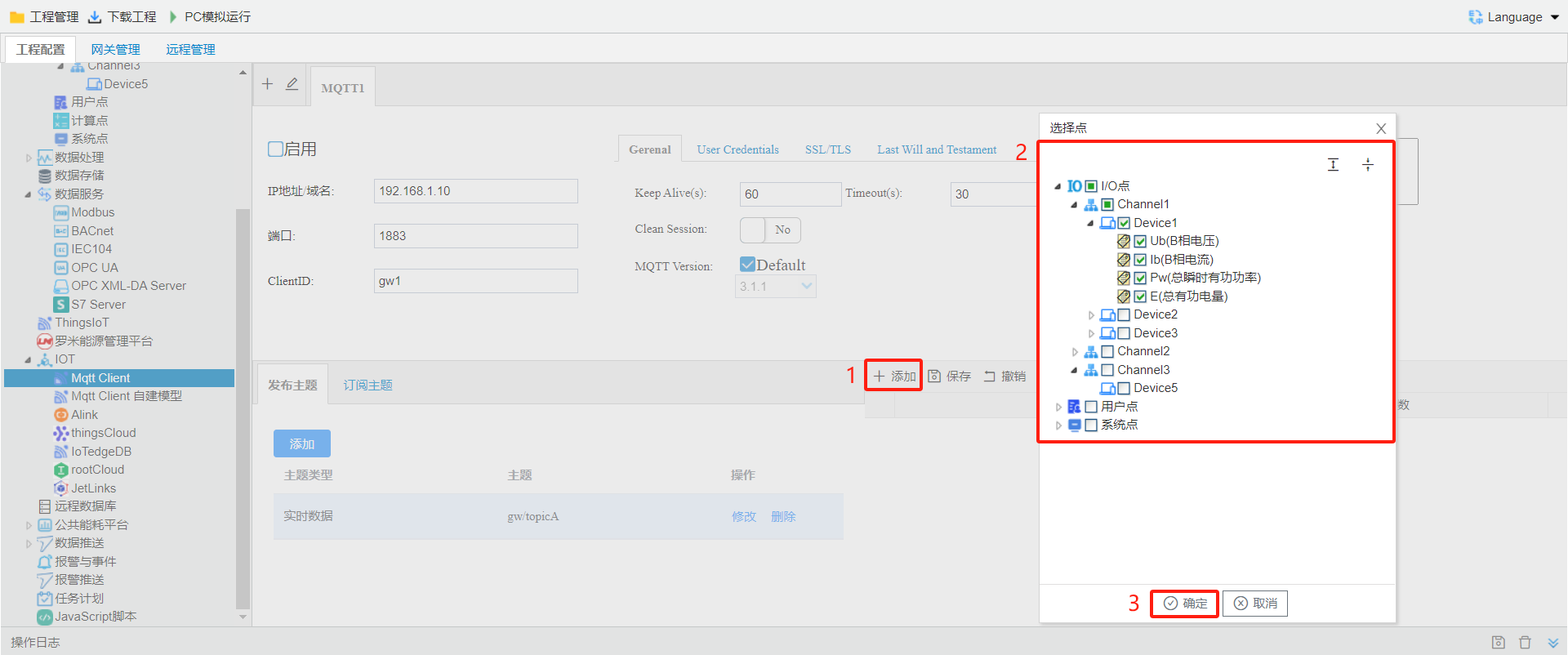
add MQTTpoint
selectoneafter, addpoint
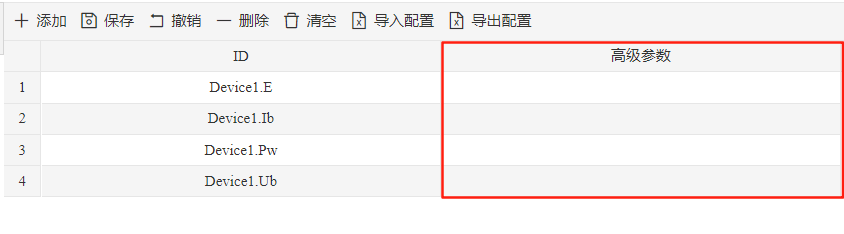
Parameter
ifneed to in mqttupload data pointadd , canadd"Parameter"(JSON). in MQTT Clientpage Click"add"button, selectneed to upload Tag point, Double-click Tag point, in "Parameter"inaddneed to json, such as{"unit":""}.
the need to template.
templateDescription
MQTT Clientpage in, Real-Time Data, query, control, controlreturn, restart templatefunction.Real-Time Data
beforesupports 8template.- default.js: isgenerated jsoninincludesquality stamp, need to in ""inselect"acquisition succeeded", generated jsonas follows:
{
    "Device1":{
        "tag0001":2,
        "tag0002":3,
        "tag0003":1.23,
        "tag0004":0,
        "tag0005":0,
        "tag0006":0,
        "tag0007":0,
        "tag0008":0,
        "tag0009":0
    },
    "clientid":"gw1",
    "system":{
        "TIME_DAY":19,
        "TIME_HOUR":17,
        "TIME_MINUTE":38,
        "TIME_MONTH":6,
        "TIME_SECOND":55,
        "TIME_WDAY":3,
        "TIME_YEAR":2019
    },
    "time":"1560937137"
}
- Alink.js: isgenerated jsoninincludesquality stamp, need to in ""inselect"acquisition succeeded", generated jsonas follows:
{
    "id":"1",
    "method":"thing.event.property.post",
    "params":{
        "Device1_tag0001":2,
        "Device1_tag0002":3,
        "Device1_tag0003":1.23,
        "Device1_tag0004":0,
        "Device1_tag0005":0,
        "Device1_tag0006":0,
        "Device1_tag0007":0,
        "Device1_tag0008":0,
        "Device1_tag0009":0,
        "system_TIME_DAY":19,
        "system_TIME_HOUR":17,
        "system_TIME_MINUTE":43,
        "system_TIME_MONTH":6,
        "system_TIME_SECOND":43,
        "system_TIME_WDAY":3,
        "system_TIME_YEAR":2019
    },
    "version":"1.0"
}
query
- default.js: toquerysendas followsjson , canperformunderdata point queryandspecifieddata point query.
{"operate":"read","devices":[
  {"deviceCode":"Device1","tags":null},
  {"deviceCode":"Device2",
  "tags":[
        {"tagCode":"tag0008"}
      ]
    }
  ]
}
control
- Alink.js: tocontrolsendas followsjson , canwhenundermultipledata point control.
{
    "method":"thing.service.property.set",
    "id":"763382906",
    "params":{
        "Device1_tag0001":0
    },
    "version":"1.0.0"
}
- default.js: tocontrolsendas followsjson , canwhenundermultipledata point control.
[
    {
        "operate":"write",
        "deviceCode":"Device1",
        "tagCode":"tag0001",
        "val":"10"
    },
    {
        "operate":"write",
        "deviceCode":"Device2",
        "tagCode":"tag0002",
        "val":"20"
    }
]
controlreturn
- default.js: andoncontrolindefault.js, onedata point, throughcontrol as followsas followsjson.
{
    "deviceCode":"Device1",
    "message":"写操作返回信息",
    "status":true/false,
    "tagCode":"tag0001",
    "value":"10"
}
- default Ex.js: andoncontrolindefault Ex.js, onedata point, throughcontrol as followsas followsjson.
{
    "deviceCode":"Device1",
    "message":"写操作返回信息",
    "seq":1,
    "status":true/false,
    "tagCode":"tag0001",
    "value":"10"
}
- LM IoT.js: andoncontrolin LM IoT.js, onedata point, throughcontrol as followsas followsjson.
{
    "type":"write",
    "time":"1557136546",
    "seq":"230",
    "clientid":"gw1",
    "devices":{
        "deviceid":"Device1",
        "tagcode":"tag0001",
        "value":"63",
        "status":"true/false"
    }
}
restart
- default.js: torestartas followsjsonisgatewayrestart(GCrunprojectwhenrestartcomputer).
{
    "operate":"reboot"
}
- LM IoT.js: torestartas followsjson, gatewayclientidperformdetermine whetherisrestartgateway(GCrunprojectwhenrestartcomputer).
{
    "type":"reboot",
    "time":"1557136546",
    "seq":"230",
    "clientid":"gw1"
}