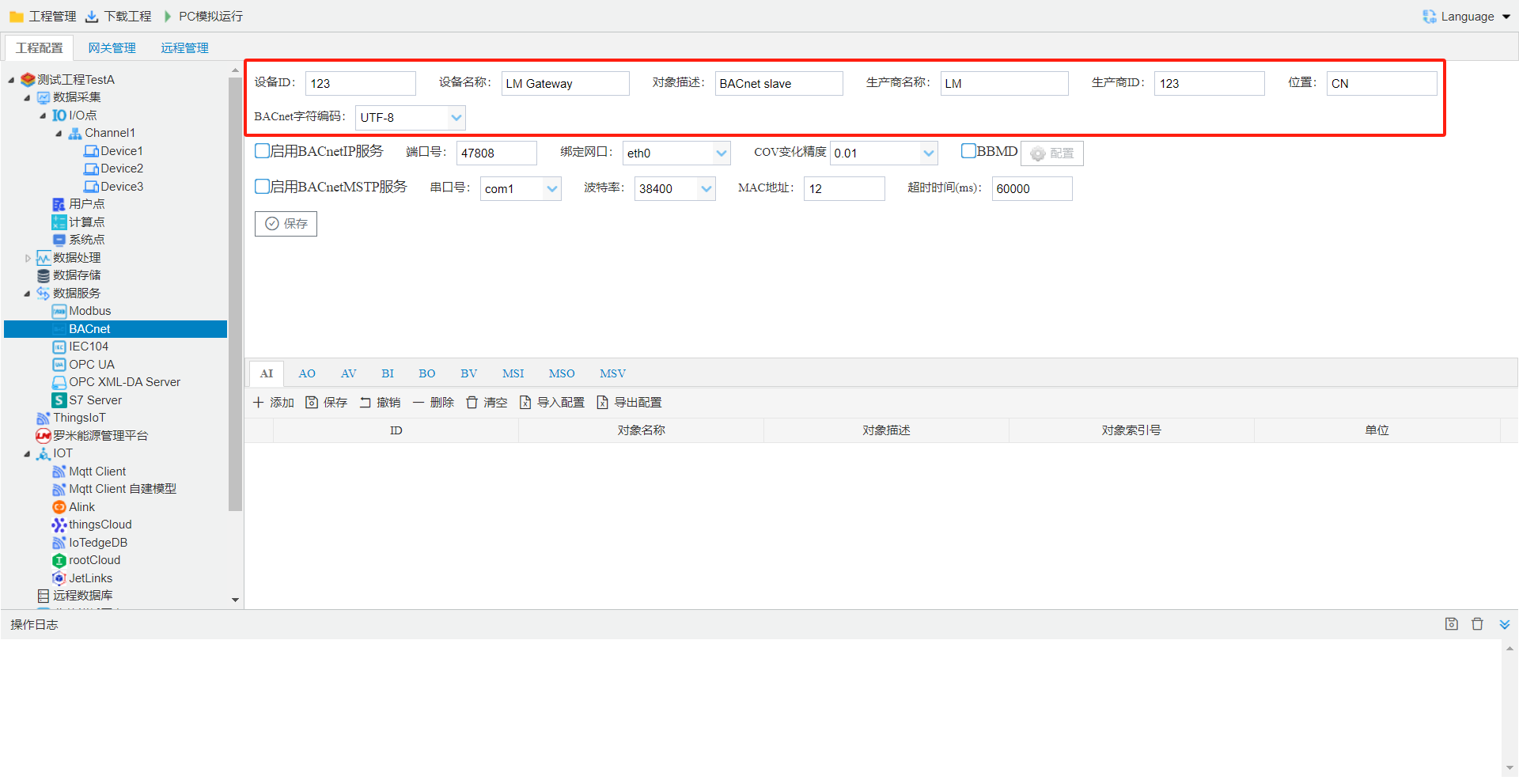
BACnet Service
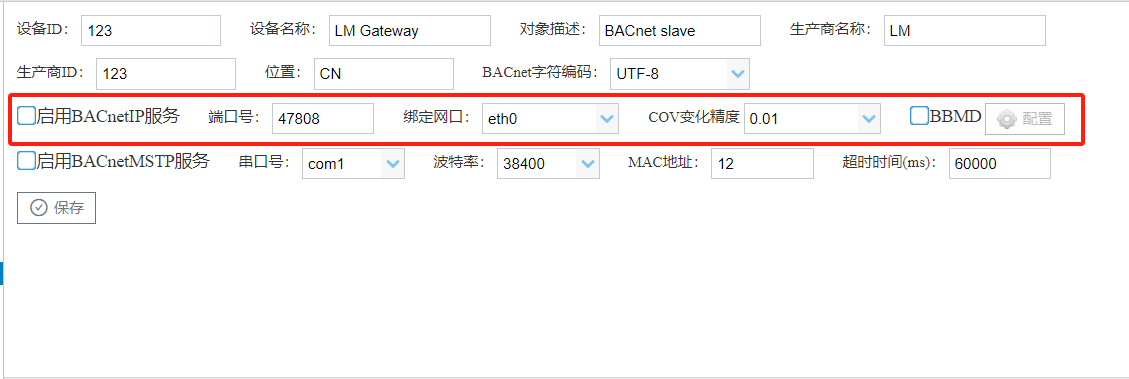
BACnet IPConfiguration
BACnet IPservice, allowshost computerthrough BACnet IPprotocolEthernet portconnectiondevice.Port number: Settings BACnet IPPort number, Default valueis 47808.
Port: specified BACnet IPservice (PCrunSettingscorresponding IP, downloadprojectwhenSettingsgatewayonactual Ethernet porteth 0 oreth 1, ifEthernet portSettingsgatewayeth 0 oreth 1, gatewayrunwheneth 0 Ethernet portBACnetservice).
BBMD: select BBMD, Settingsis BACnet cross-network-segmentwhen, registerisdevice, in "Configuration"infill inregisterisdevice host computer IP Address. in corresponding host computerneed to Settingscorresponding BBMD device IP Addressiscurrentgateway IP Address.
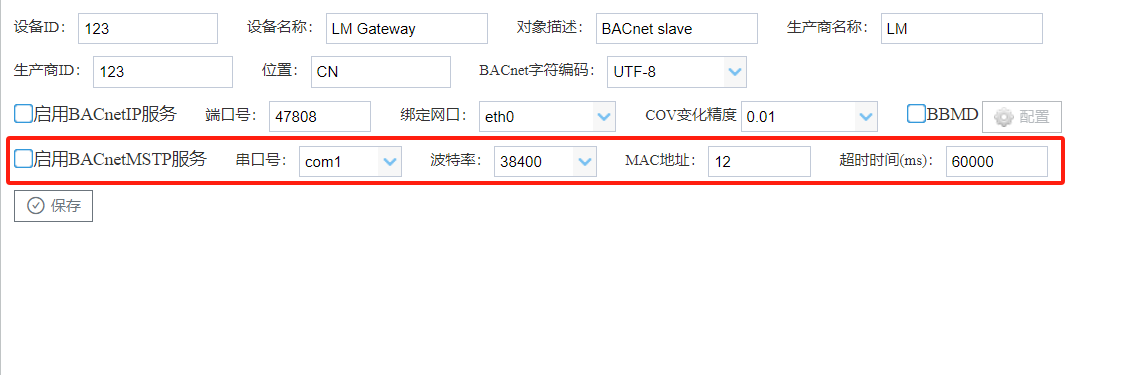
BACnet MSTPConfiguration
BACnet MSTPservice, allowshost computerthrough BACnet MSTPprotocolserial portconnectiondevice.serial port number: gatewayprovide BACnet service com ;
baud rate: gatewayprovide BACnet service serial portbaud rate;
MACAddress: BACnet MSTPservice MACAddress.
timeout: APDU timeout.
BACnet Address
Tag pointBACnet in, Configurationstepsas follows:- selectneed to Ba Cnetuploadin Type, supports TypeAI,AO,AV,BI,BO,BV,MSI,MSO,MSV;
| Analog Input | input |
|---|---|
| Analog Output | |
| Analog Value | value |
| Binary Input | input |
| Binary Output | |
| Binary Value | value |
| Multi-State Input | (input) |
| Multi-State Output | () |
| Multi-State Value | statusvalue |
- Click the Add button.
- in open selectpointwindowinselectneed to point;
- Click the "OK" buttoncompletepoint add.
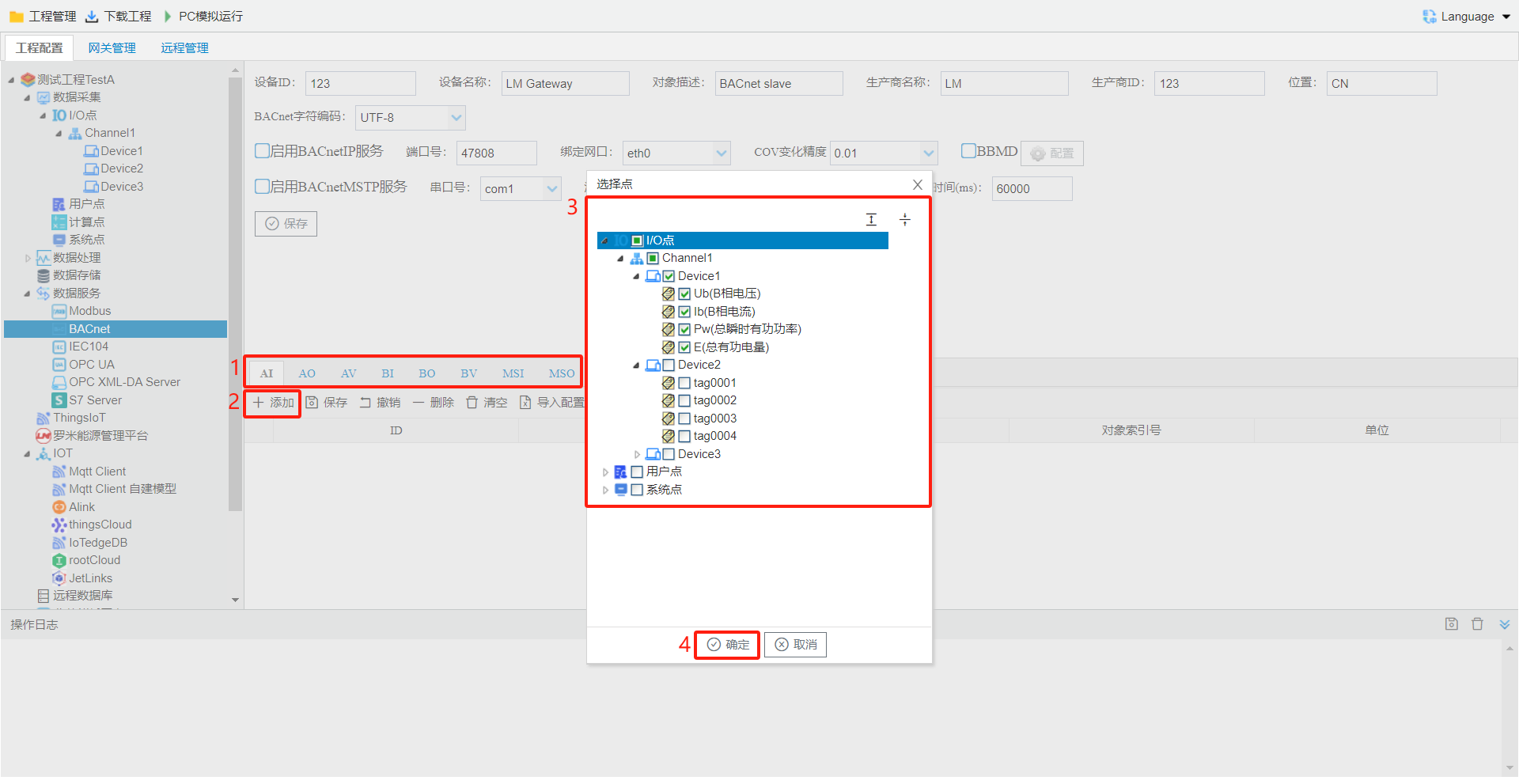
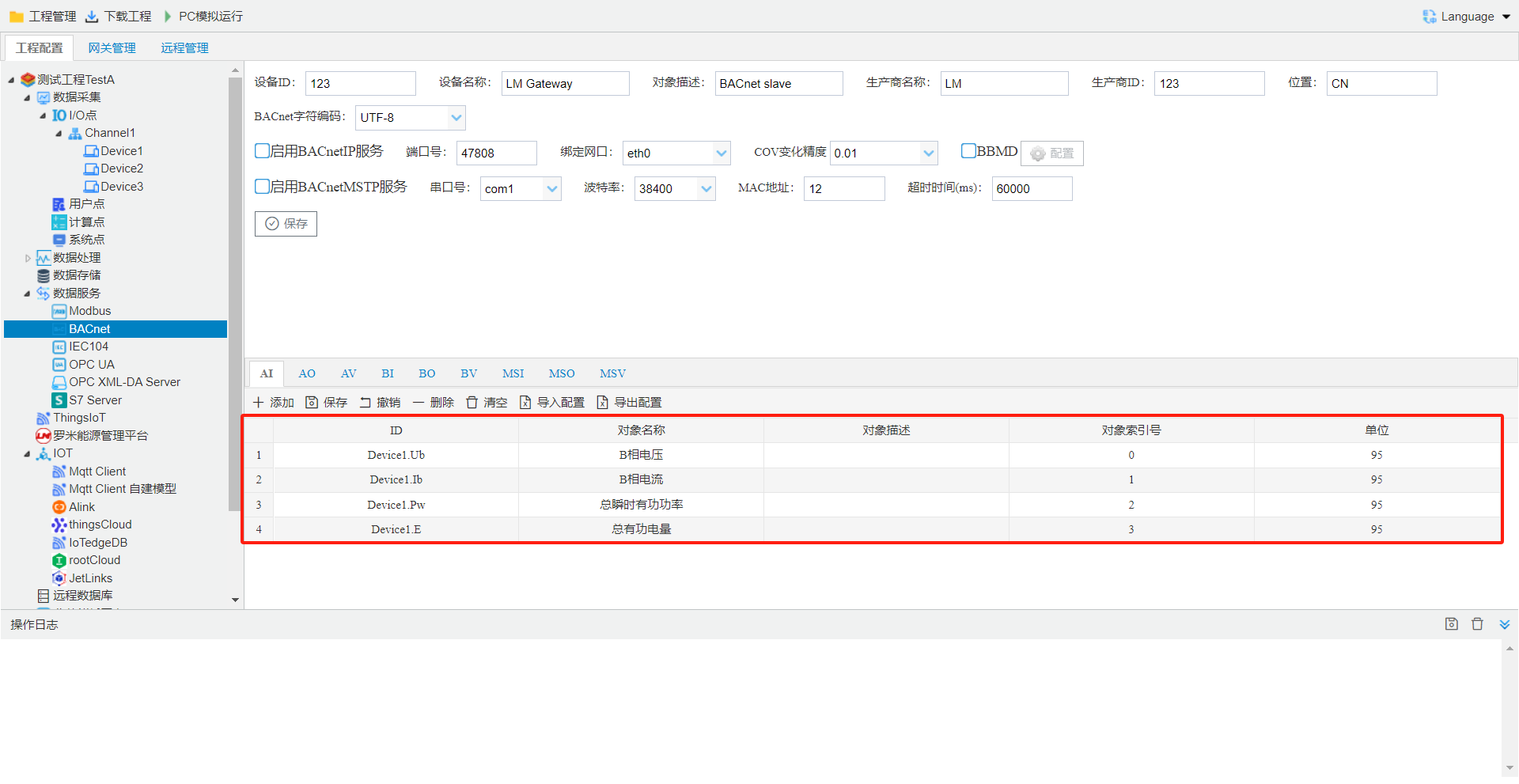
MSI, MSO, MSV pagein""columnonestatus.
- Name: canedit, BACnetdata point Name.
- : canedit, BACnetdata point .
- : , and AI,AO,AV,BI,BO,BV,MSI,MSO,MSVis AI 0, AI 1, AI 2 etc.
- unit: canedit, throughunderselect.
warning MSI, MSO, MSVis, ifneed to BACnet on,
BACnet
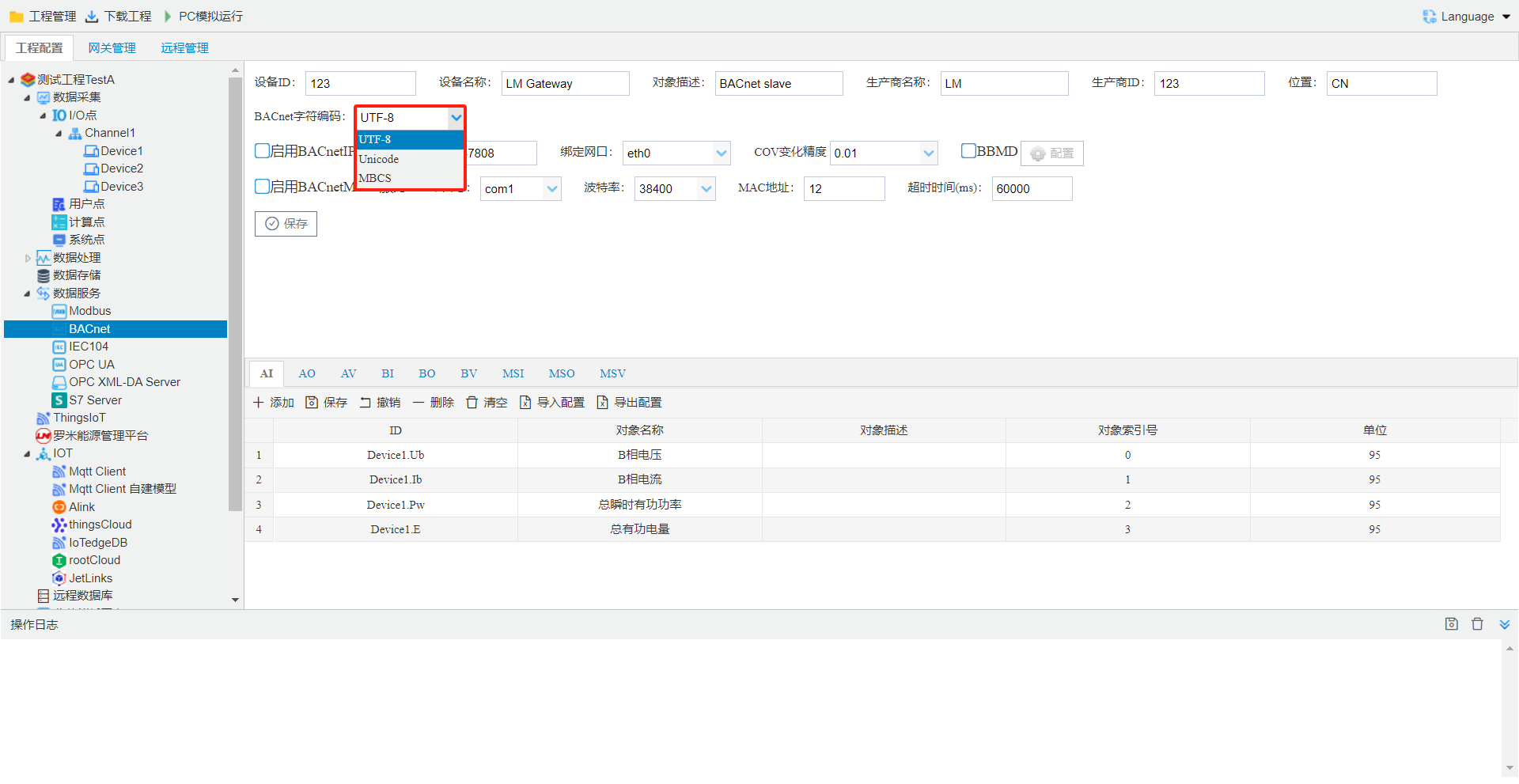
- MBCS:Insight、Delta 、etc.
- UCS-2:EBI、etc
- UTF-8:Metasys、Niagara 、WEBControl、etc.
warning : BACnet select, is UTF-8, host computerneed to in(such as EBI: need to selectis UCS-2).
Tool Softwaretestgateway BACnetservice
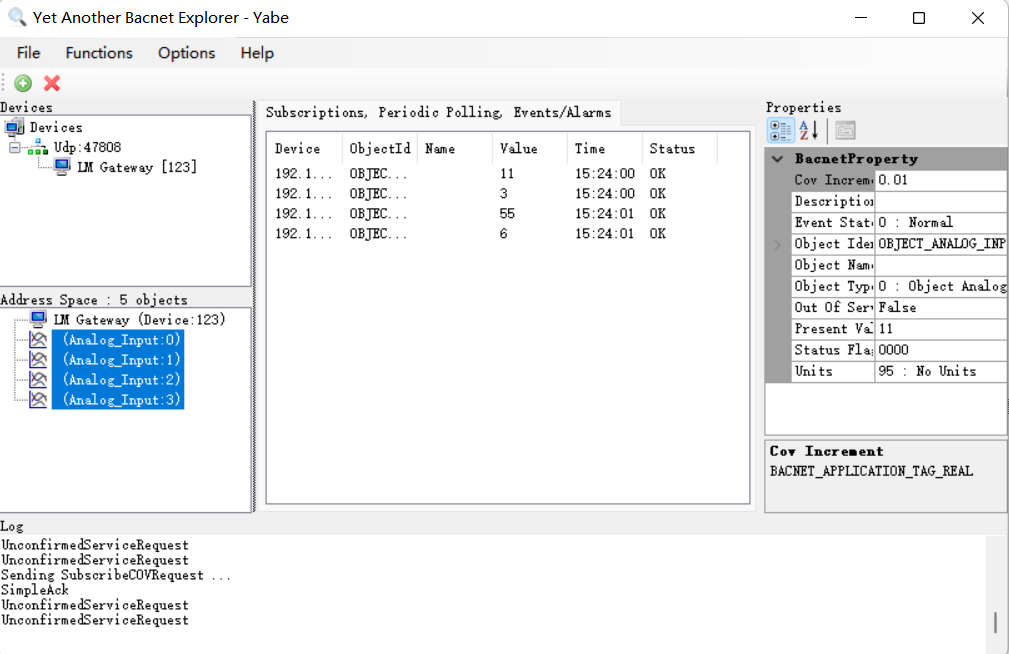
Yaberead BACnet IPservice Example, stepsas follows:Download link: BACnet--Yabe
- BACnet IPservice, as follows:
- the projectthroughtoolin "downloadproject"buttondownload LM Gatewayin.
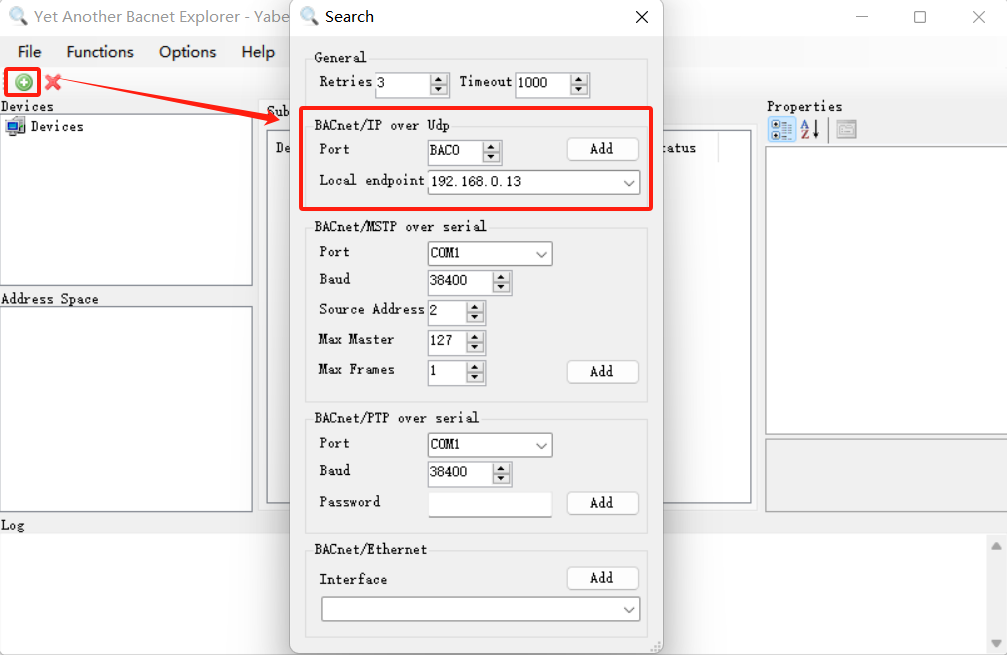
- open Yabe, Clickabovetool "+"button, in openinonin Port number(BAC 0 isonin 47808 16), select PC IP address, Click"Add"completeconnection Configuration.
- in UDP:47808pointunderGCin BACnetpagedevice ID device, Descriptionalreadyconnectionon LM Gateway BACnet IPservice, Clickdevicepoint, in left sideinsearch device BACnetdeviceand.