2.2 Gateway Project Management
The term "project" here refers to the configuration file of the gateway. Edit the project file and download it to the gateway. The gateway will operate according to this configuration.
1. Create project
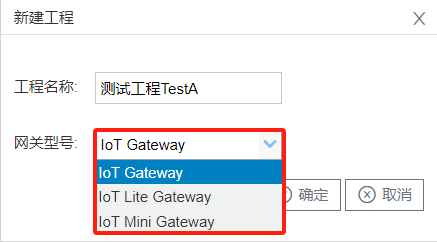
Click Create Button to edit project name and select gateway's type. Click OK to save.
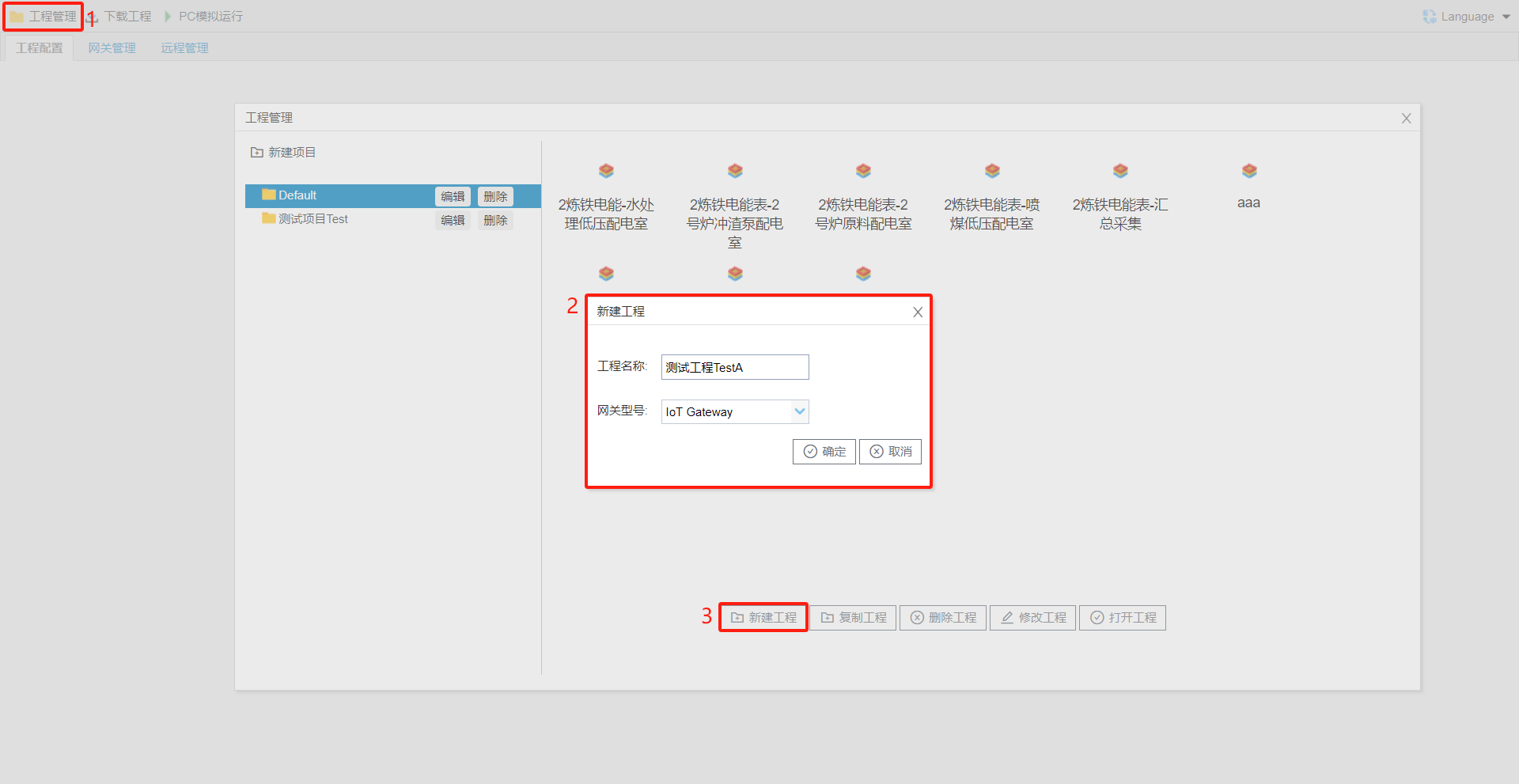
When creating a new project, make sure the selected gateway model matches the physical device.
2. Delete project
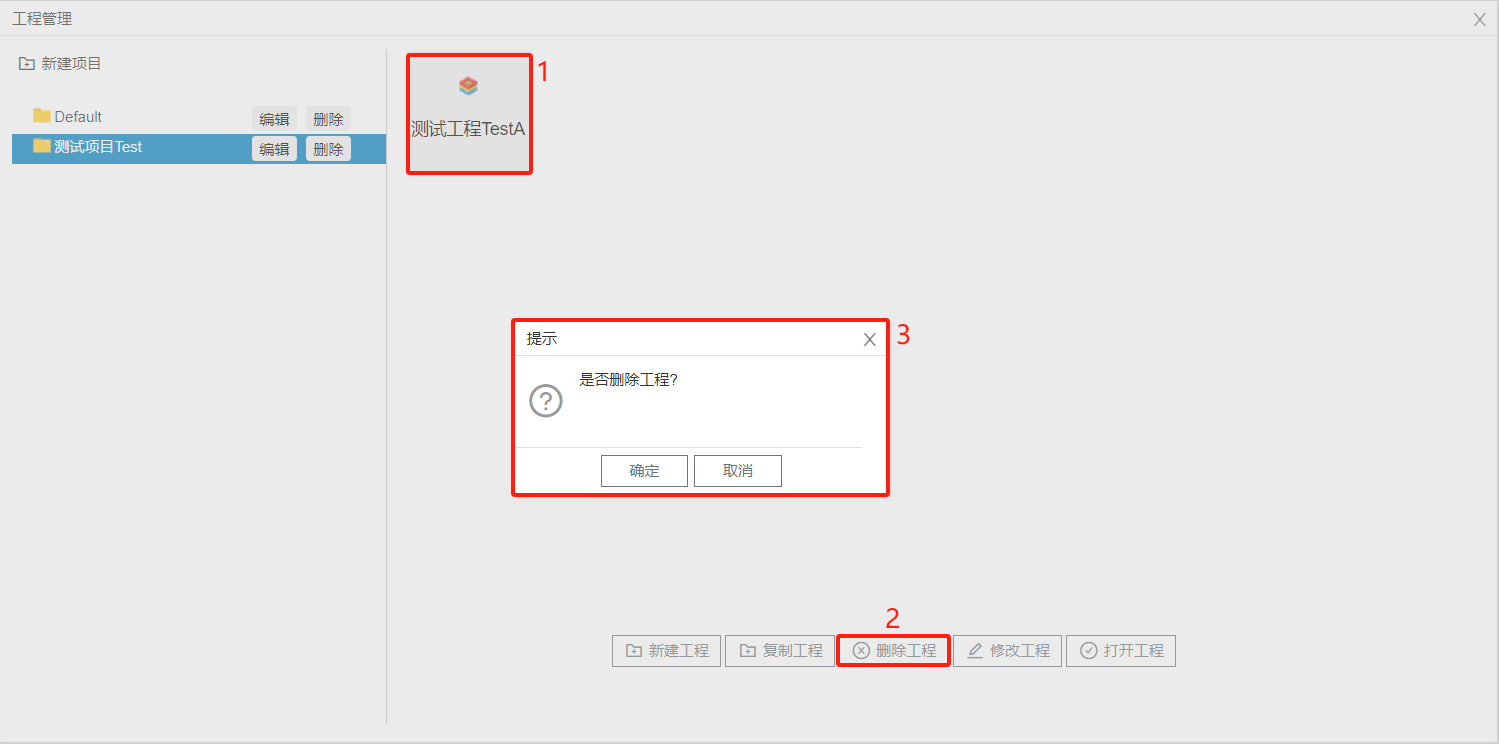
Select the project you want to delete, then click the Delete Project button to remove the gateway project.
3. Configurationproject()
contentsee
4. Project
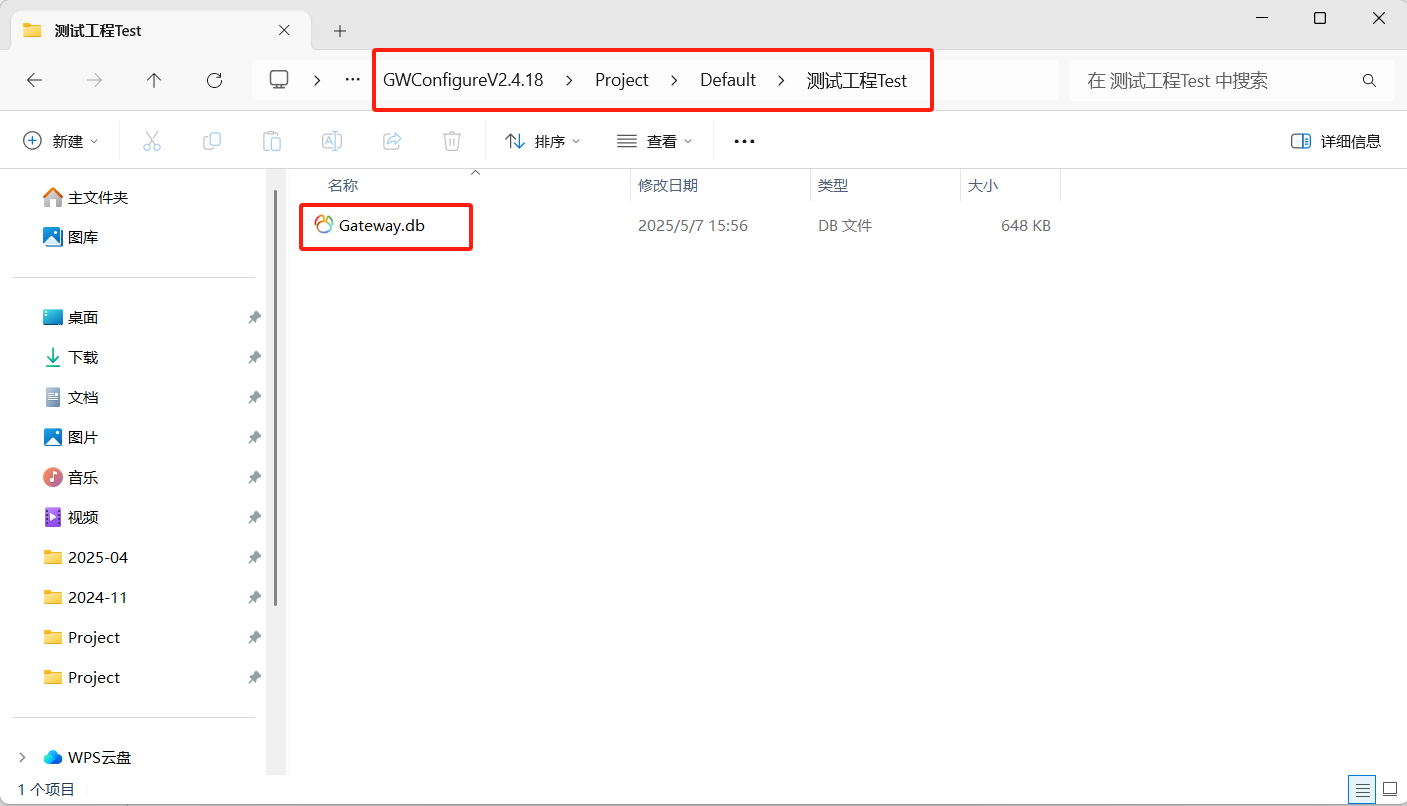
Project files are stored in the Project folder under the installation directory of the configuration tool. If you need to back up project files, locate them in this folder and make copies.
5. Upload Project from Gateway
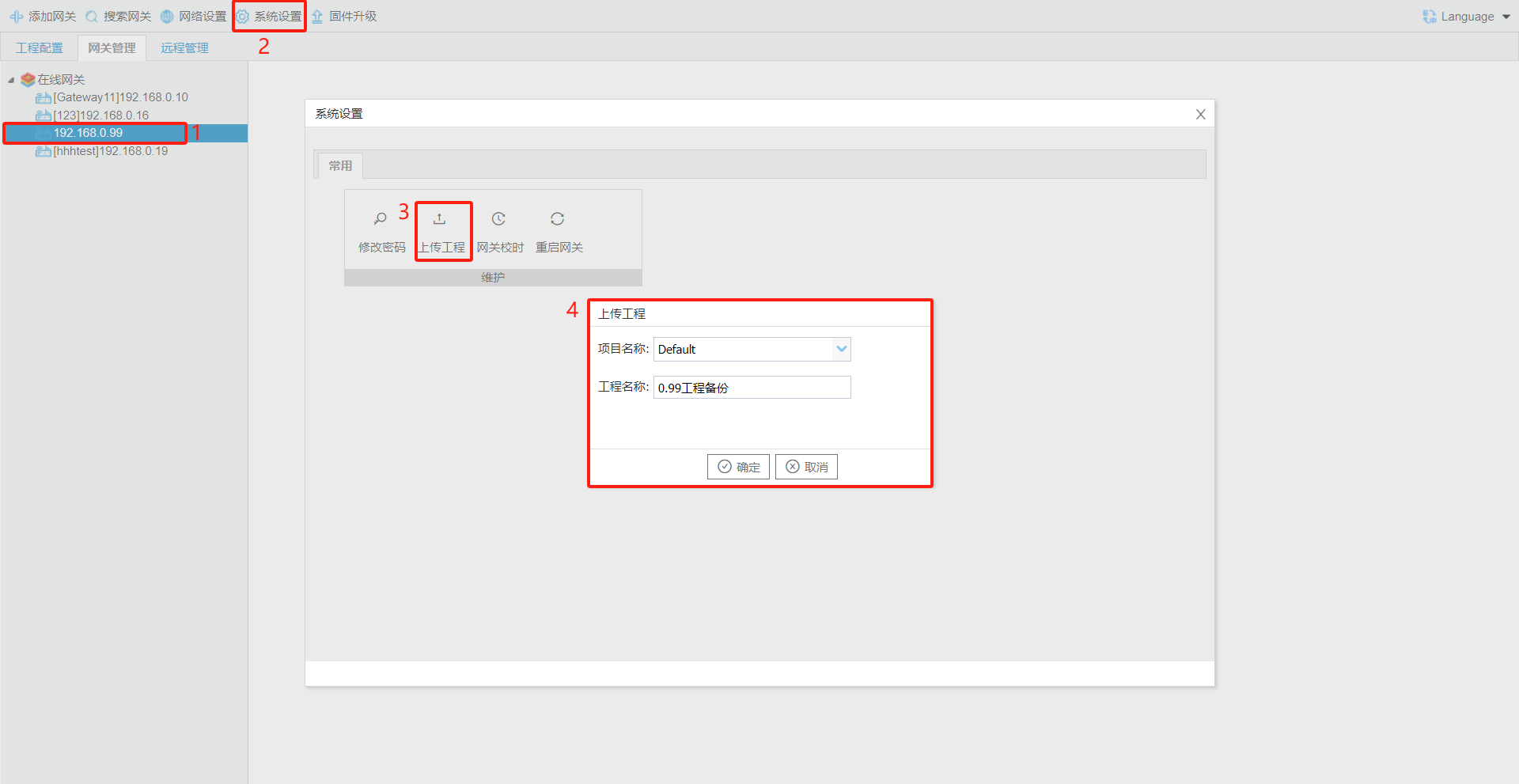
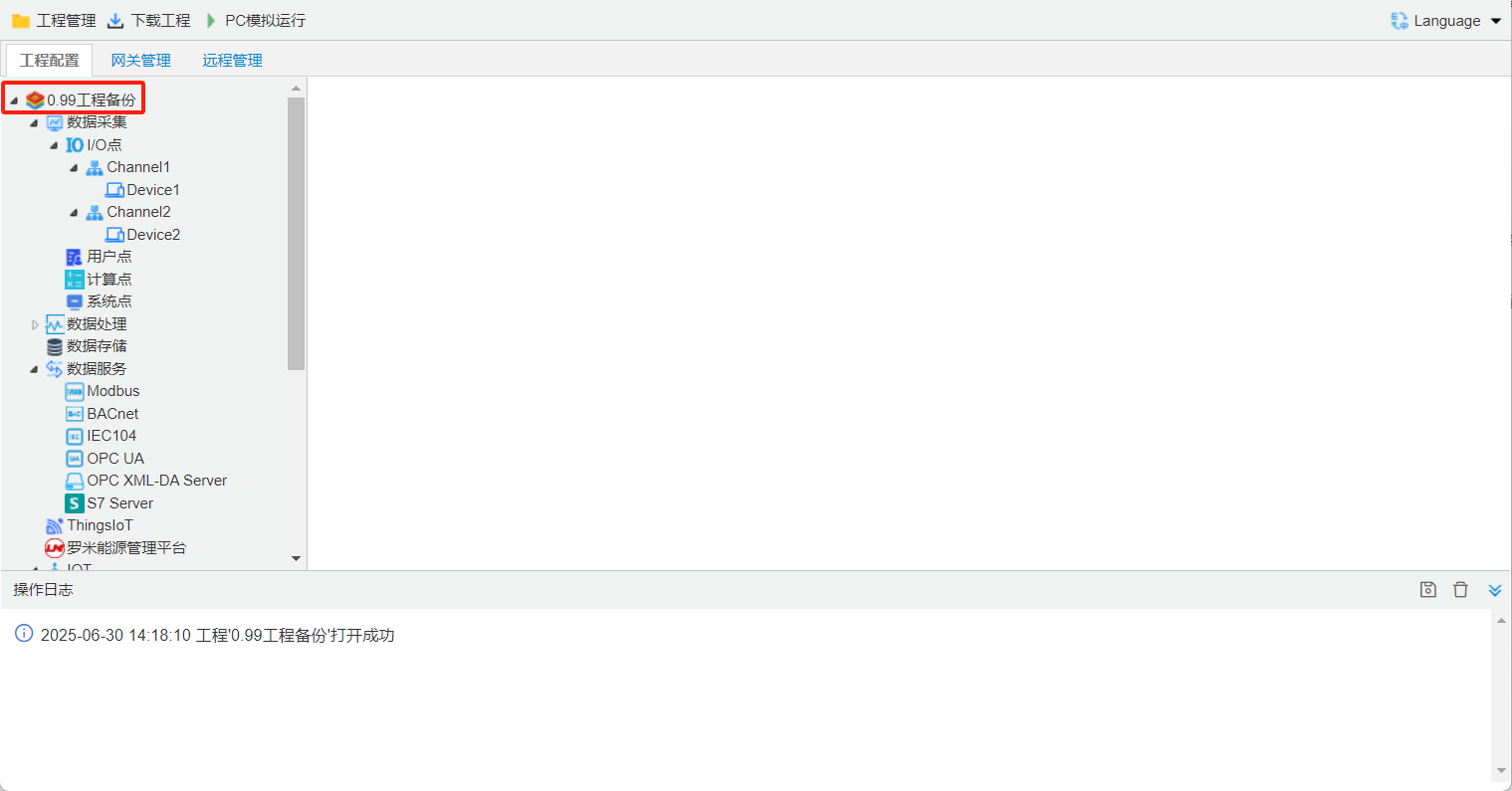
Select the gateway, go to System Settings ---> Upload Project, edit the project name, then confirm and save.
6. Download project to gateway
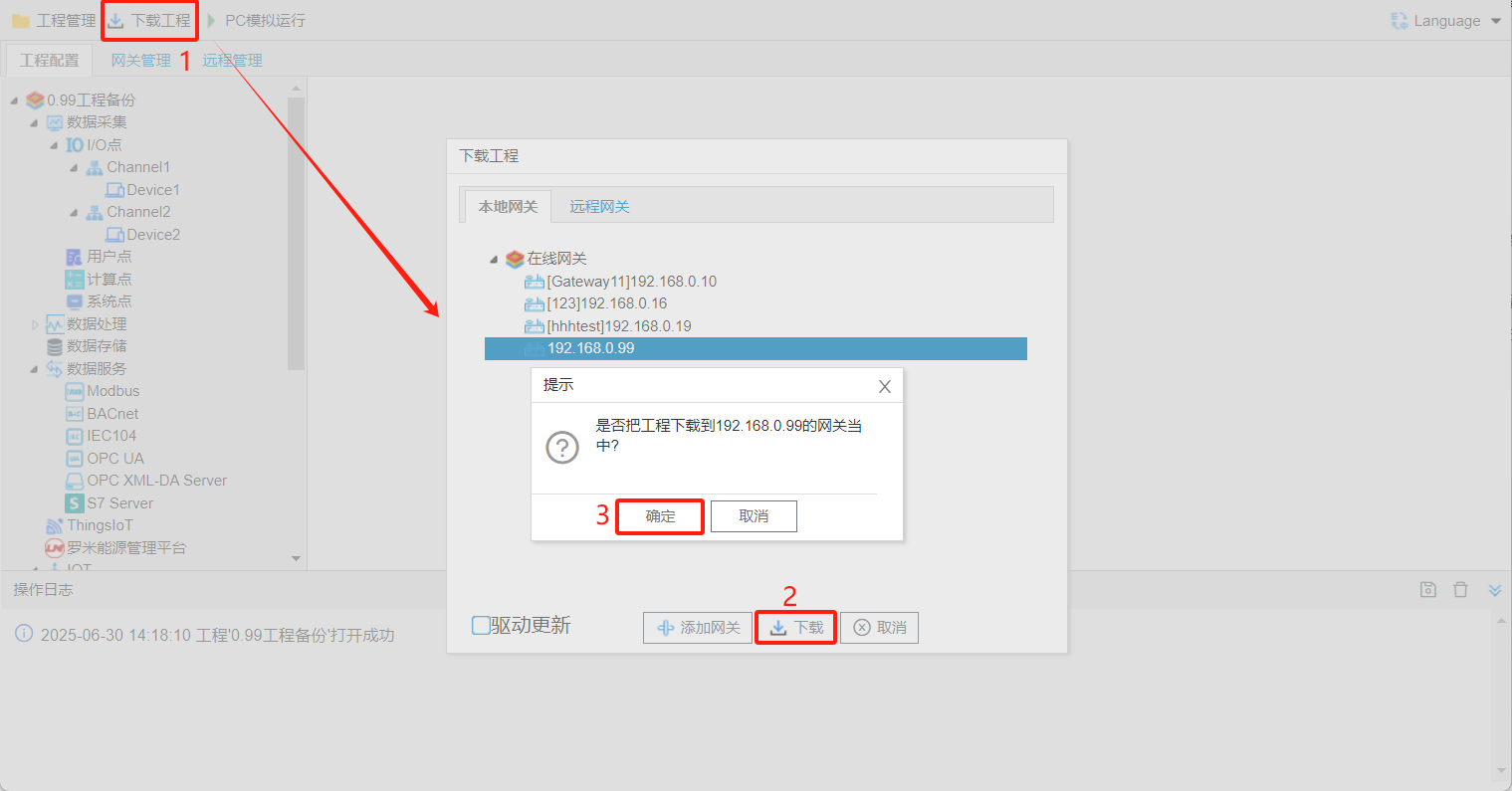
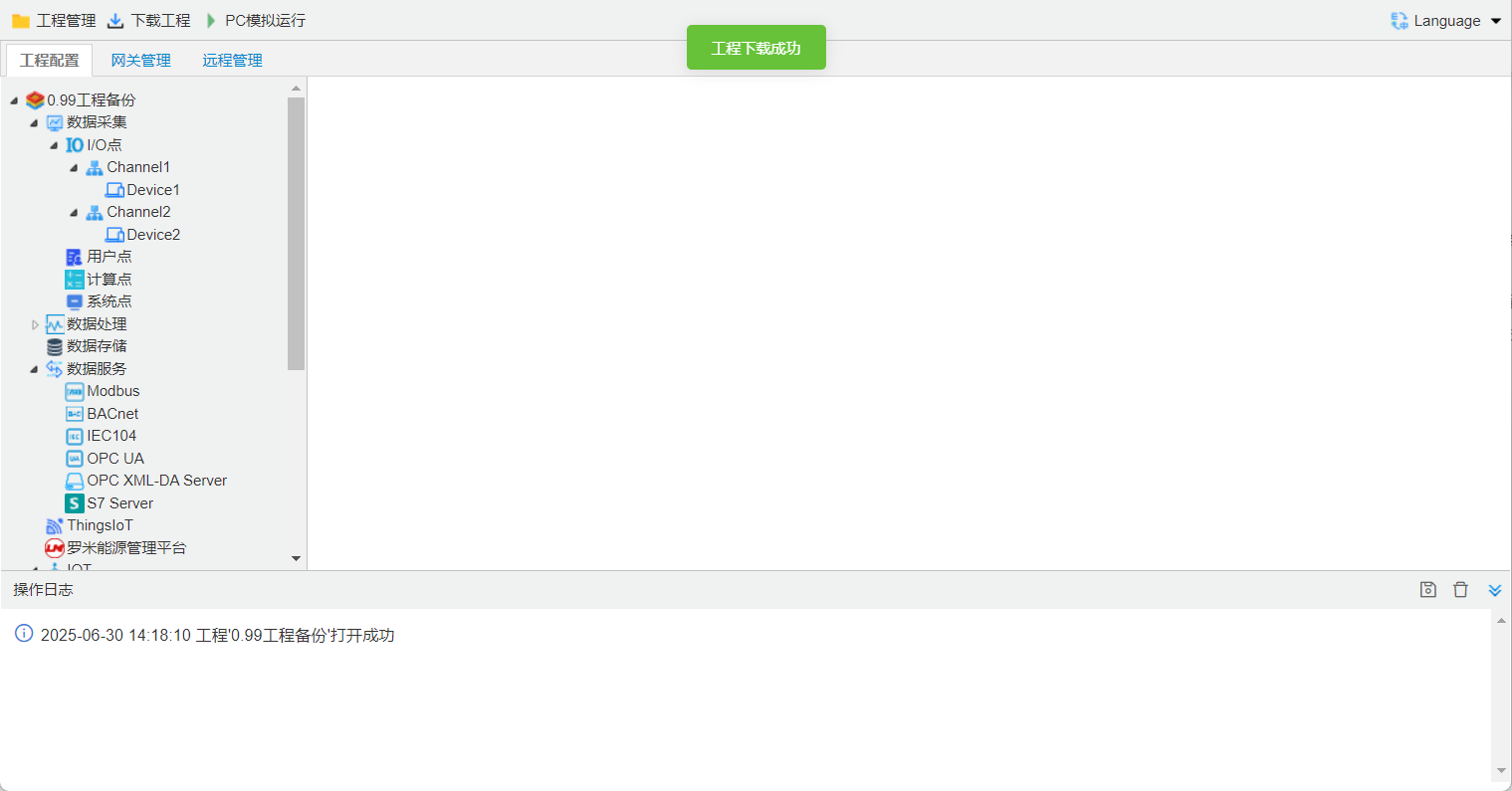
Click the Download Project button, select the online gateway, and then click Download.