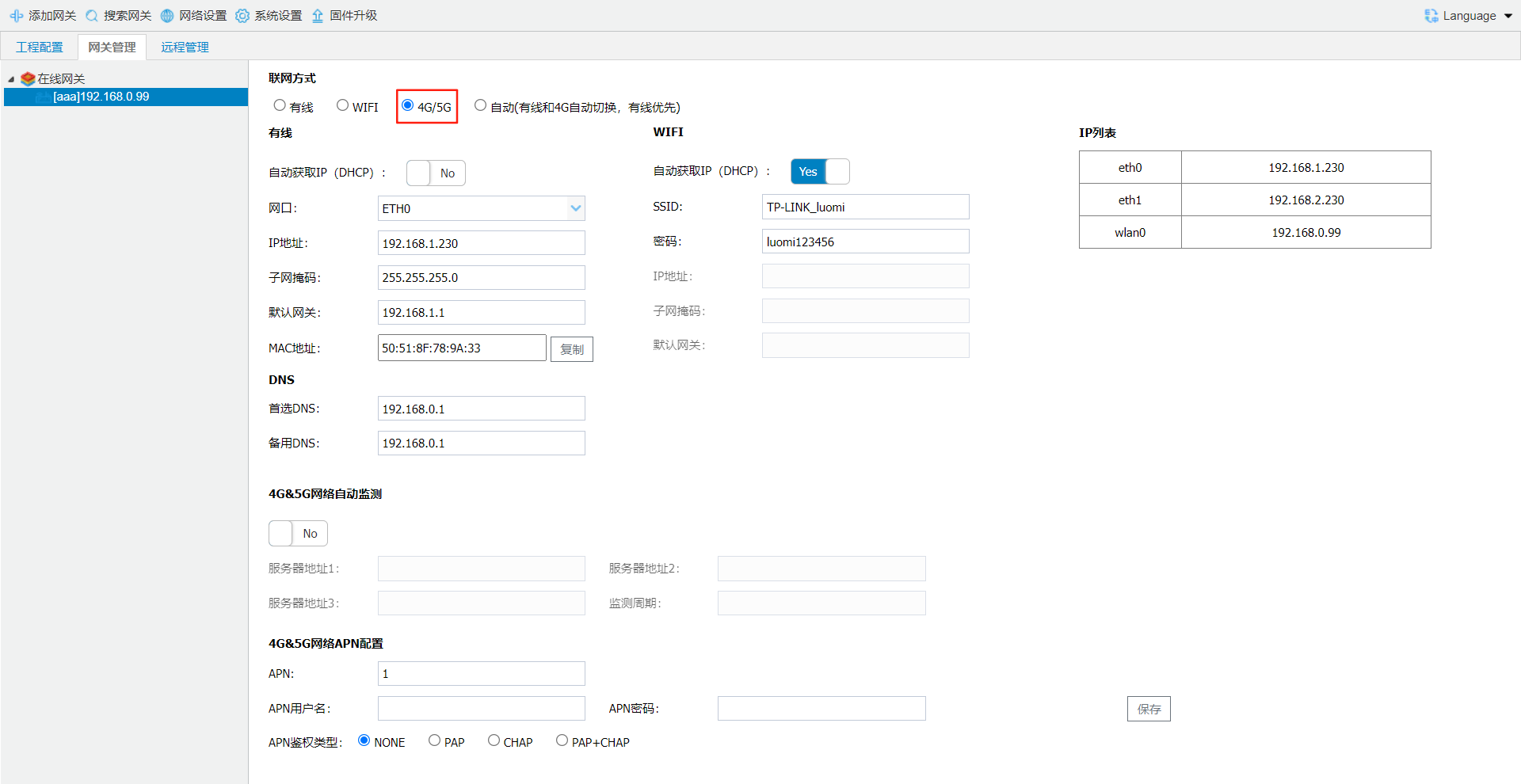
3.1.3 Network Settings
Select the gateway and click [Network Settings] to open the gateway network settings page.
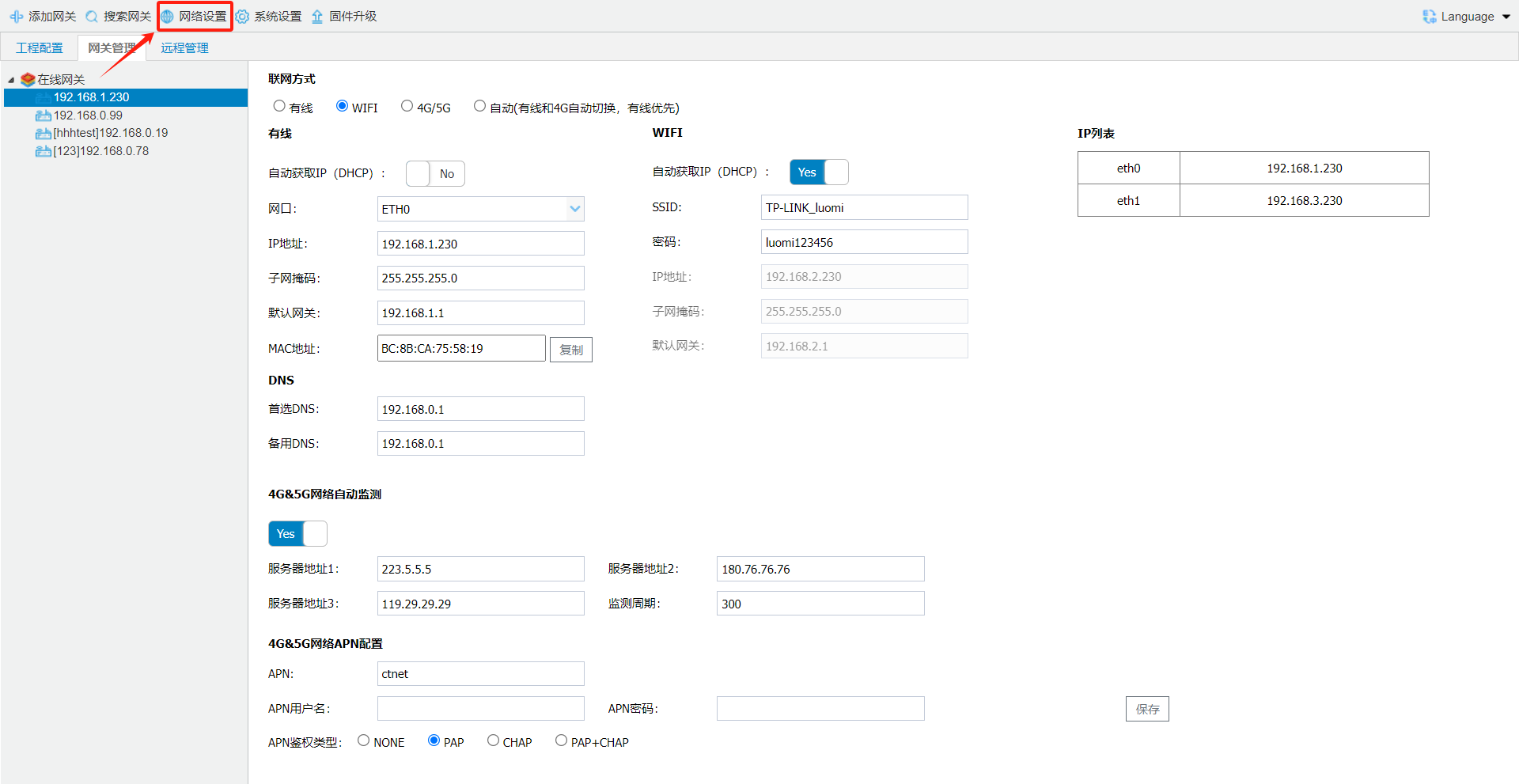
connection
Select wired connection and configure the ETH0 and ETH1 Ethernet ports.
gateway eth 0 is WAN(cross-network-segment communication or connection Internetwhen,canis LAN)
eth 1 is LAN(same-network-segment LAN communication).
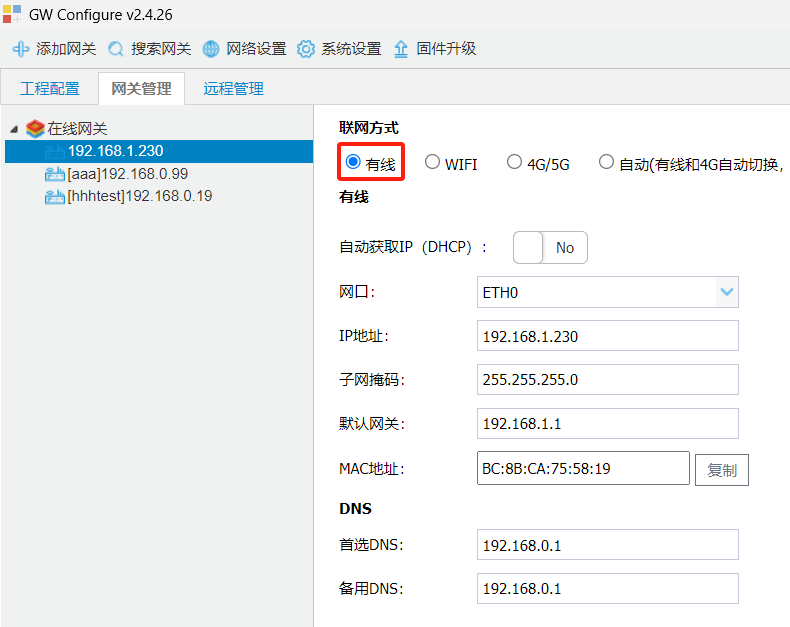
WIFI
A gateway model with built-in Wi-Fi is required for this connection.
Select Wi-Fi connection, configure the SSID and password, save the settings, and restart the gateway.
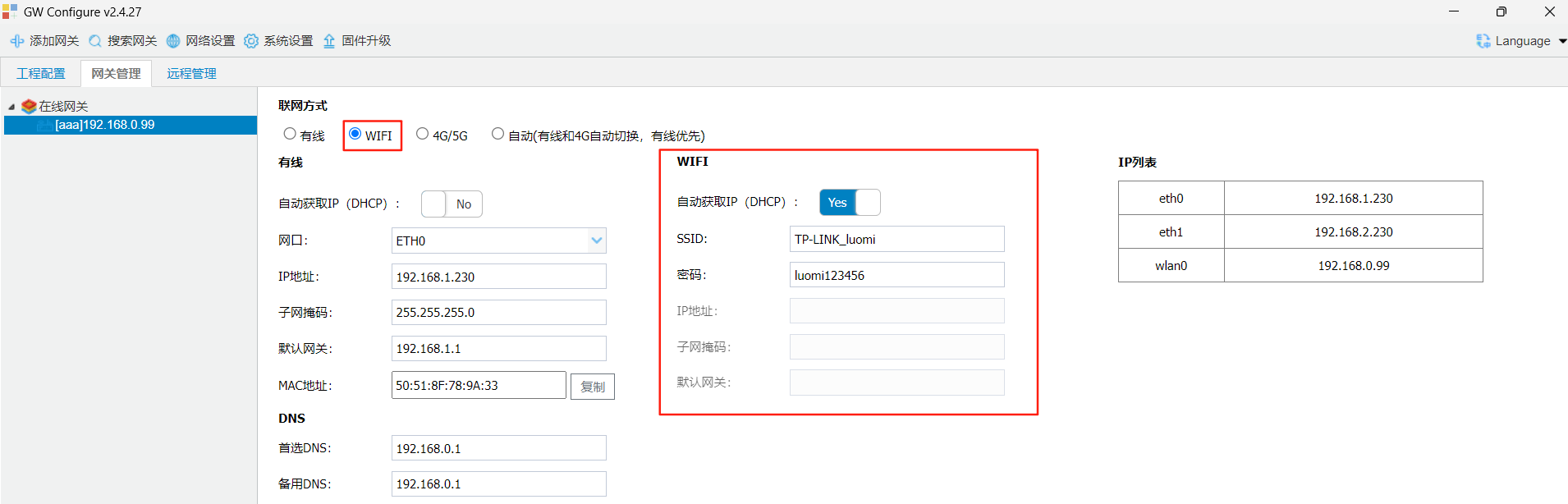
4G
A 4G gateway model is required for this connection.
gatewayInsert 4Gafter, select 4G/5Gconnectionmodeaftersaverestartgatewaycan.