1.3.4 Gateway Project Configuration
1.Selectgateway
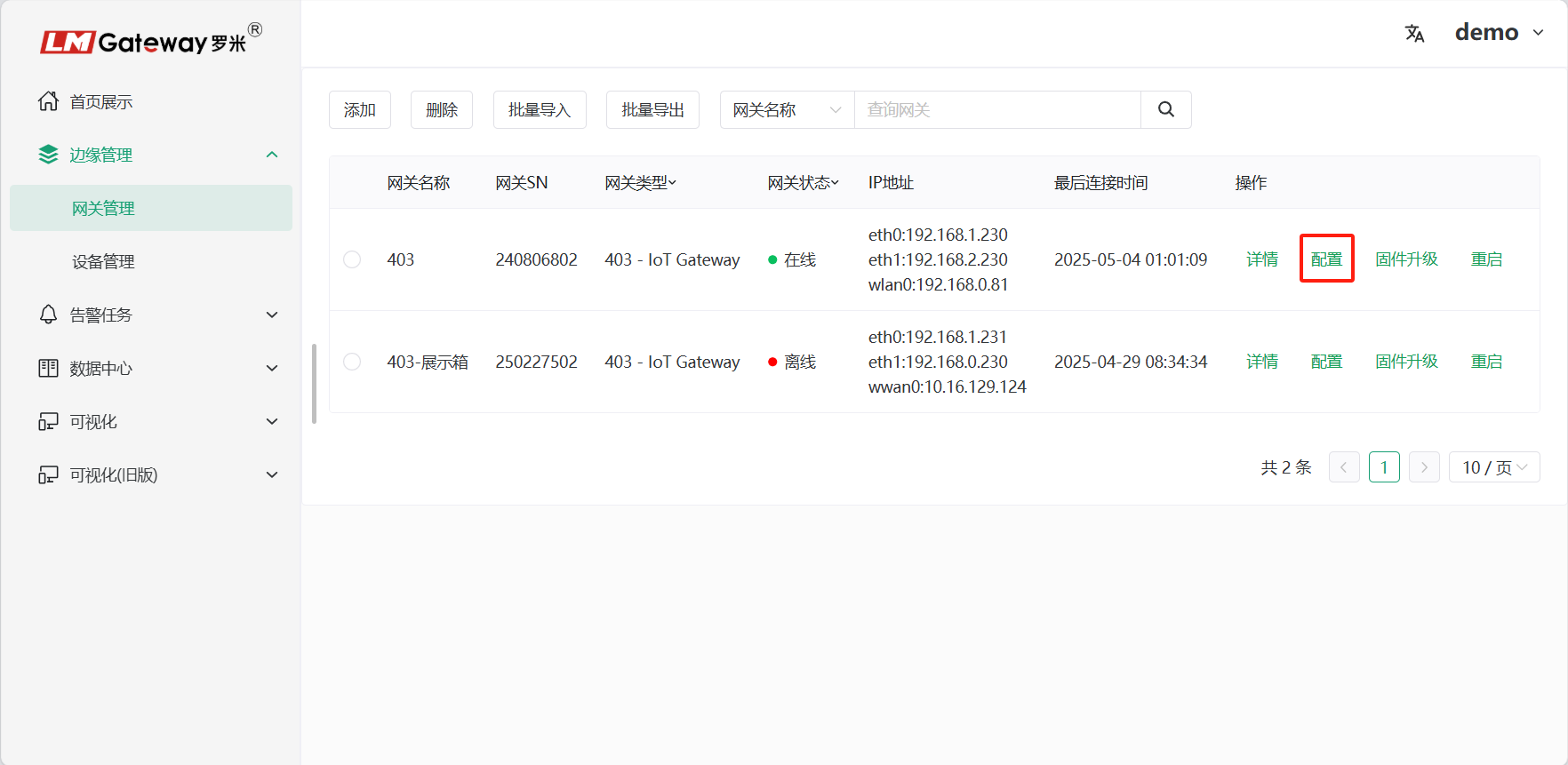
Select the gateway whose project needs to be configured, then click Configure to start gateway project configuration.
2.Createchannel
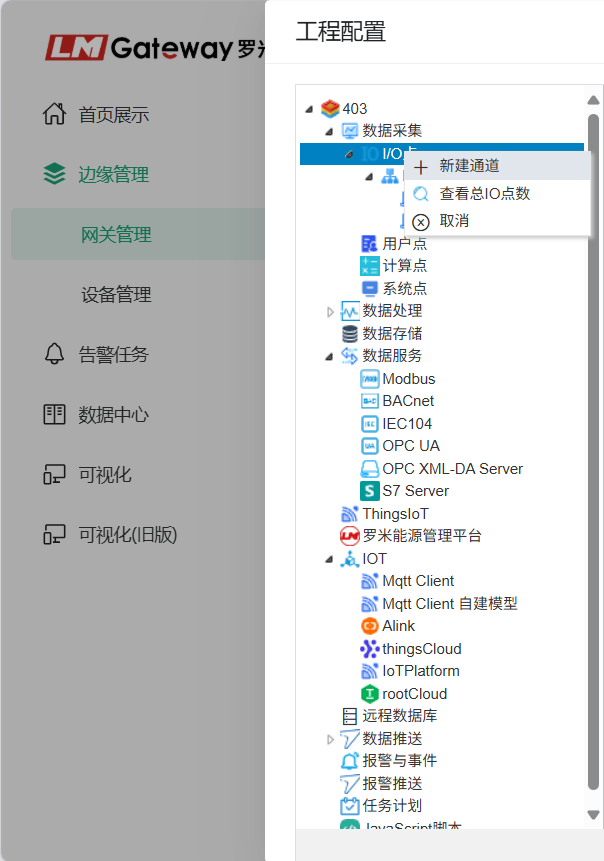
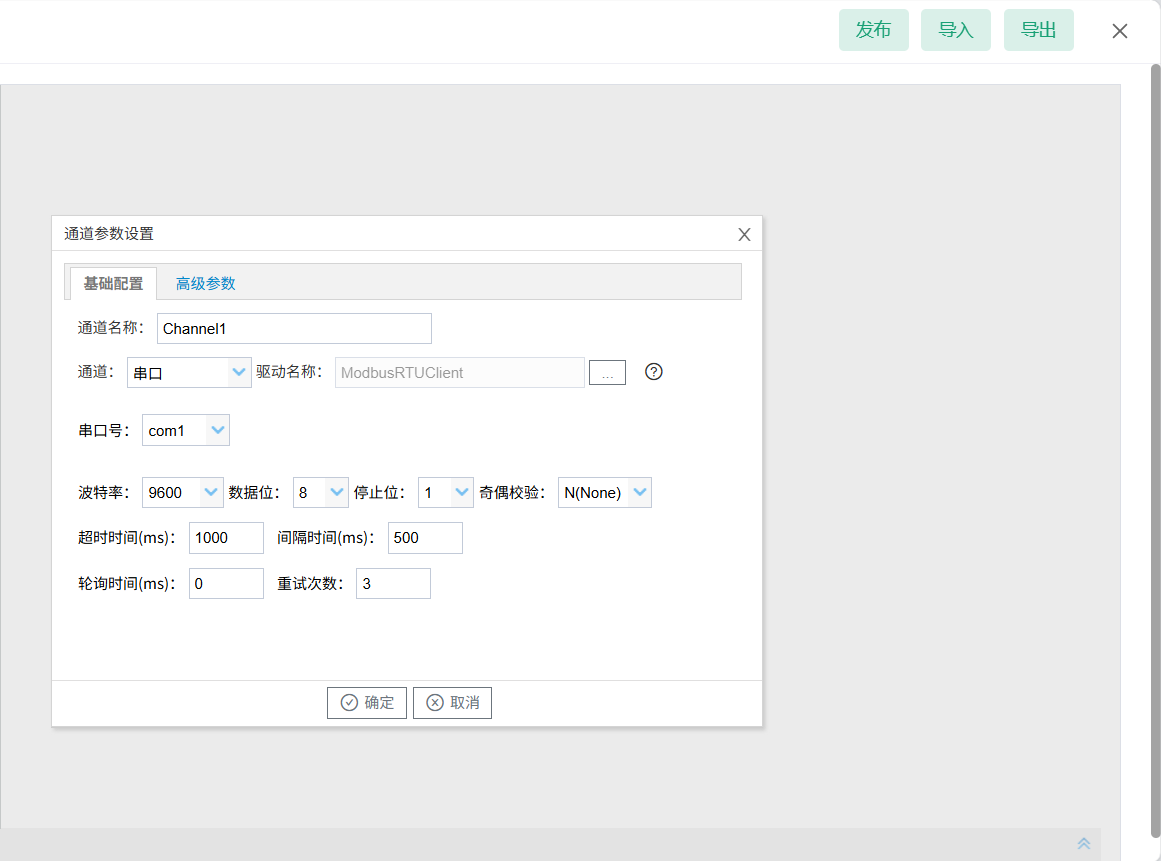
Right-click I/O Points to create a channel, select the actual driver protocol, and edit communication parameters to acquire on-site device data.
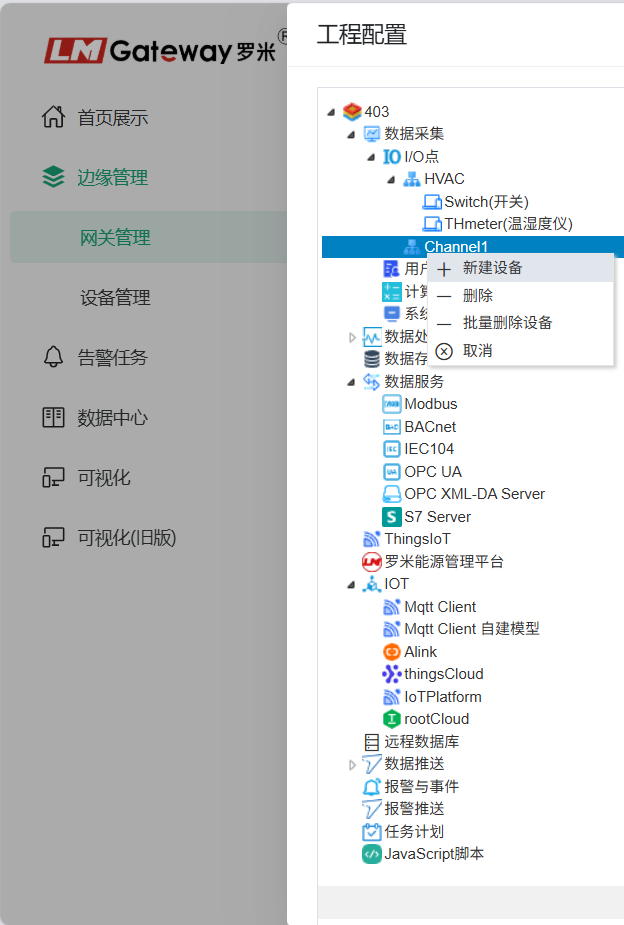
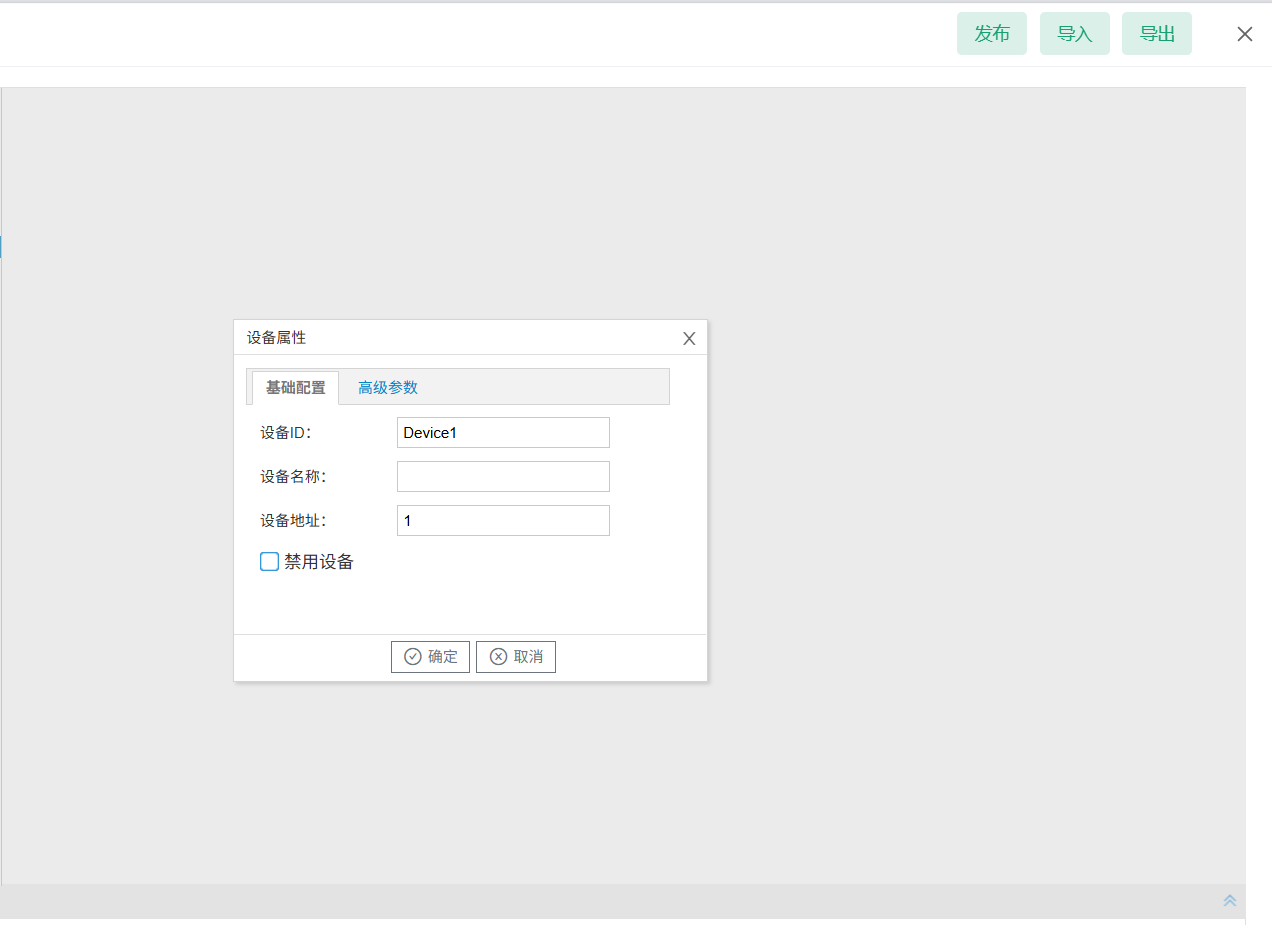
3.Createdevice
Right-click the channel, edit the device name and device address, and create the device.
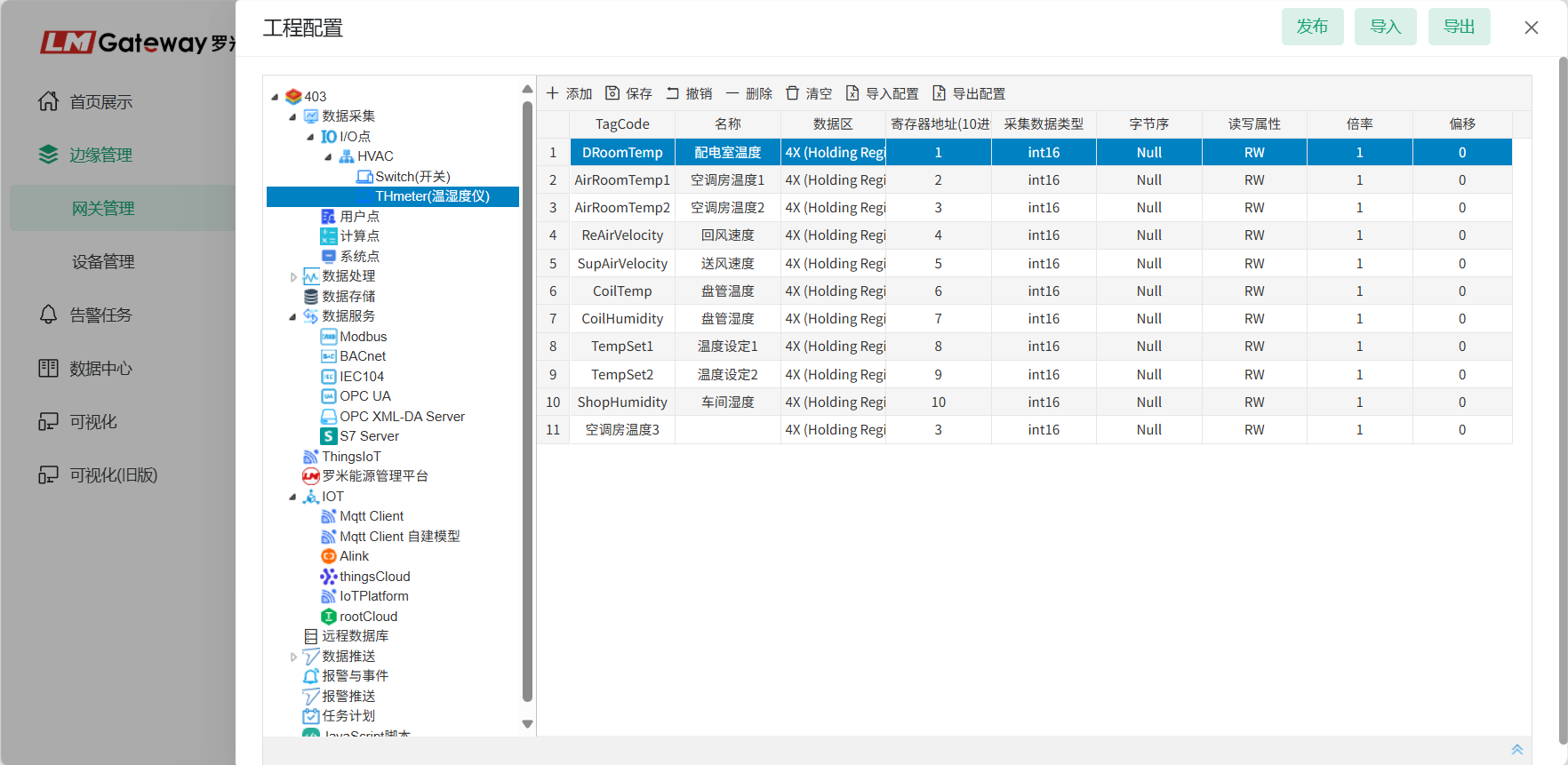
4.EditData Acquisitionpoint
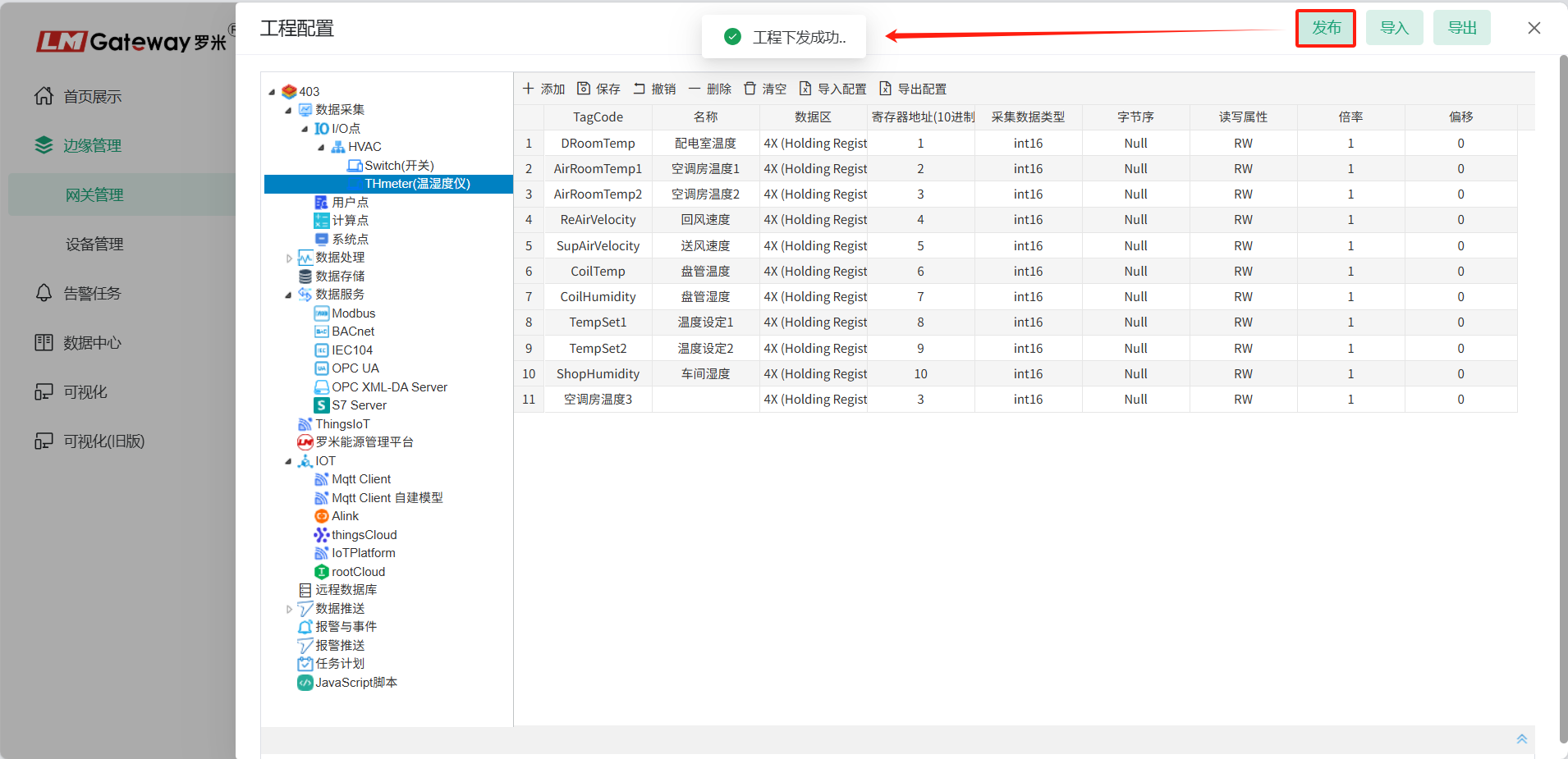
Click the device to open the data-point editing page, and complete data acquisition editing based on the device communication document.
5.Project
After project configuration is complete, click Publish to download the project to the gateway.