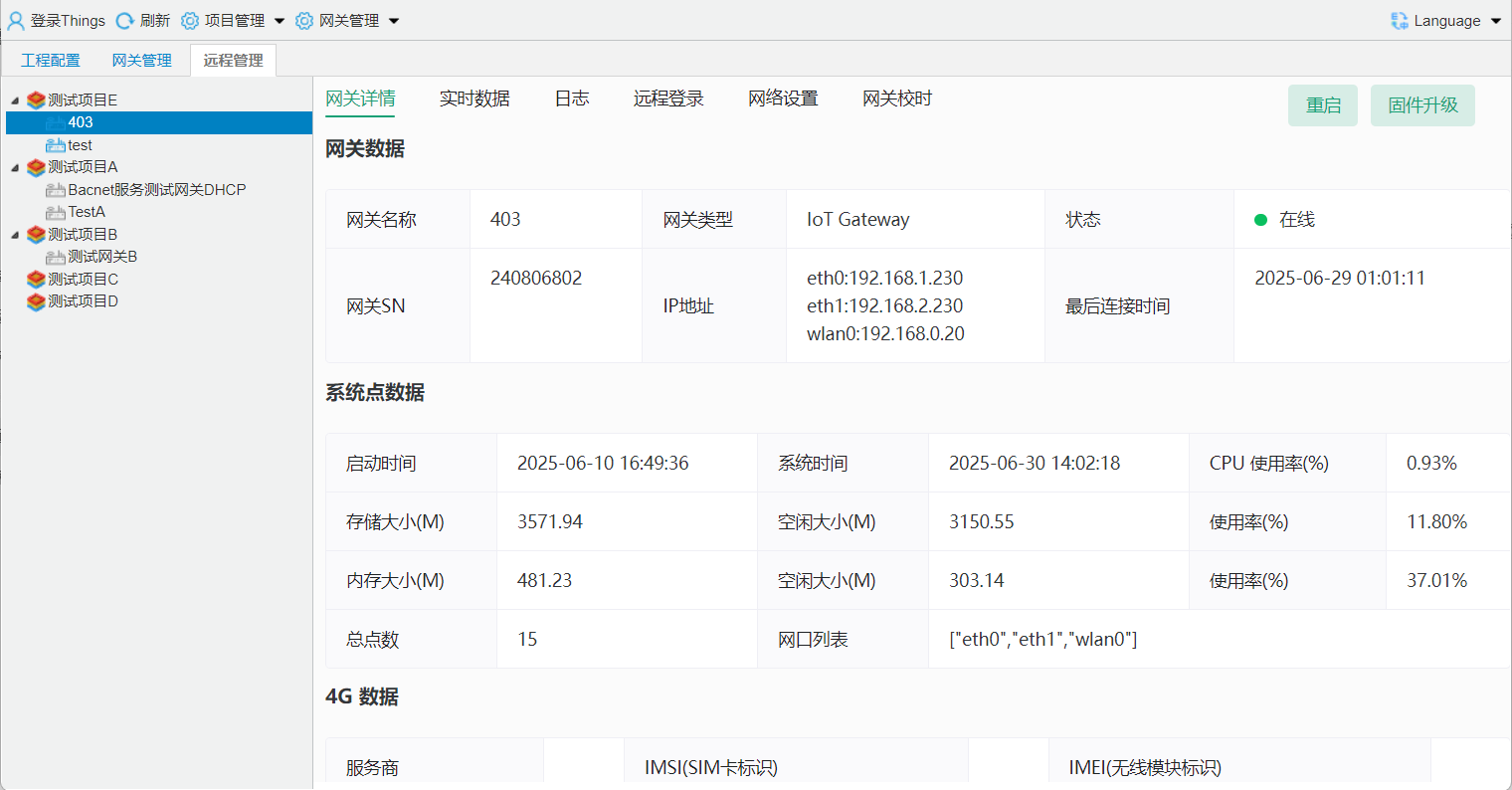
1.2.2 Configuration Tool Remote Connection to Gateway
tips
: Remote gateway connection requires the gateway to have Internet access.
1.Configuration Gateway Mode
After connecting to the gateway locally, configure the gateway network access mode. The example uses Wi-Fi to connect to the Internet.
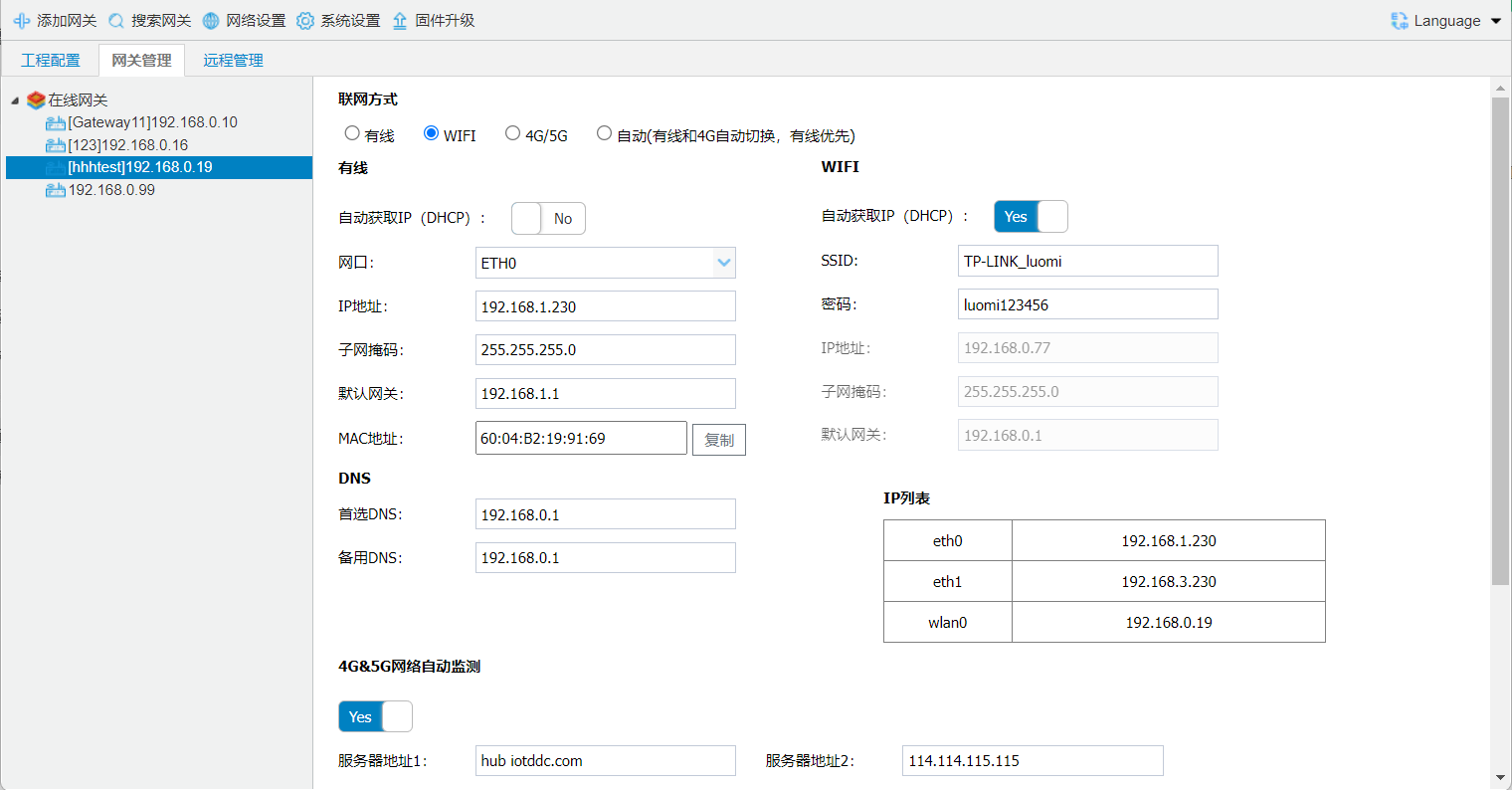
gateway 4Gseegateway 4Grelated.

2.Configuration Gateway Remote Management
Add the gateway on the ThingsIoT platform. Double-click the gateway IP to obtain gateway information, then bind the gateway on the platform using the gateway identifier and key.
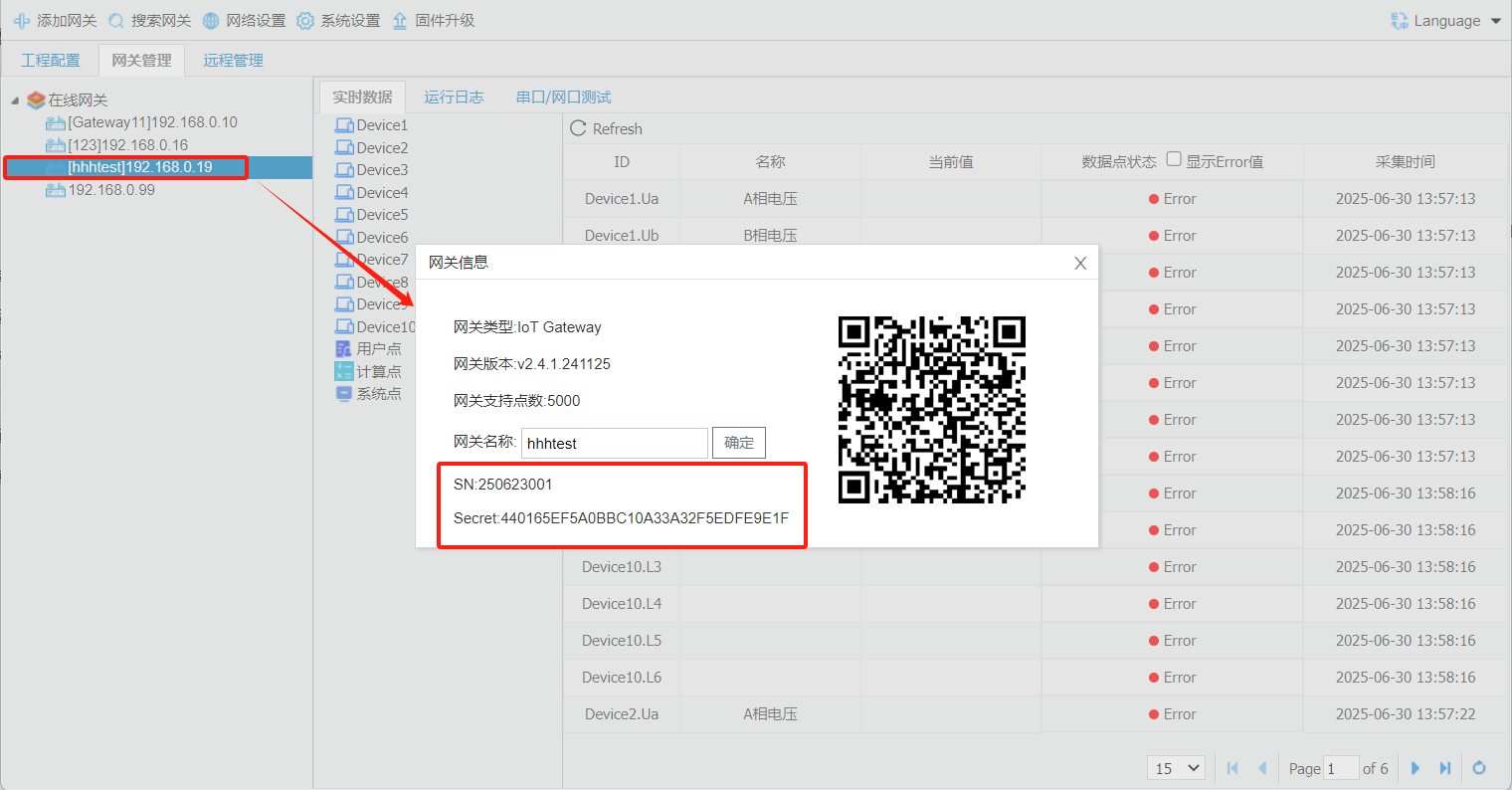
platformConfigurationsee**1.3 Things IoTgateway Remote Managementplatform**
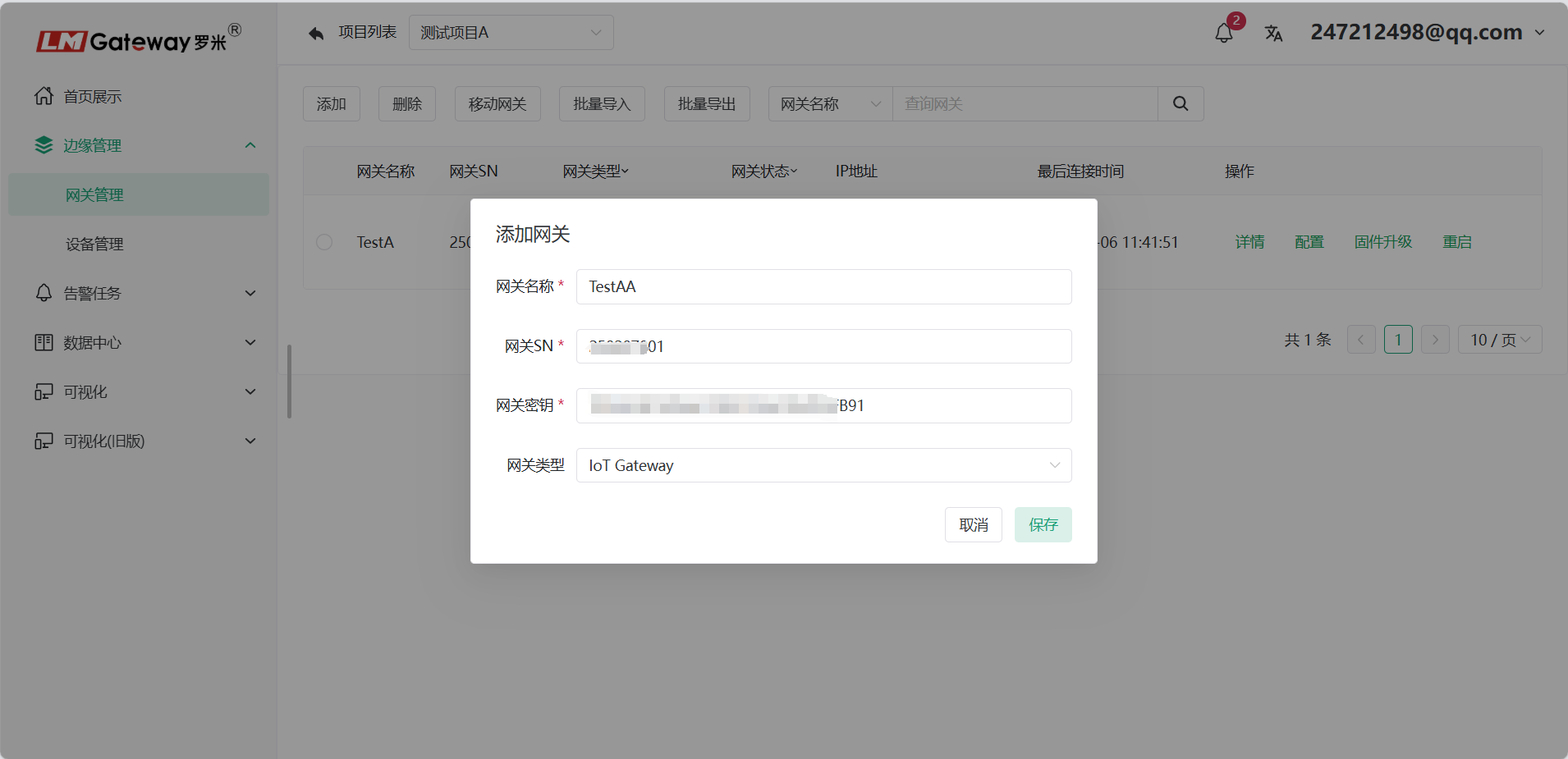
3.Configuration tool Remote Management gateway
Log in to the configuration tool. Accounts are shared with the ThingsIoT platform.
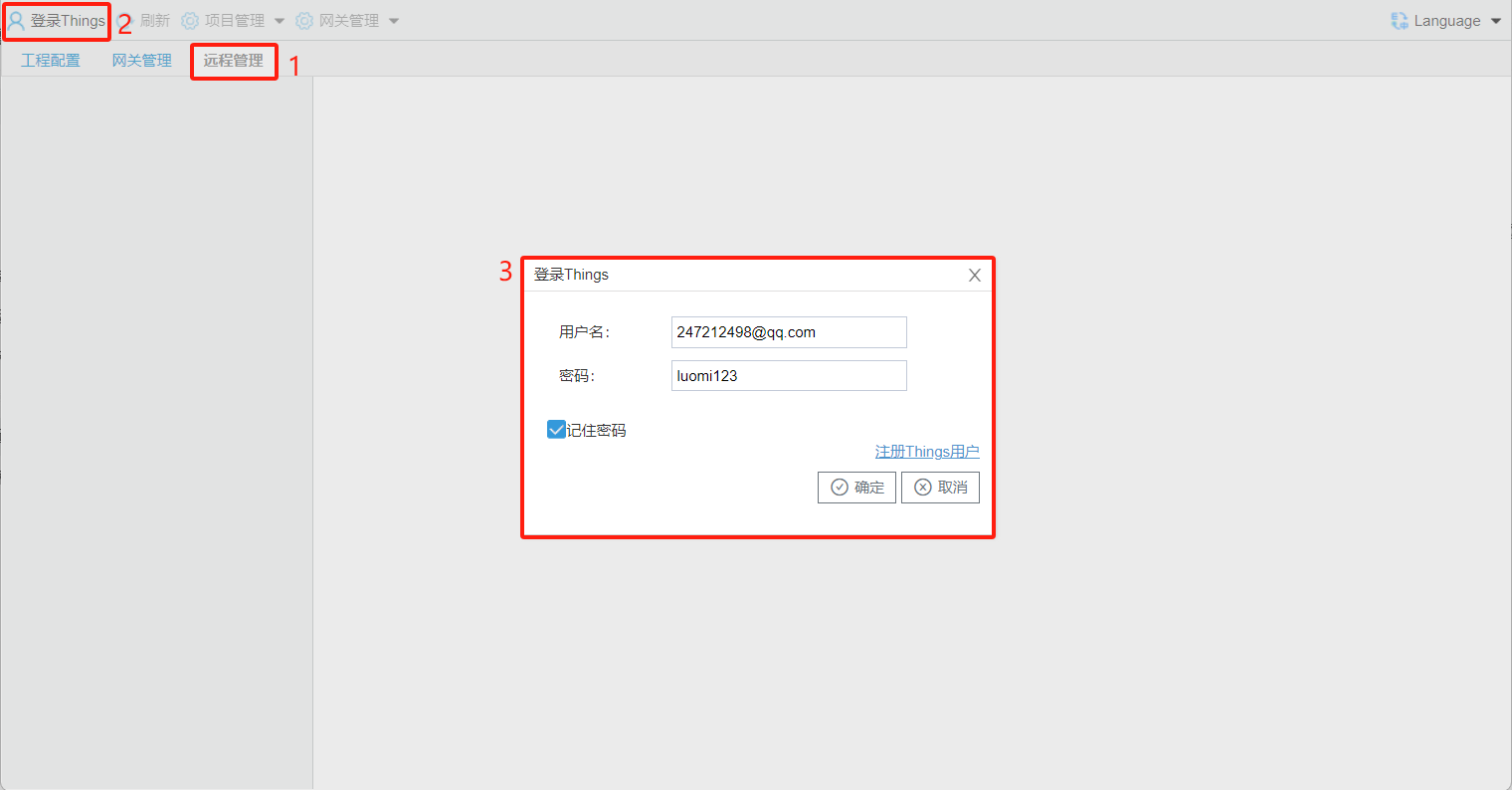
After login succeeds, project information and remote gateway information under the current account are displayed.