2.8 Remote Database
Database supports Type
MySQL: open-source relational database, used for data storage and analysis. SQL Server : type Database, suitable for enterprise applicationsandlarge-scale data management. PostgreSQL: function open-source relational database, supports complex queriesand high-concurrency scenarios. TDengine: A, minute time-series database.Function Overview
Push device operating data to a remote database in real time for centralized monitoring and analysis.Function Configuration
The gateway supports remote database access and operations on tables in the database.
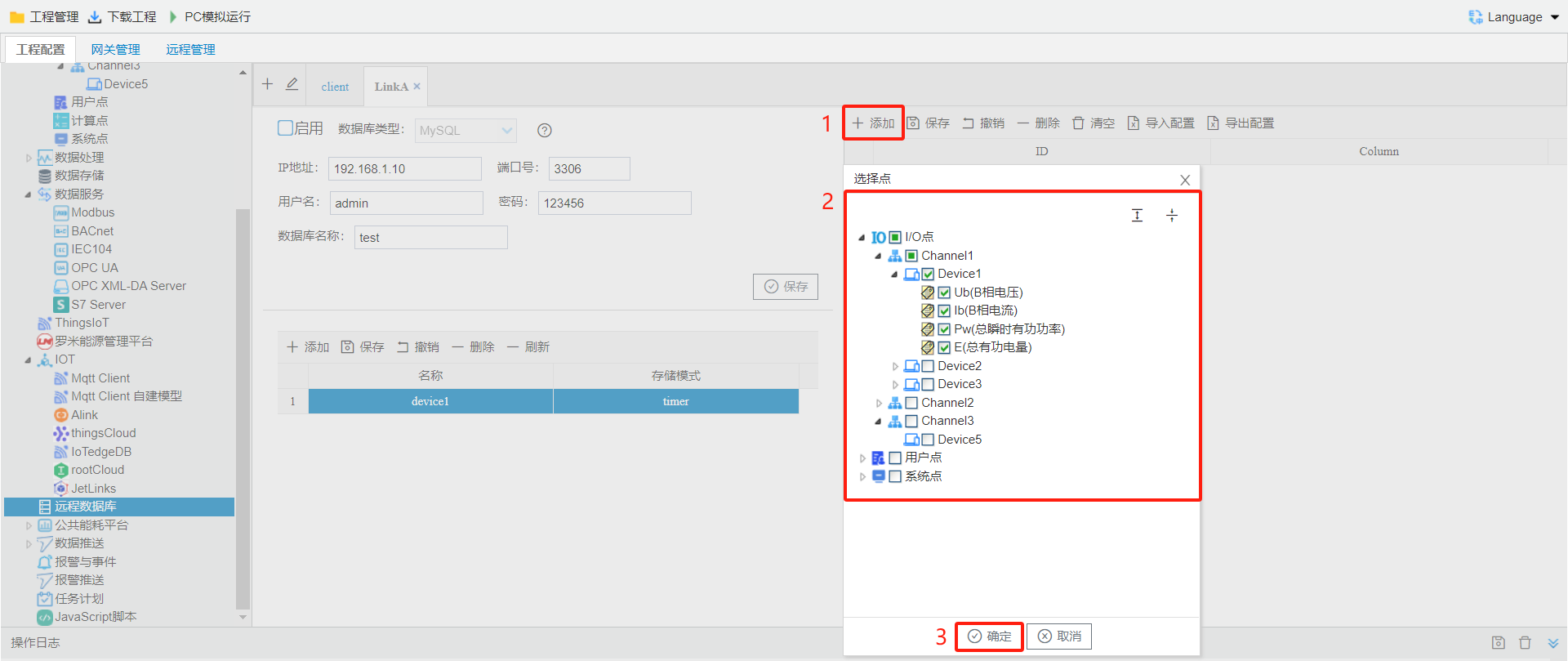
Remote connections to MySQL, SQL Server, PostgreSQL, InfluxDB, TDengine, and other databases are currently supported.Click add a remote database connection link.
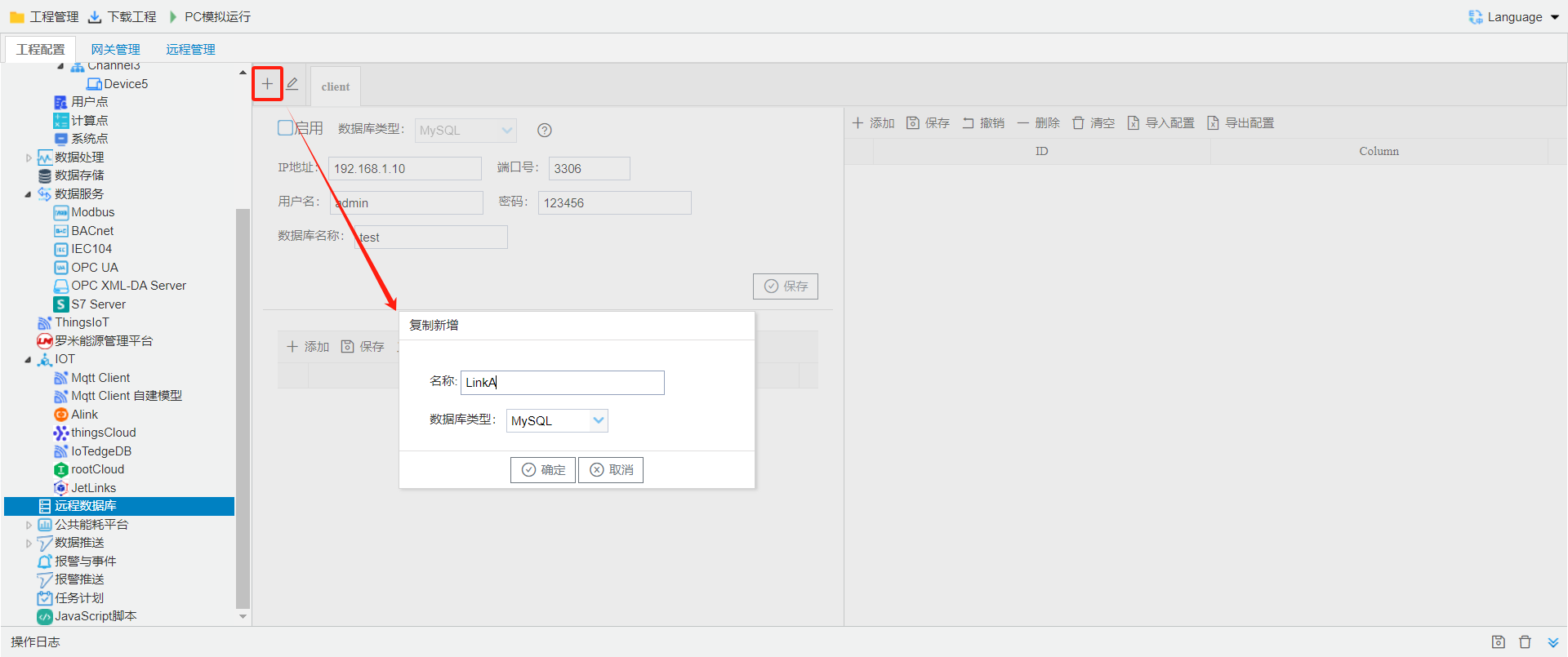
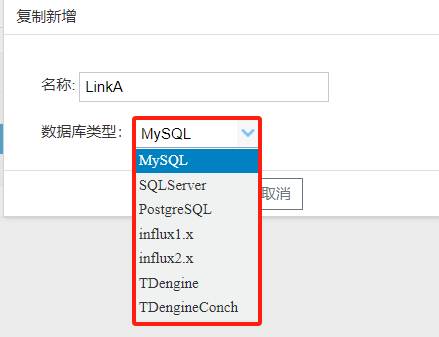
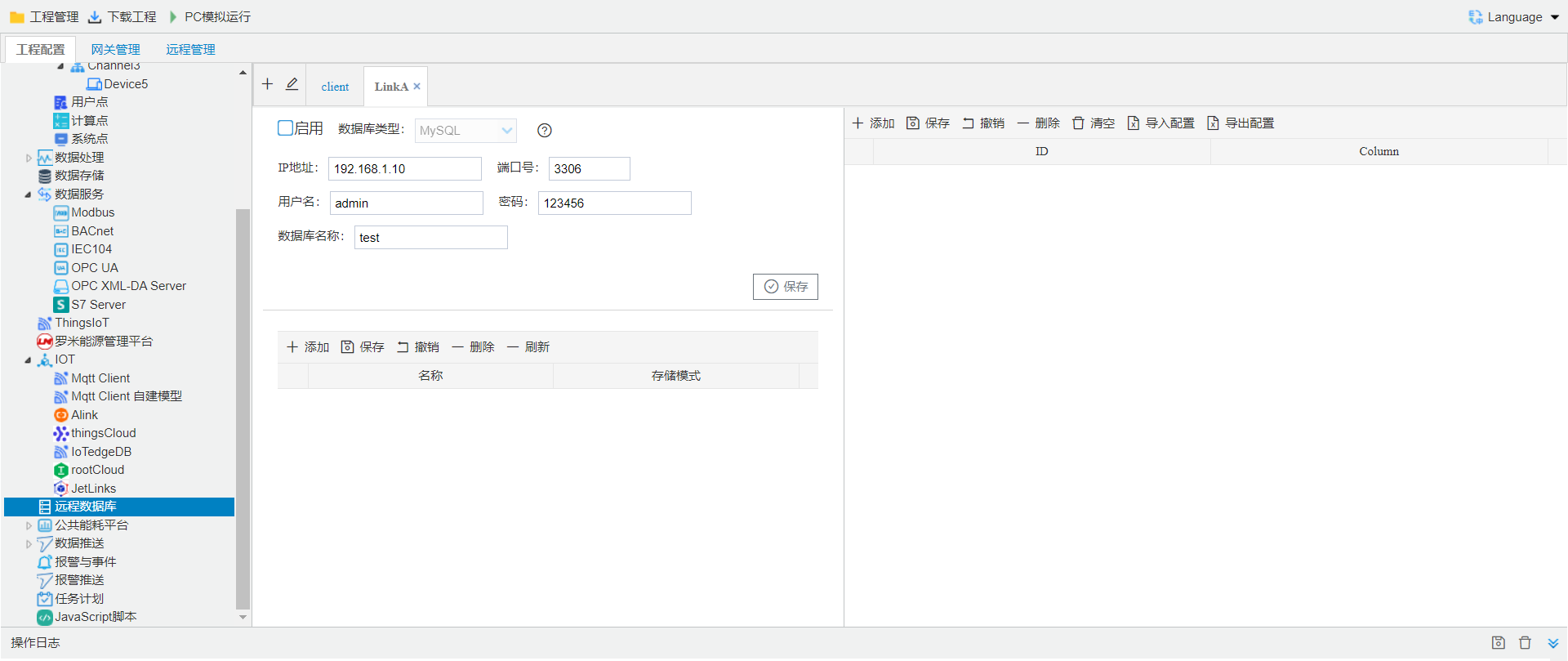
The following example uses a MySQL remote database. The parameters are as follows:
- Database type: select the remote database type; supported types include mysql, SQL Server, PostgreSQL, influx 1.x, influx 2.x, TDengine;
- IP address: Remote Database IP address;
- Port number: Remote Database Port number;
- Username: Remote Database Username;
- Password: Remote Database Password;
- Database name: Remote Database Database Name.
- SQL: Remote Database SQL statement;
- storage mode: includes periodic storage, on-the-when storage, change-triggered storage 3mode;
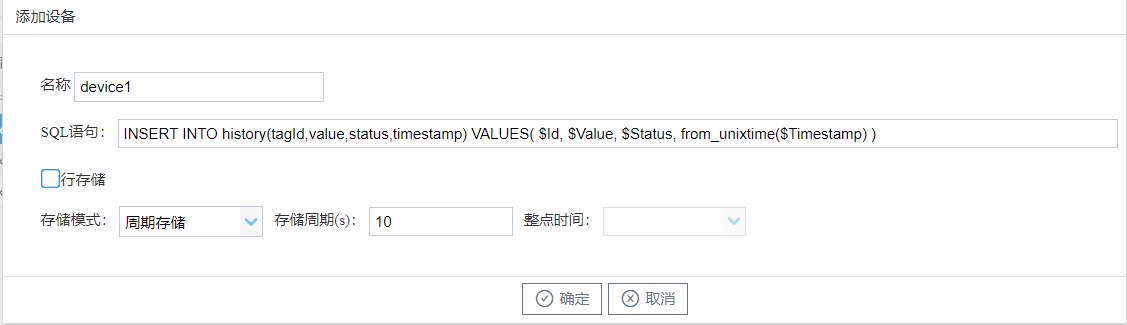
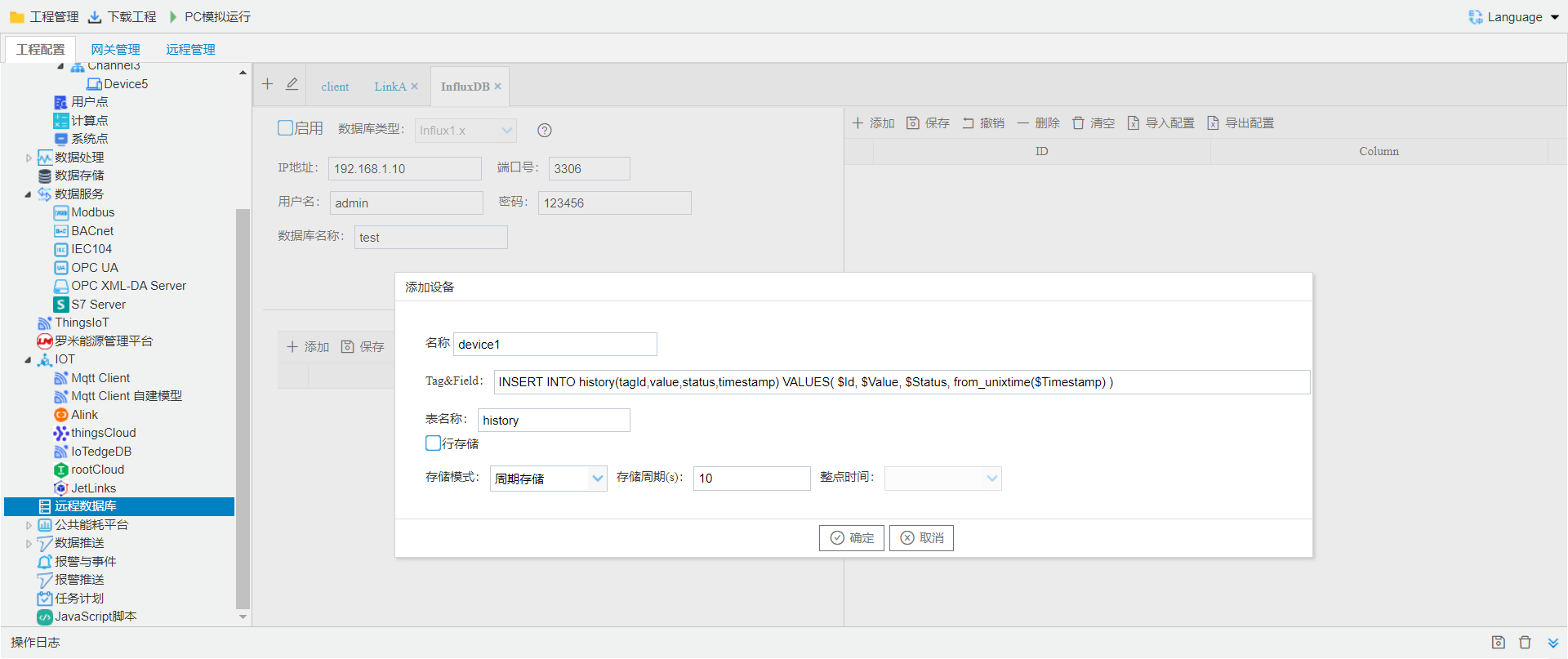
Add device
- Name: device name;
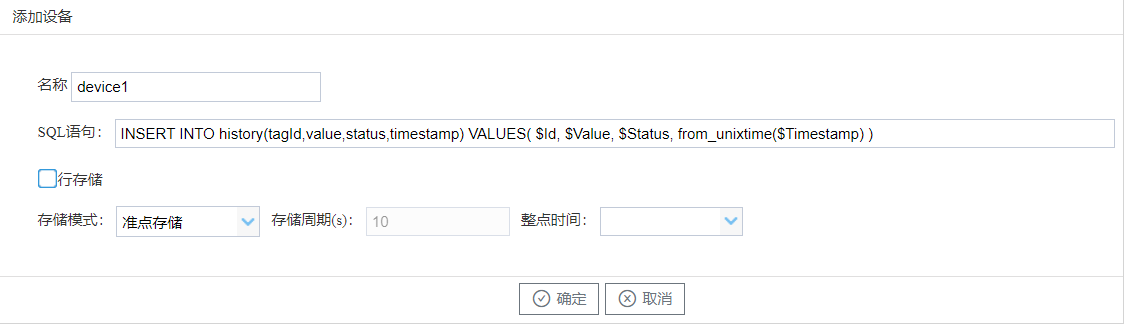
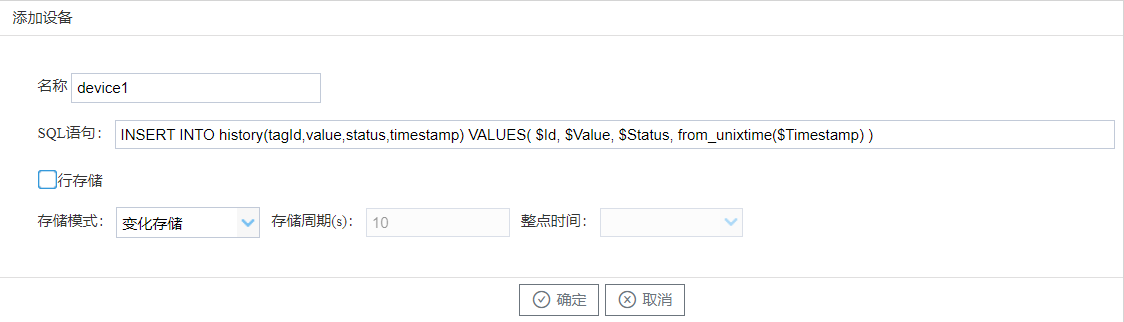
- SQL: Remote Database SQL statement;
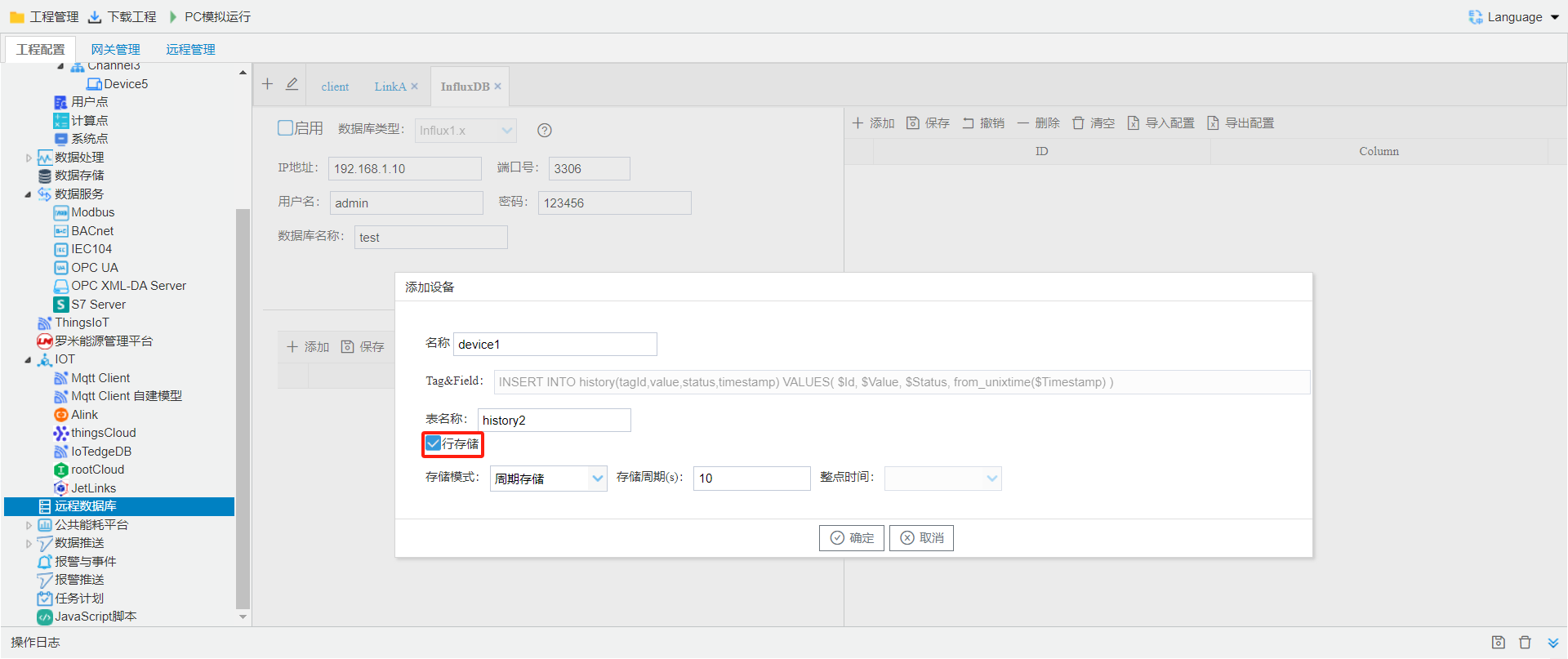
- Row storage: supports Databaserow storage;
- Storage mode: includes periodic storage, on-the-when storage, change-triggered storage 3mode;
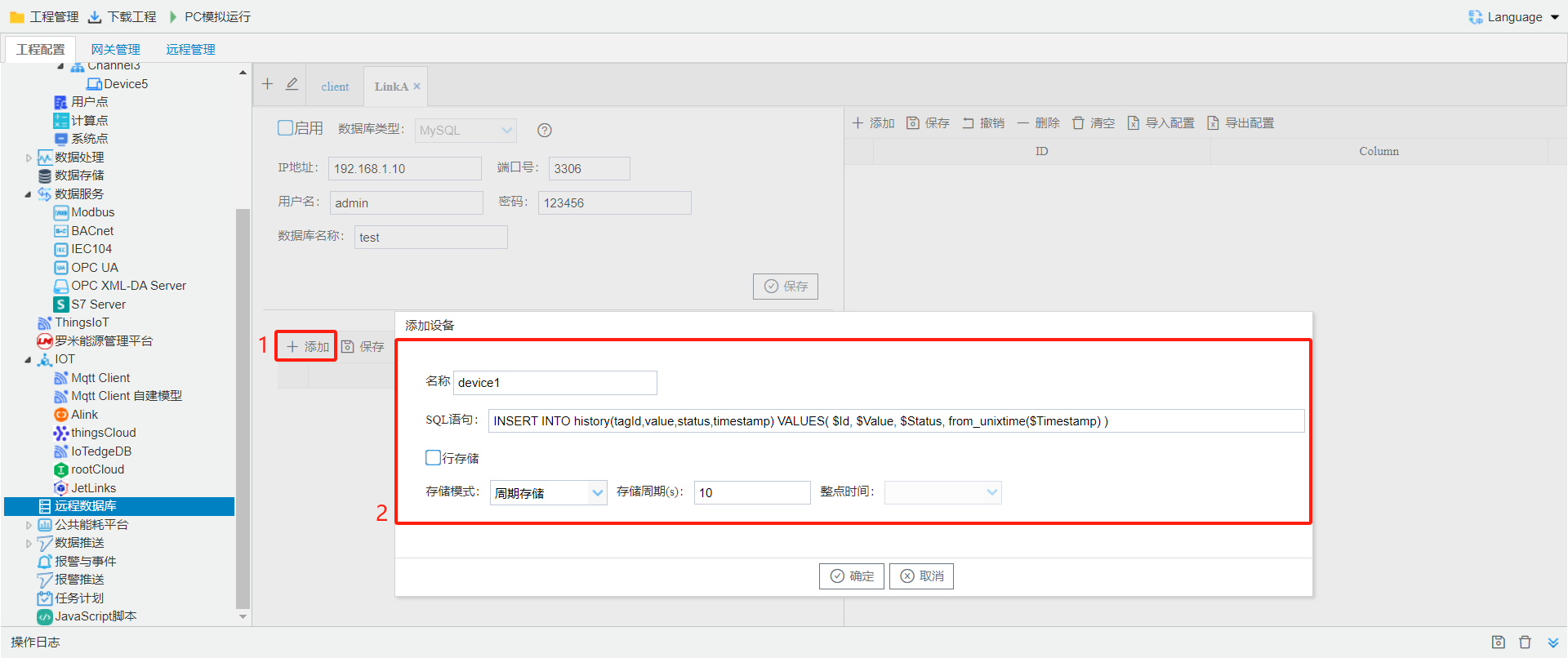
Add data push points for the remote database.
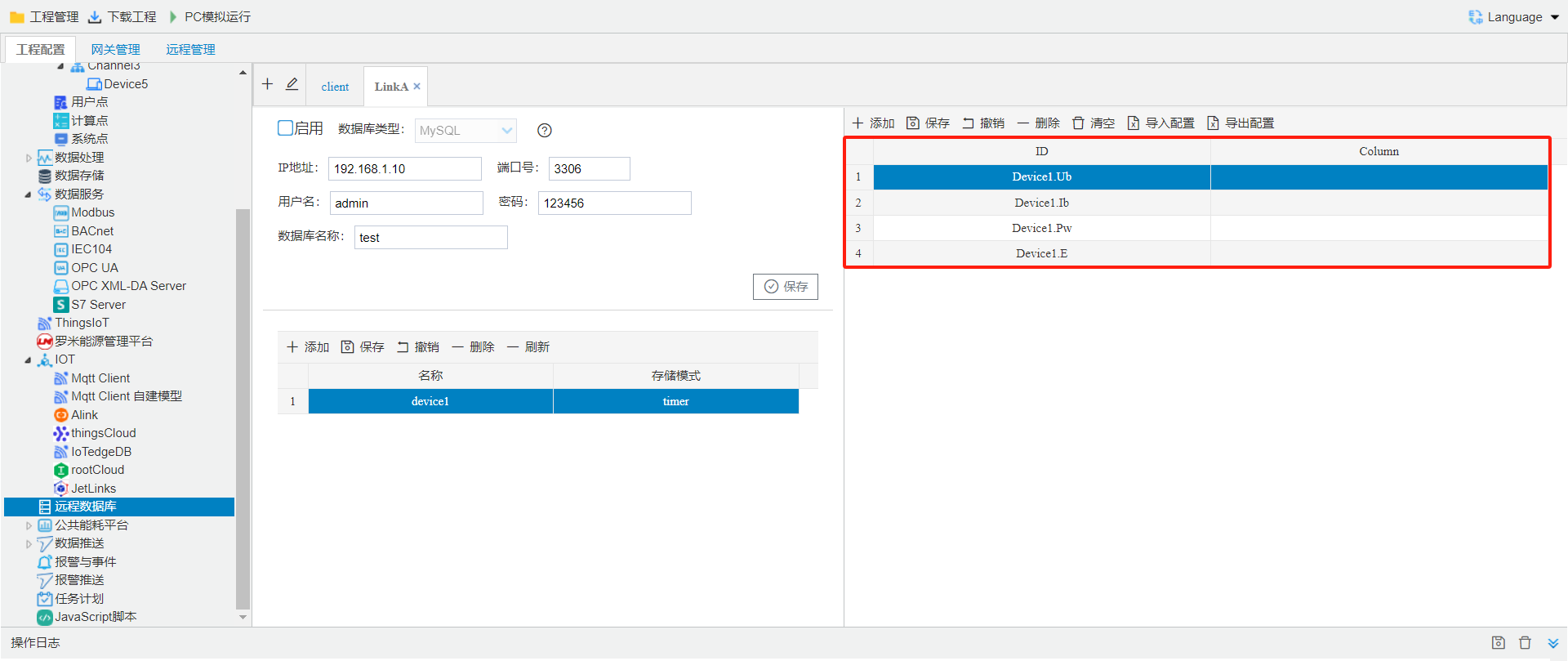
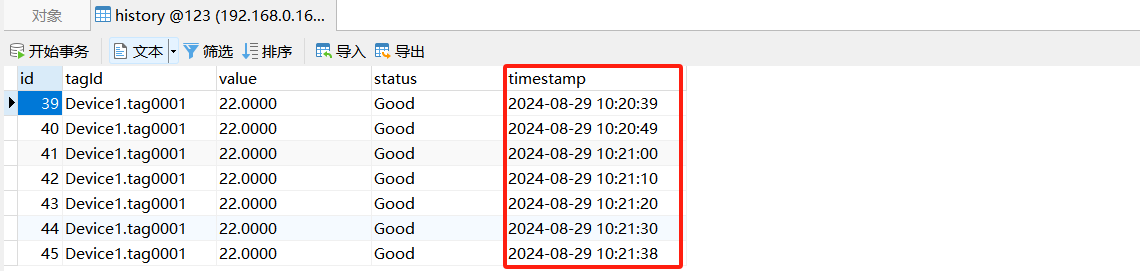
- periodic storage: in data is written within the specified interval is written to the database, as shown below, interval set to 10 seconds;
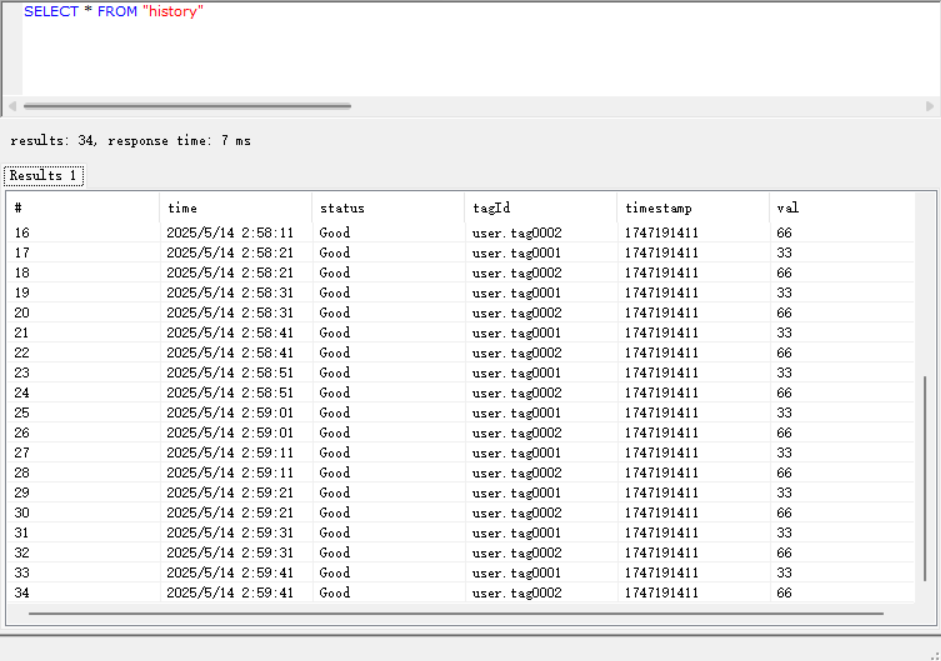
- SQL Example: INSERT INTO history(tagId,value,status,timestamp) VALUES( $Id, $Value, $Status, from_unixtime($Timestamp) );
- on-the-when storage: in write to the database at the specified whole-when time, as shown below;
- SQL Example: INSERT INTO history(tagId,value,status,timestamp) VALUES( $Id, $Value, $Status, from_unixtime($Timestamp) );

- change-triggered storage: in uploadpoint valuewhenwrite Database, as shown below;
- SQL Example: INSERT INTO history(tagId,value,status,timestamp) VALUES( $Id, $Value, $Status, from_unixtime($Timestamp) );
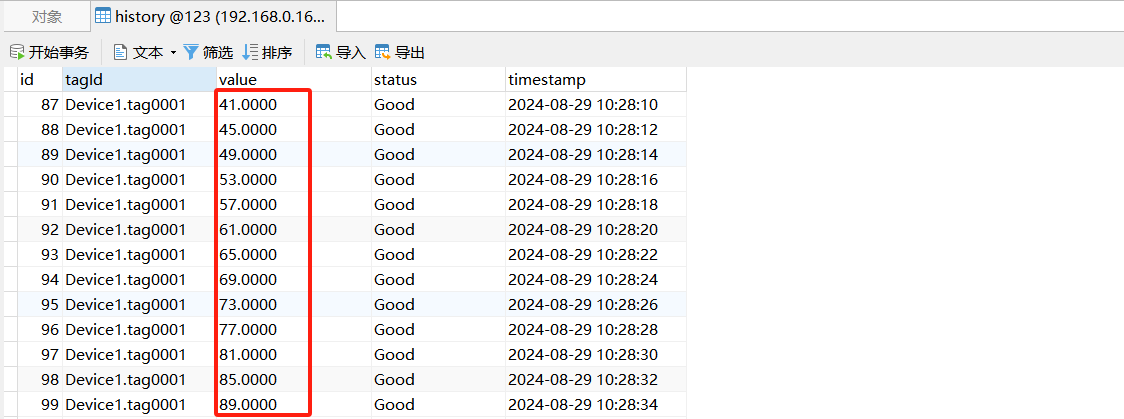
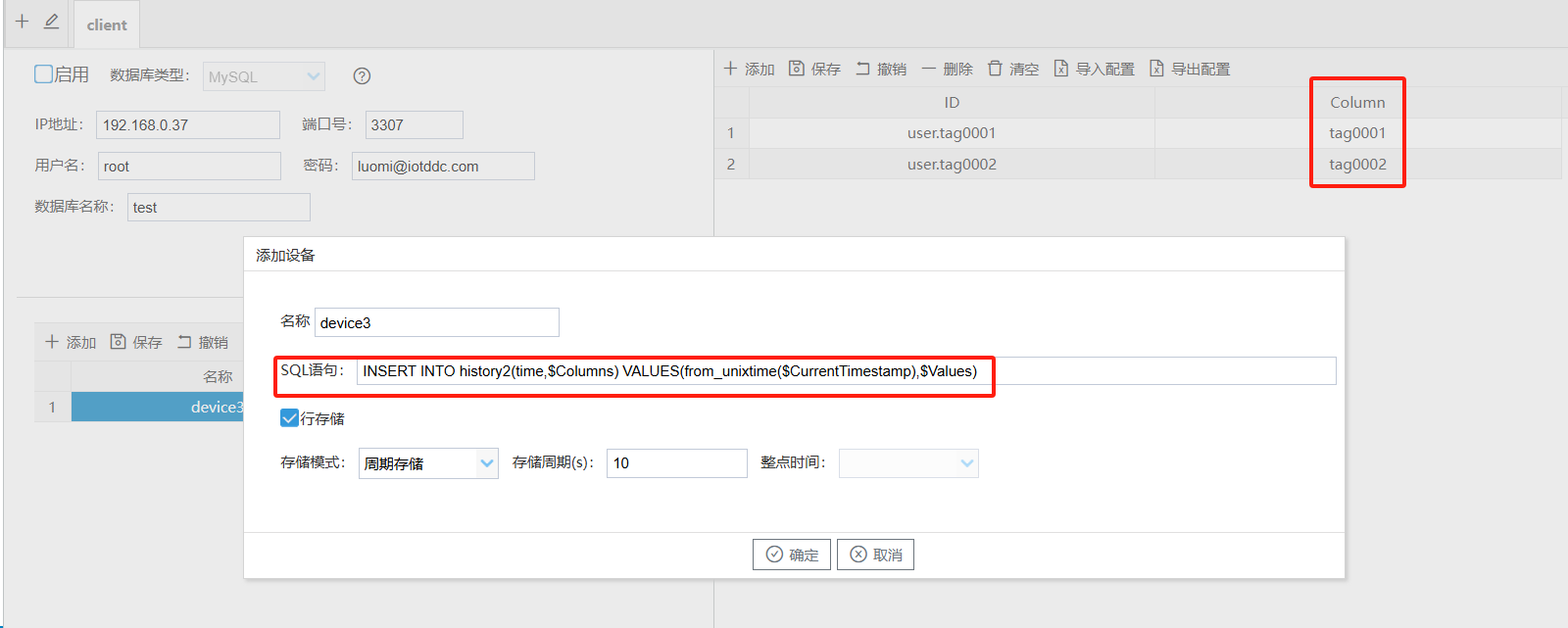
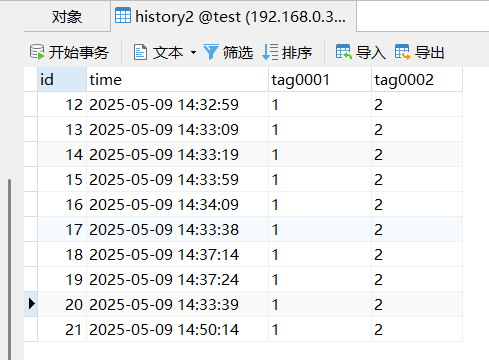
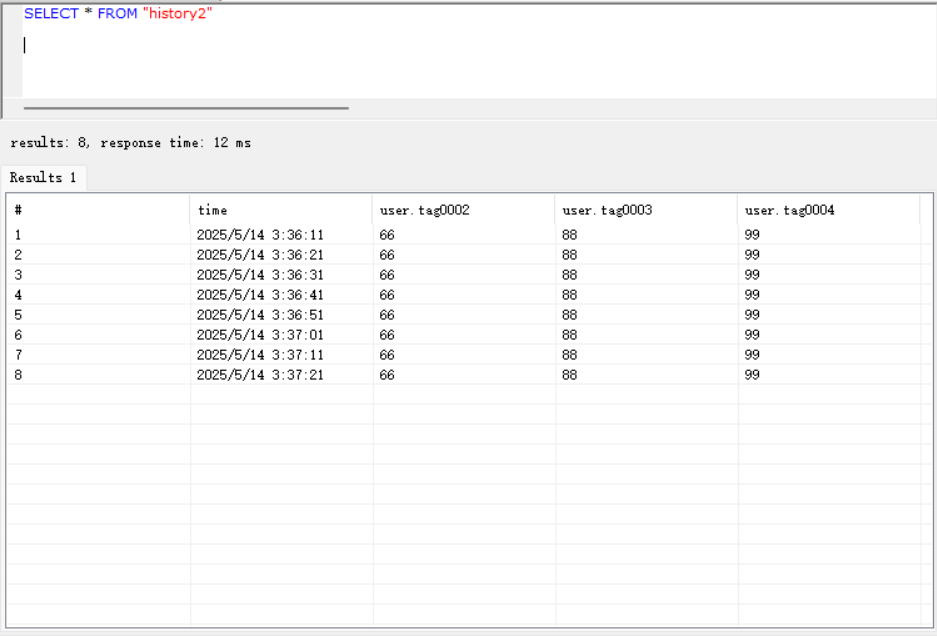
$CurrentTimestamp is the current timestamp $Columns is the column field filled in the table on the right $Values is the value of the data point in the table on the rightINSERT INTO history2(time,$Columns)VALUES(from_unixtime($CurrentTimestamp),$Values) ;
- row storage: row storage, as shown below;
- SQL Example:
InfluxDB Database Connection Notes
warning
Tag&Field:{"tag":{"id":"tagId"},"field":{"val":"val","status":"status","timestamp":"timestamp"}}
The content uses the format above by default.
Row Storage
InfluxDB supports row storage.
TDengineDatabaseremoteconnection ConfigurationseeRemote Database--TDengine