S7 Server
- Port number: service Port number, is 102;
- gatewaycommunication: Tag pointwhen, S 7 Serverpoint value .
gatewaycommunicationunder:
Default value: S 7 Server Address point valuetablein"Default value"column value aftervalue: S 7 Server Address point valueafter value
- servicestarttime: S 7 Serverservicewhensecondsstart.
S7 ServerConfiguration
S 7 Serverservice, allowshost computerthroughPLC S 7 relatedprotocolEthernet portconnectiongateway. Port number: Settings S 7 Serverservice Port number, Default valueis 102.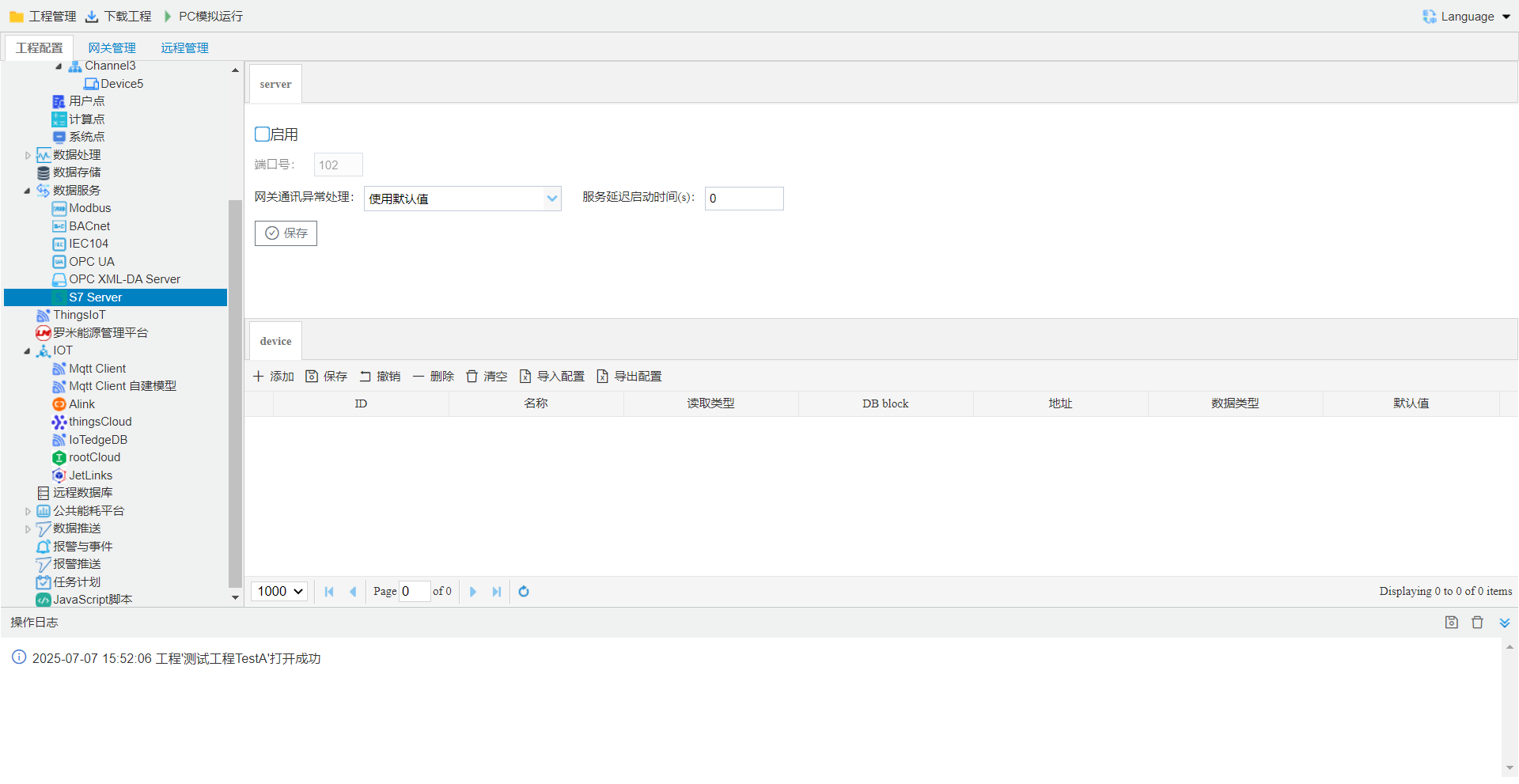
S 7 Server Address
Tag pointS 7 Serveron, Configurationstepsas follows:- Click the Add button.
- in openwindowinselectneed to point;
- selectread Typeanddata type;
- Click the "OK" buttoncompletepoint add.
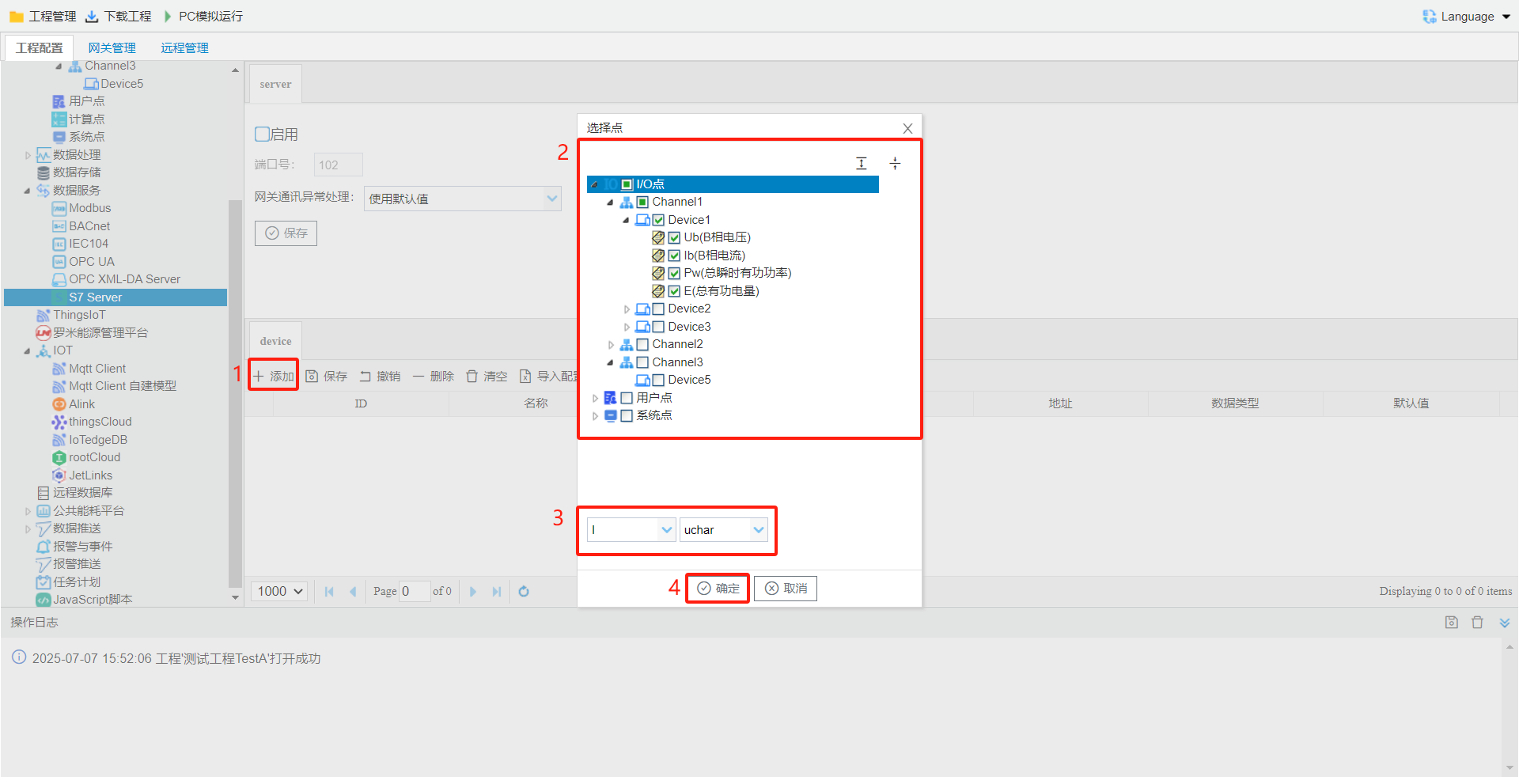
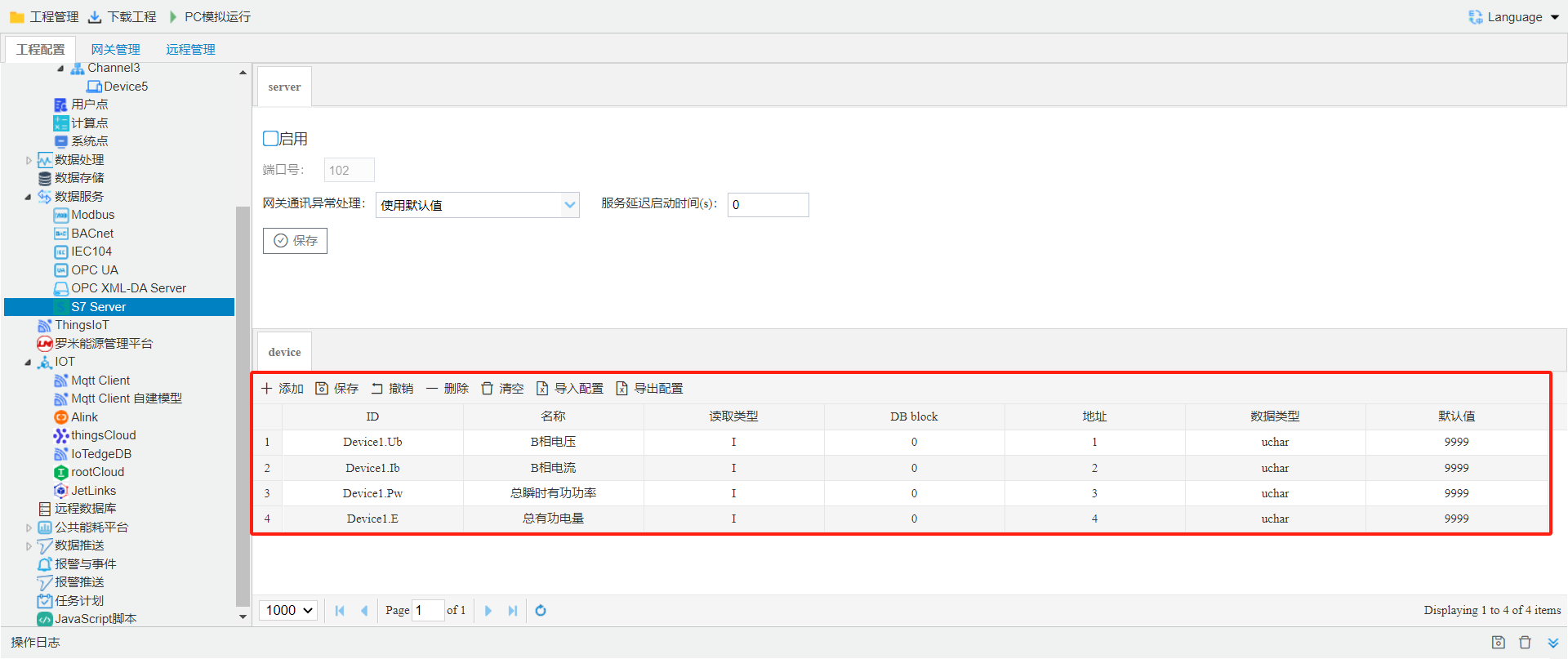
- read Type: according toneed to , selectneed to registerincludes I, Q, M, V, CT, TM, DB.
- DB block: DB, beforesupports(DB 1~DB 5).
- Address: cancustom, register Address.
- data type: according toneed to , selectread data type. bit(bit), bool(bool), uchar(byte), short(INT), ushort(Word), int(DINT), uint(Double Word), float(real), double, stringn. withinis PLCType. instringnneed to usermanually enterstring .
- Default value: is 9999, canmodify, in "gatewaycommunication"inselect"Default value", Tag pointwhen, S 7 Serverregister point valuethe Default value.
Tool Softwaretestgateway S 7 Serverservice
KEPServerread S 7-200 service Example, stepsas follows:- S 7 Serverservice, Addressas follows:
- the projectthroughtoolin "downloadproject"buttondownload LM Gatewayin.
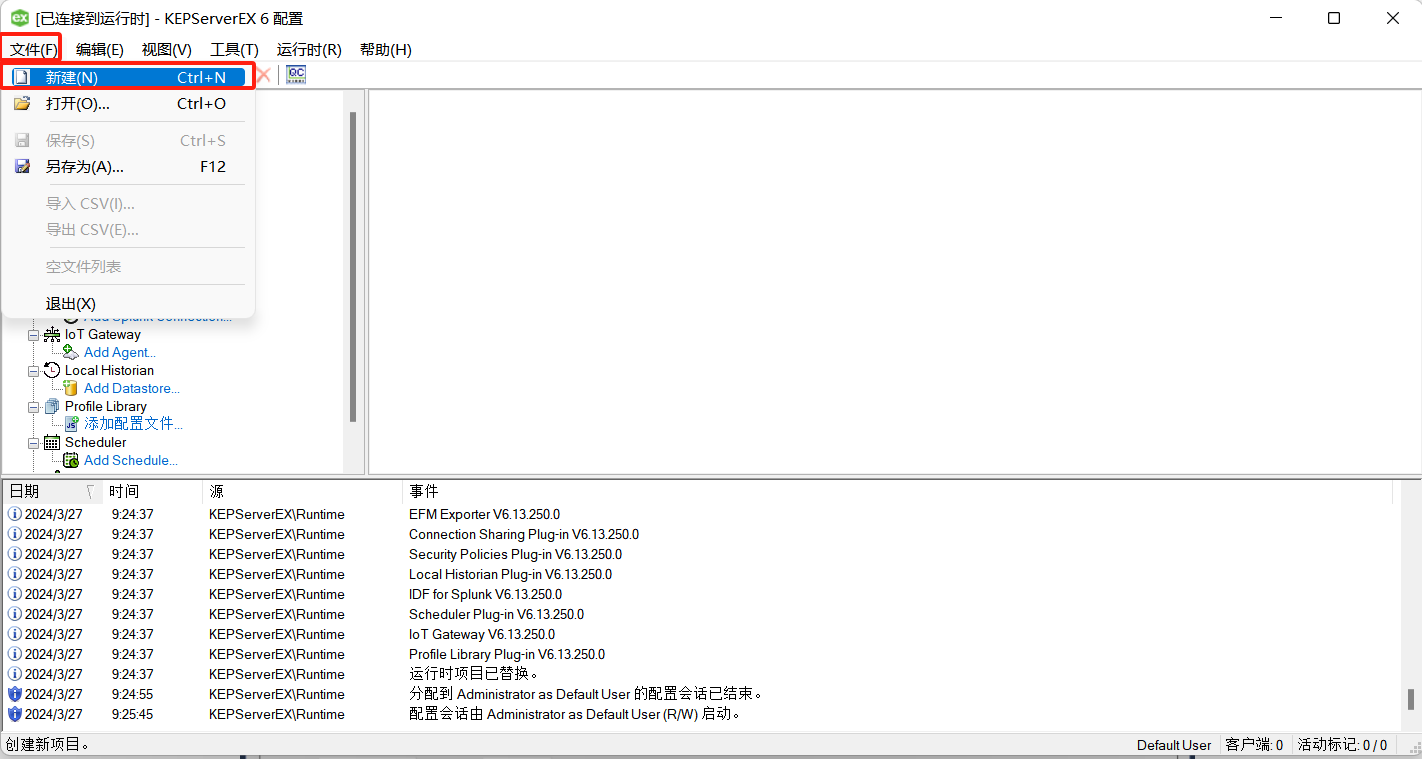
- open KEPServertest S 7 Serverservice, Click" -->create", create KEPServerconnection Configuration.
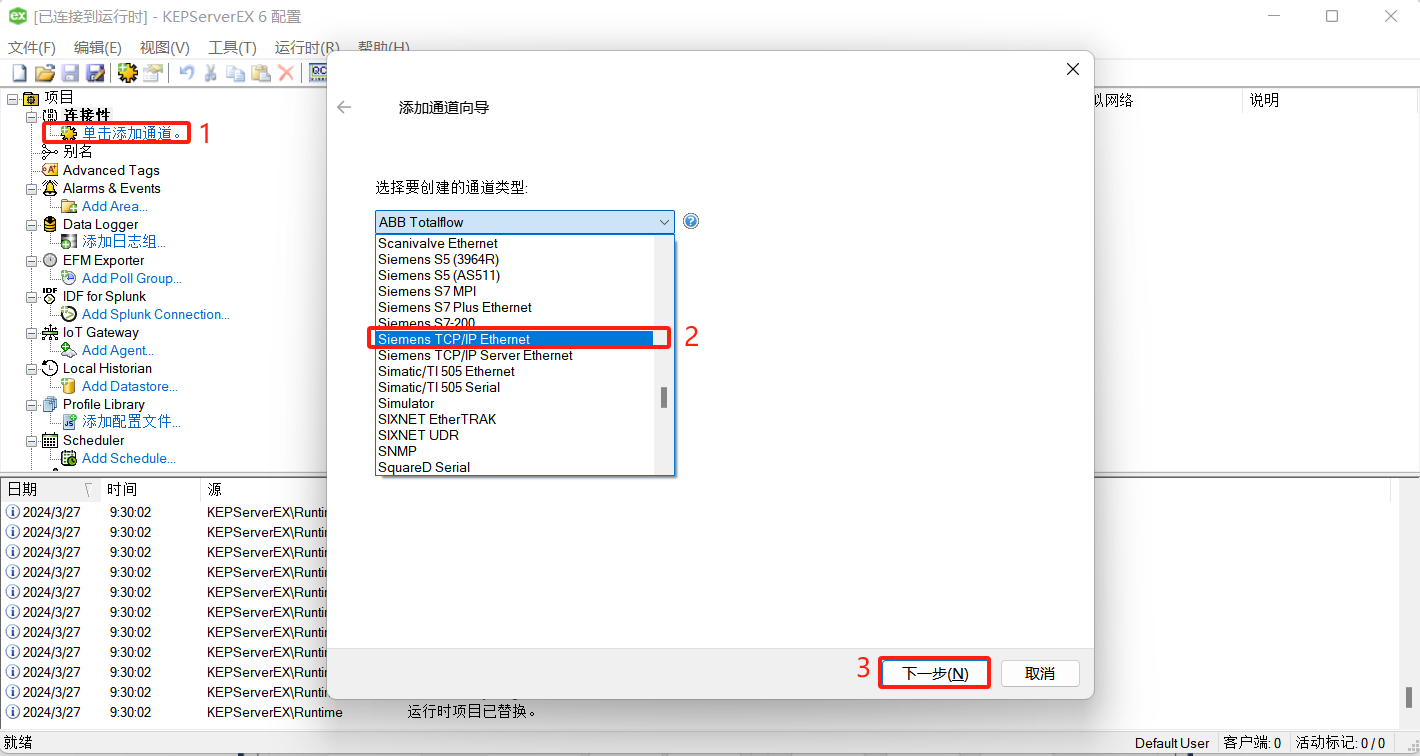
- addchannel, selectchannel typeisundersteps 2, Clickunder, afterstepscan.
- Add device
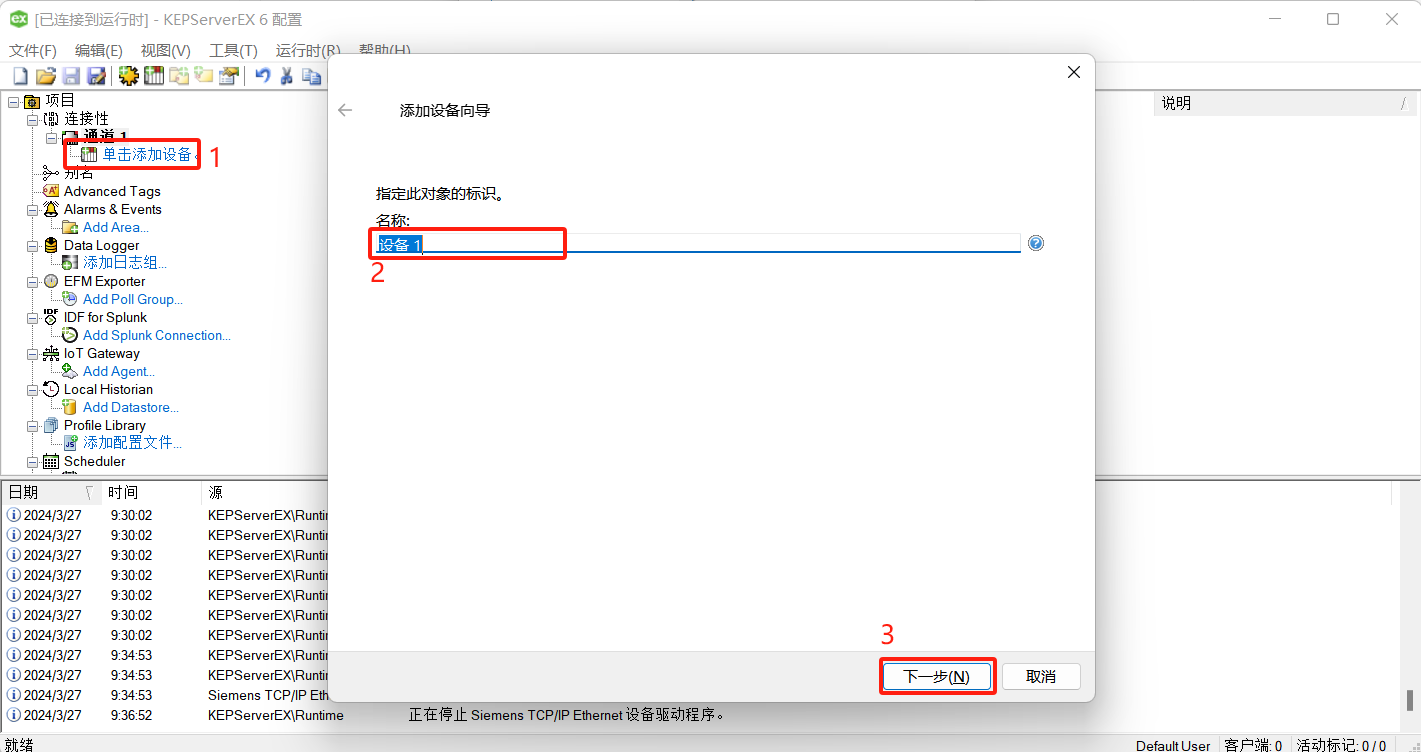
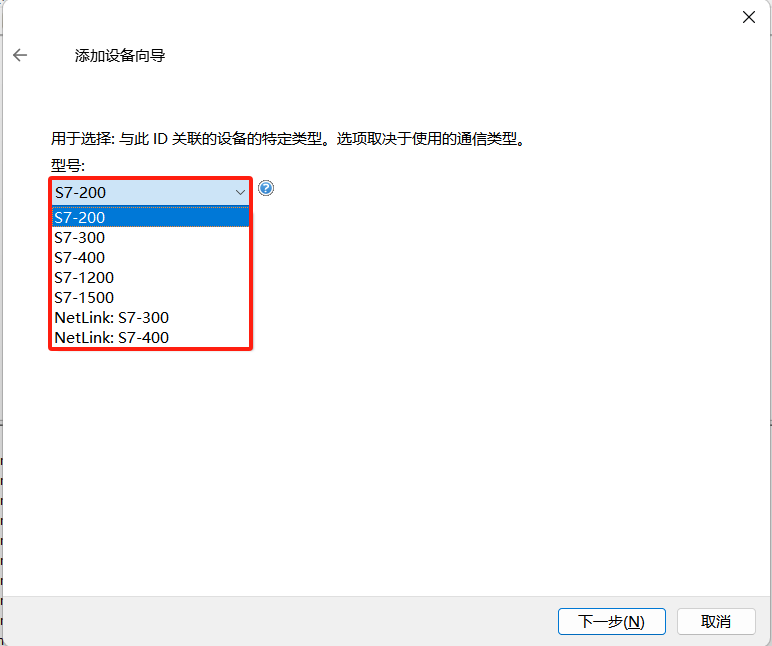
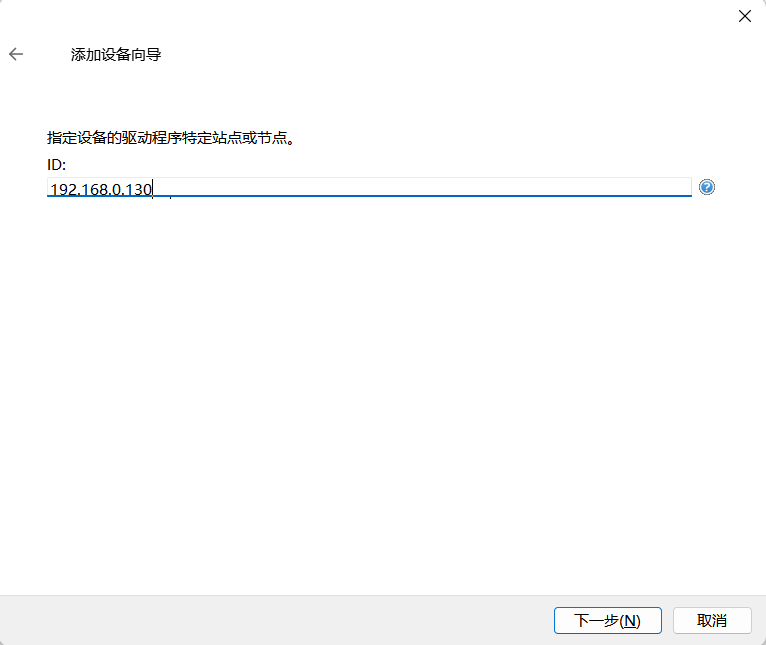
- adddata point, fill incorresponding Addressanddata type
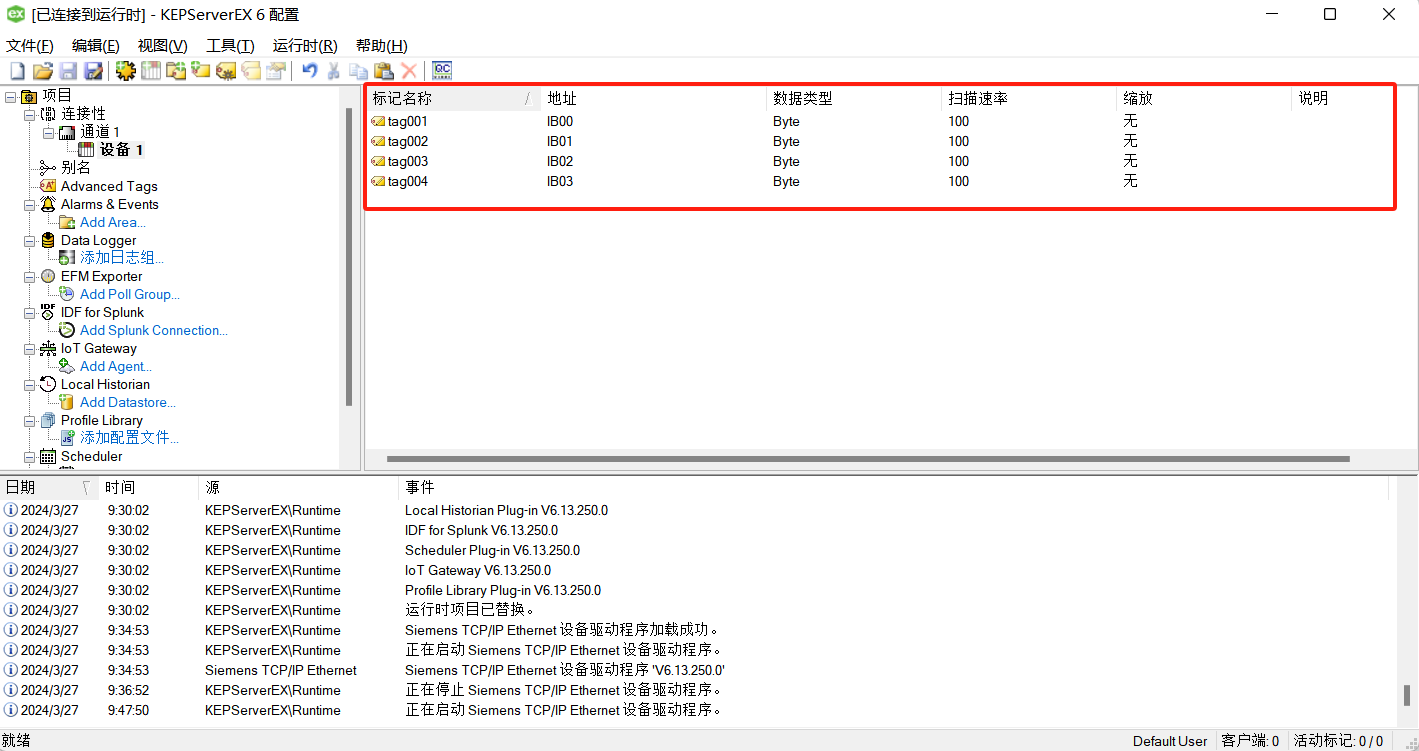
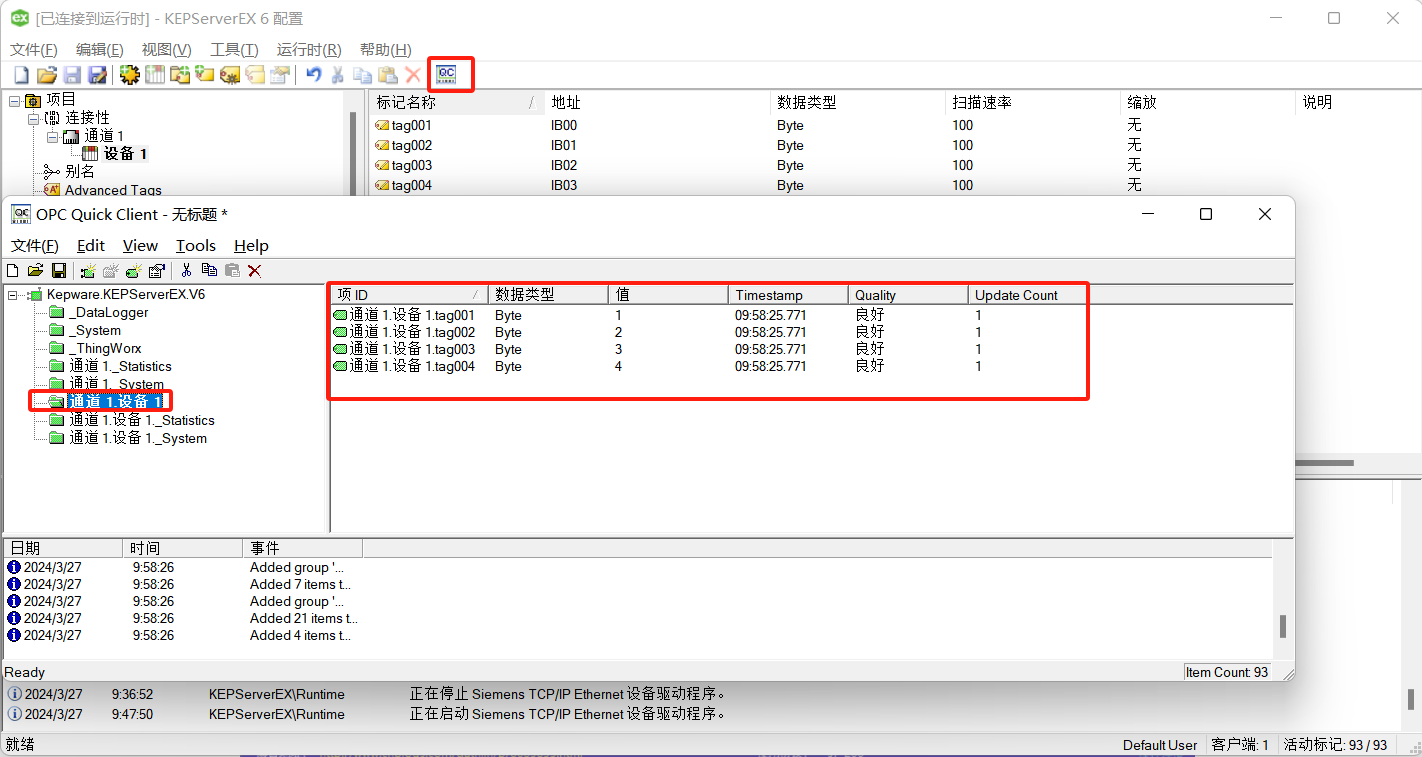
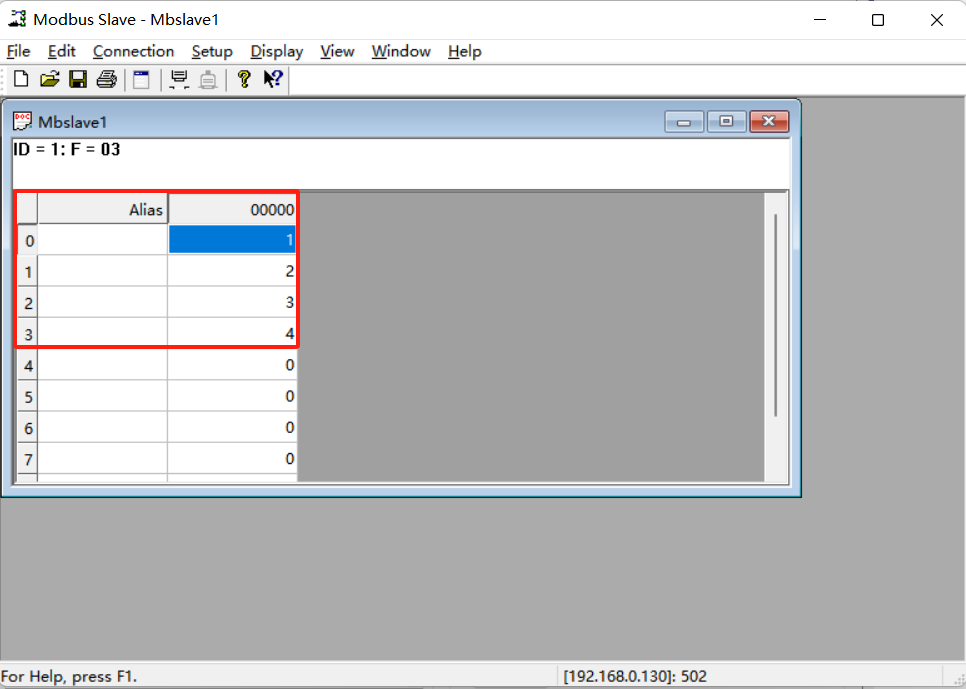
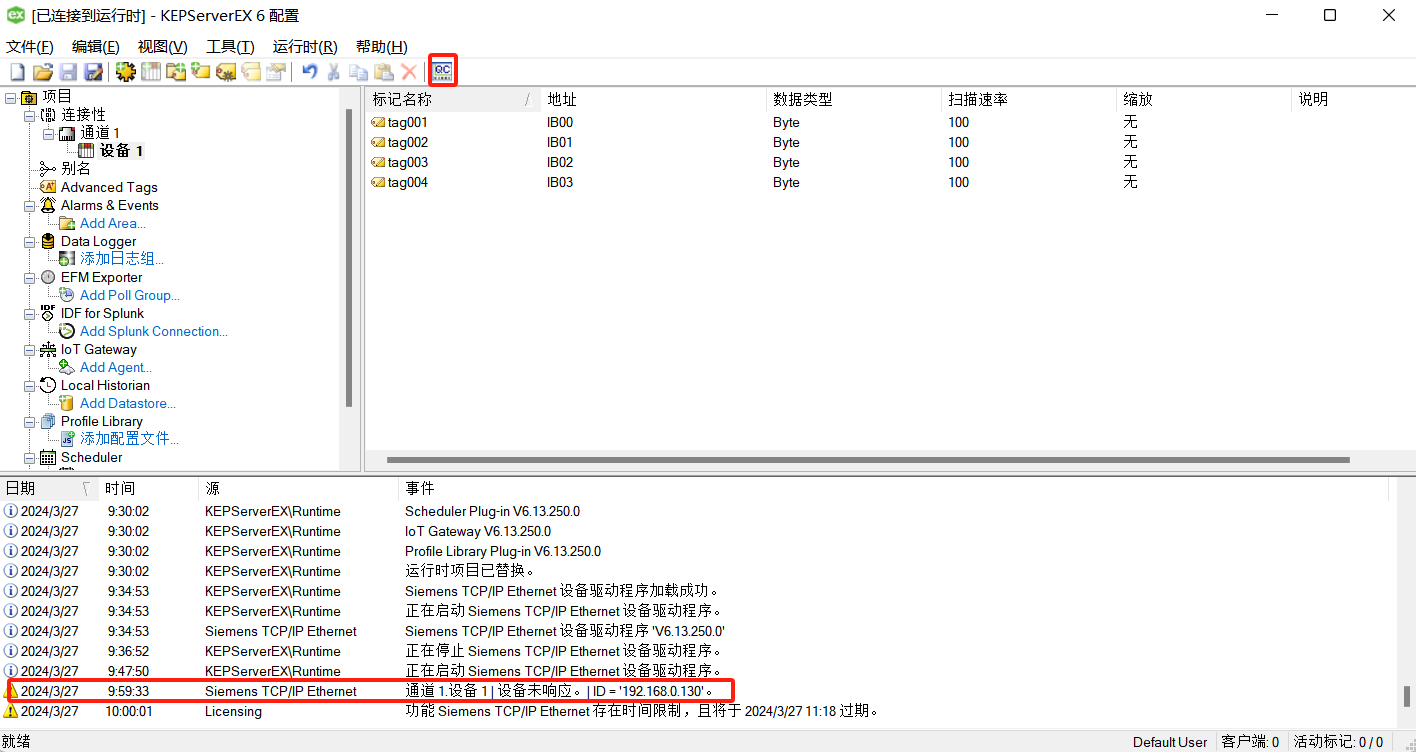
- view KEPServerdata point