OPC UA Service
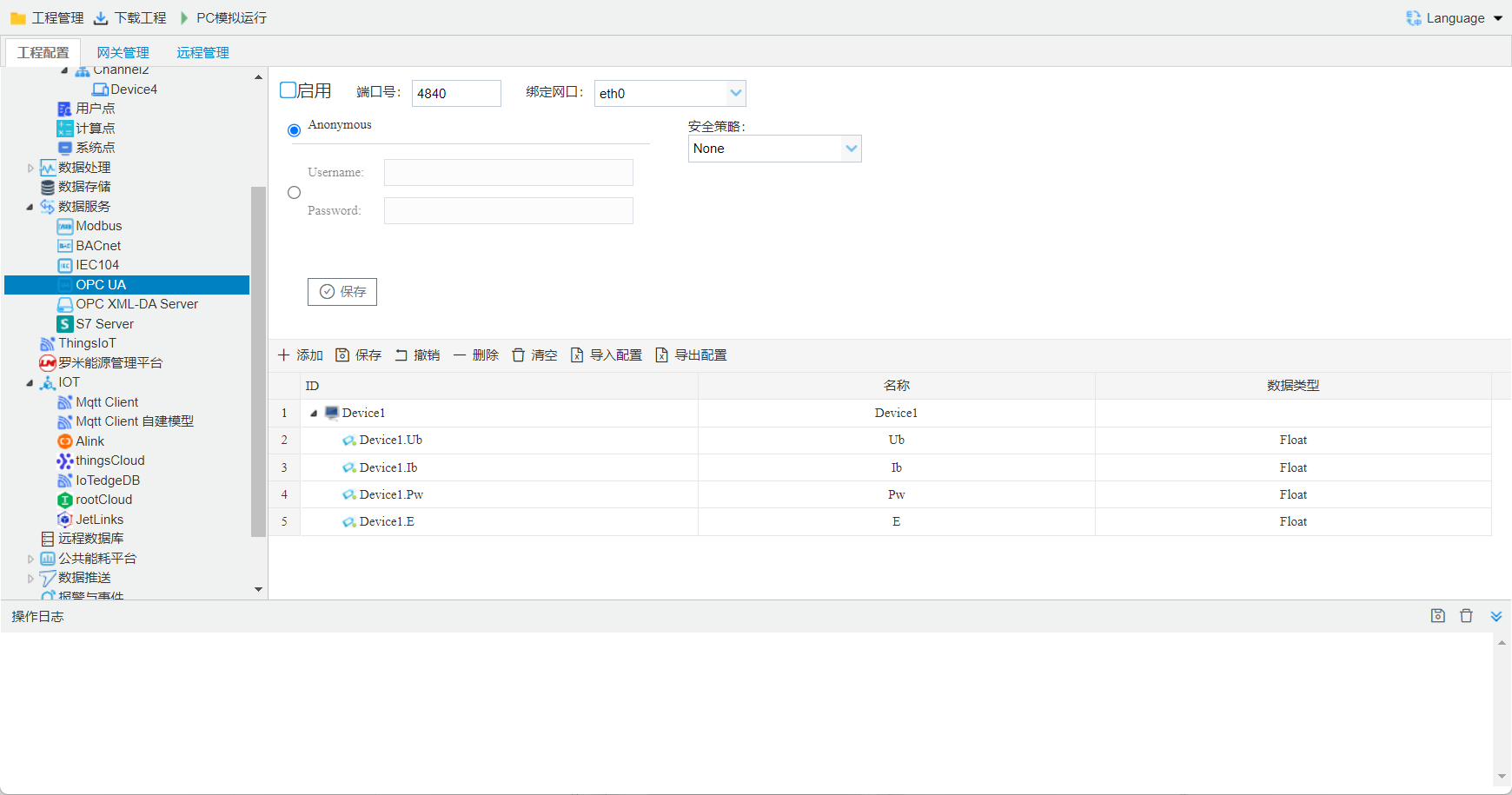
ConfigurationOPC UA service
OPC UA serviceimplementTag point , allowshost computerthrough OPC UAprotocolread/write Tag point.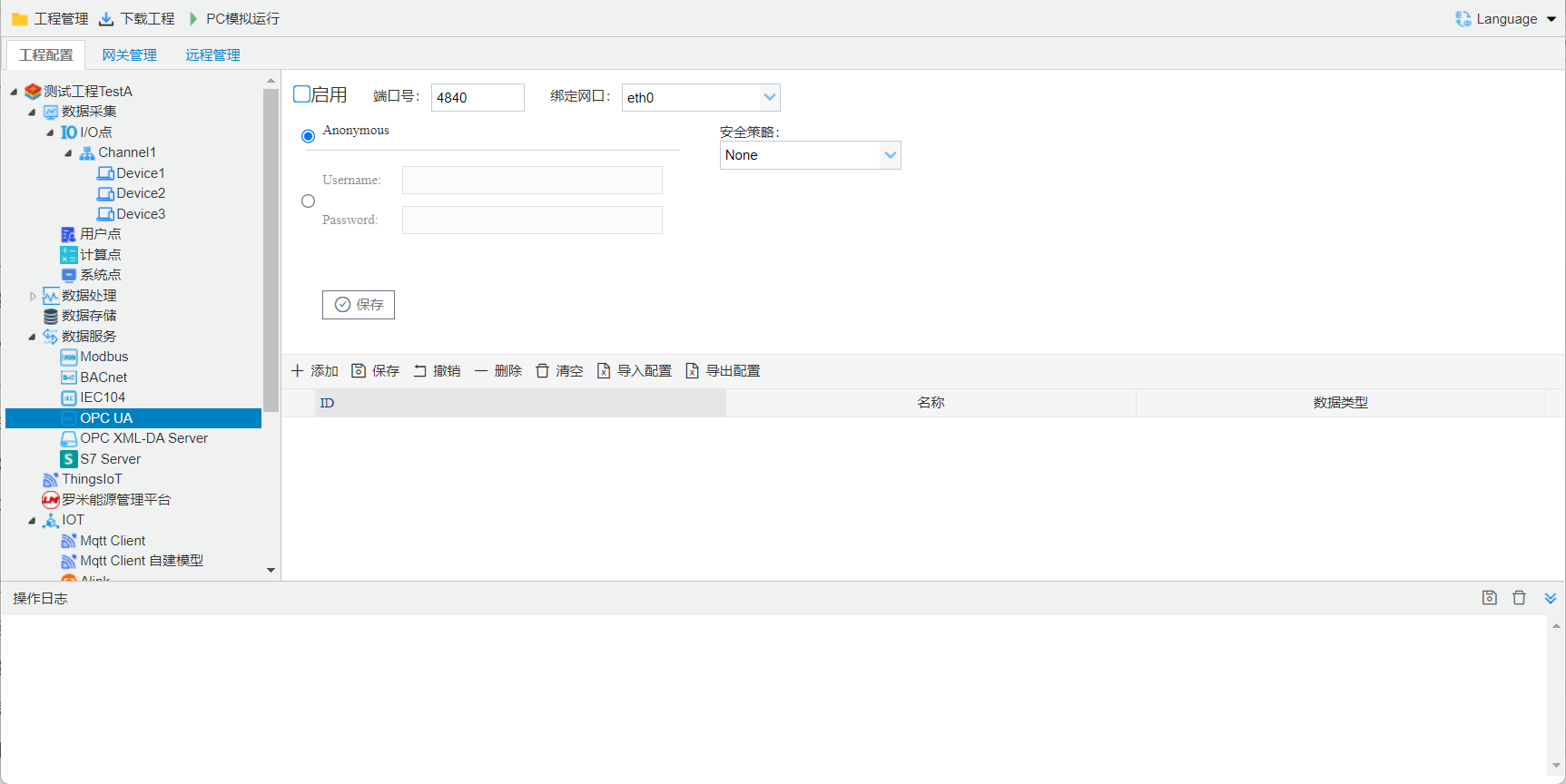
Anonymous: selectafter, enable modeconnection OPCUAServer.
Username, Password: selectafter, in "Username" Username, "Password"Password. Username Password modeconnection OPCUAServer.
****: None, Basic 256, Basic 128 Rsa 15, Basic 256 Sha 256
- selectis Nonewhen, OPCClient and OPCServer communicationand;
- ""selectis Basic 256, Basic 128 Rsa 15, Basic 256 Sha 256 in onewhen, OPCClientand OPCServer communicationorand, clientandserver communication.
OPC UA
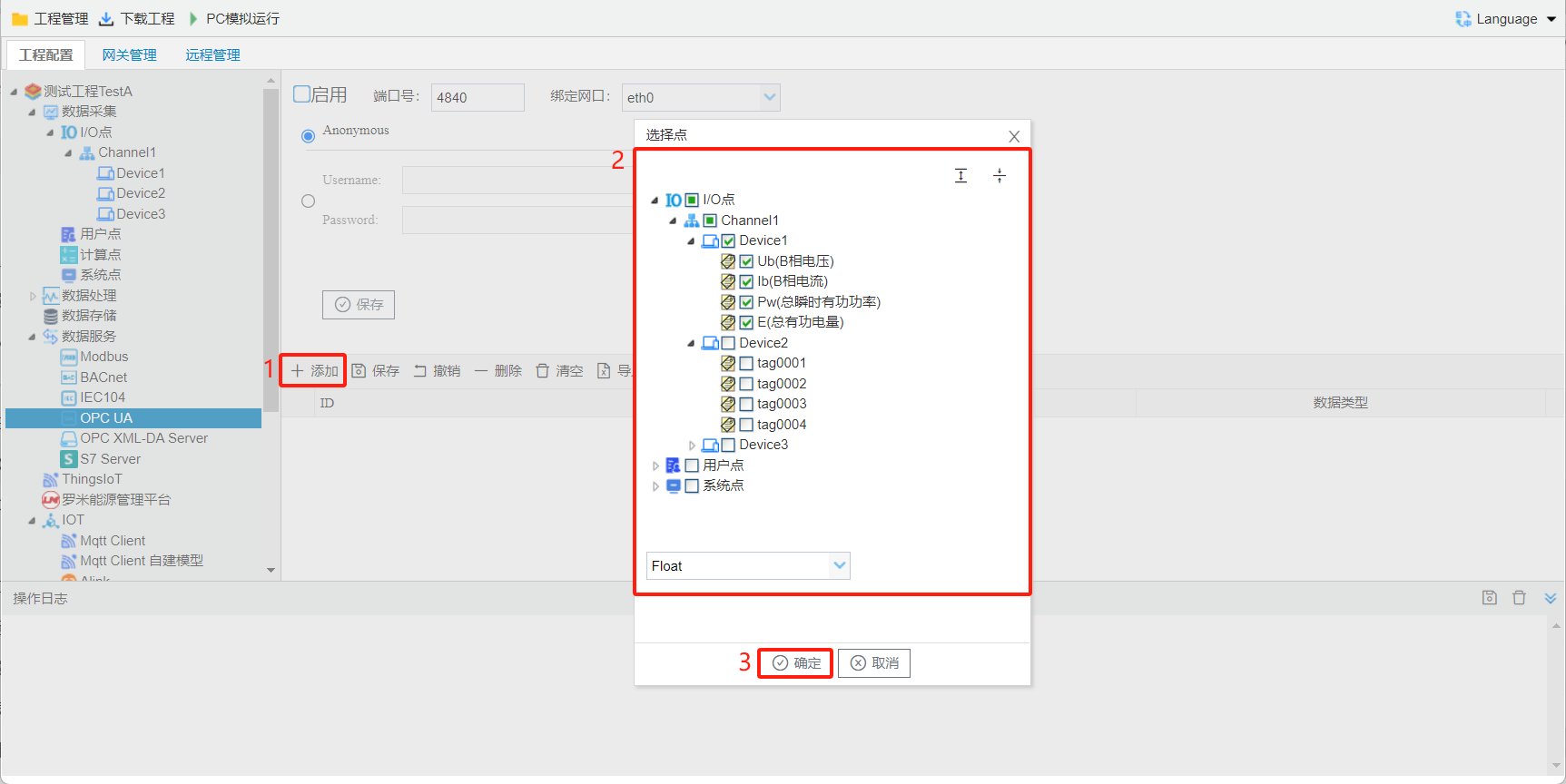
Tag pointOPC UAon, Configurationstepsas follows:- Click the Add button.
- in open selectpointwindowinselectneed to point;
- Click the "OK" buttoncompletepoint add.
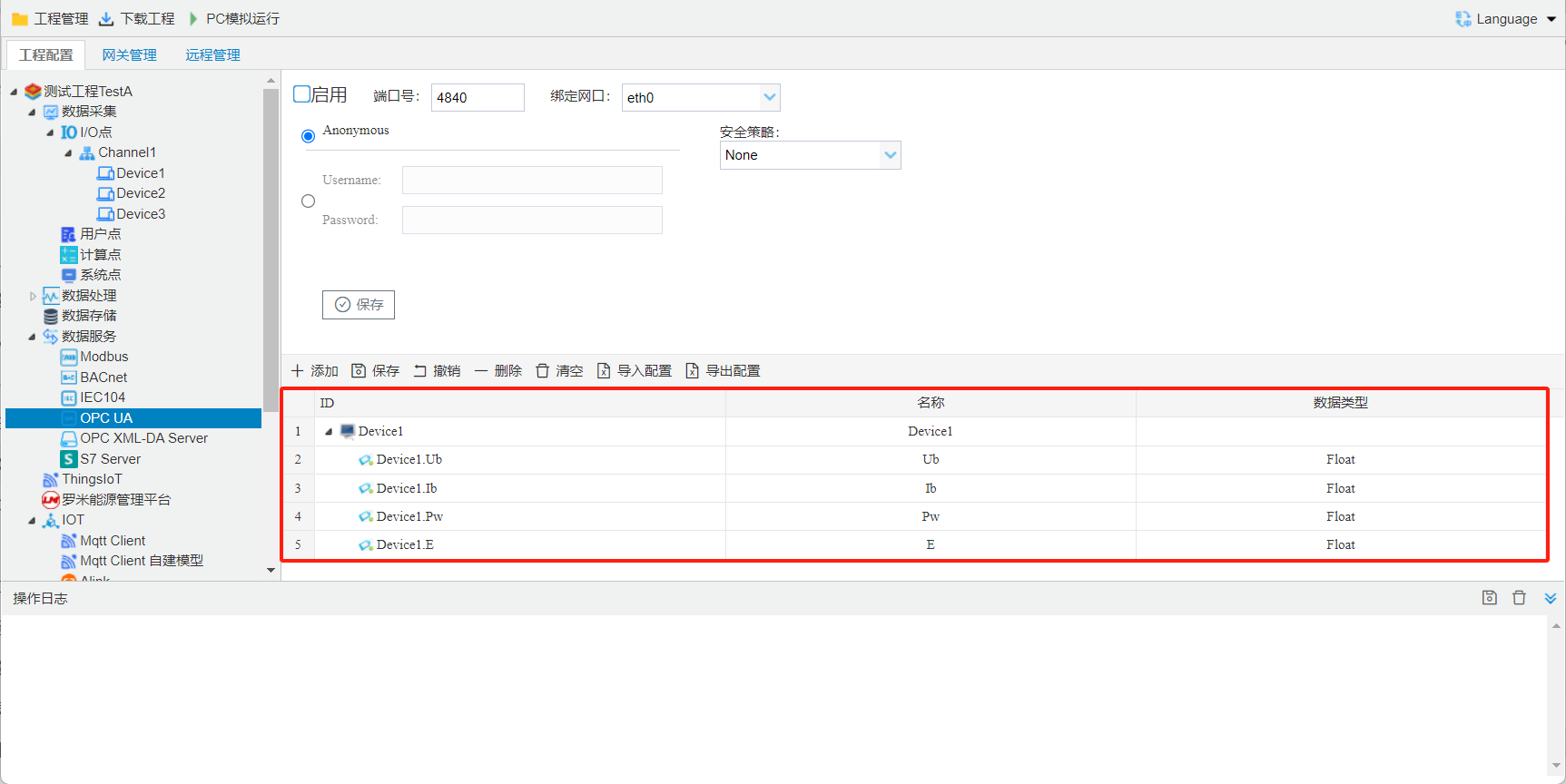
ID:projectin I/O, user, , is OPC UAin Device Folderunder , gatewayin Tag pointisin .
Name: or .
data type: supports Boolean,UInt 16,Int 16,UInt 32,Int 32,Float.
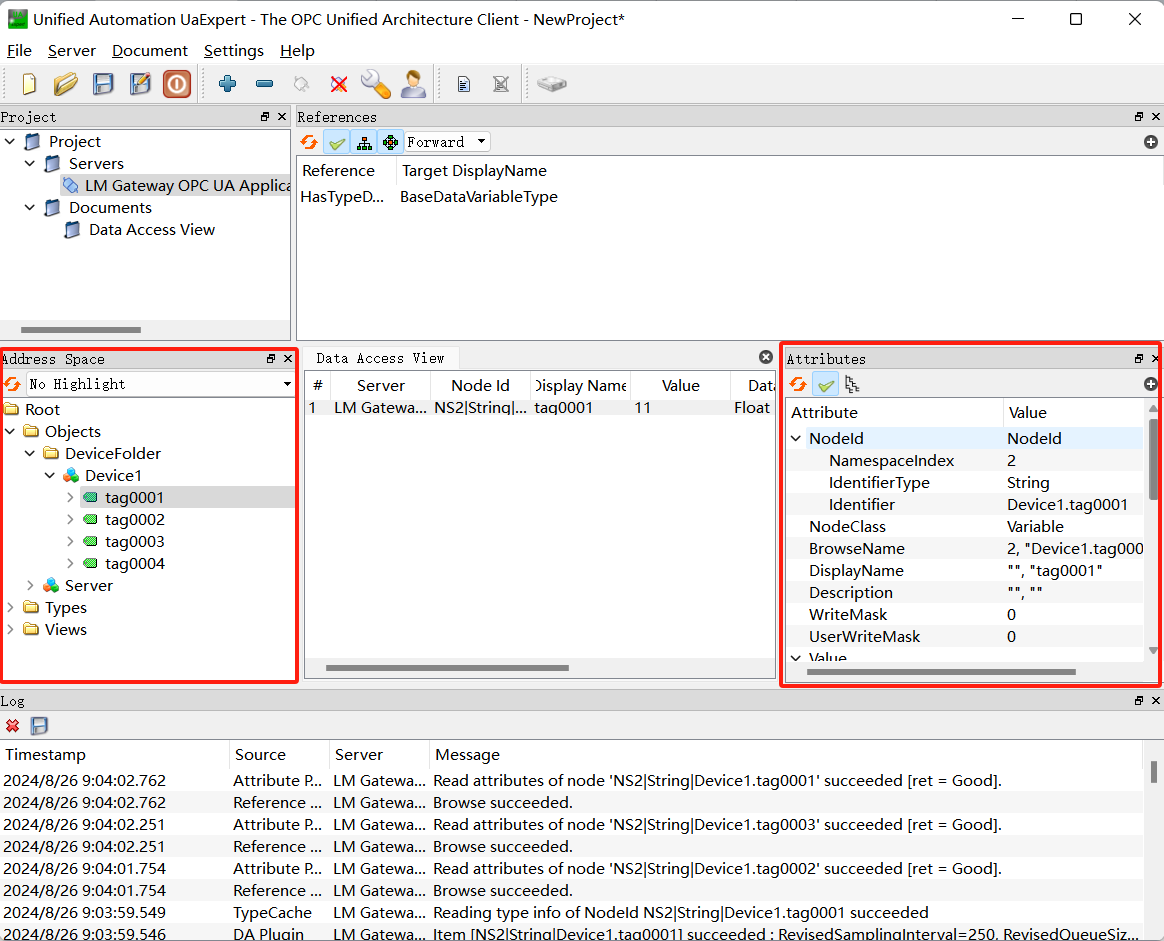
Tool Softwaretestgateway OPCUAservice
Ua Expertread OPC UA service Example, stepsas follows:Download link: OPCUA client--Ua Expert
- OPC UA service, as follows:
- the projectthroughtoolin "downloadproject"buttondownload LM Gatewayin.
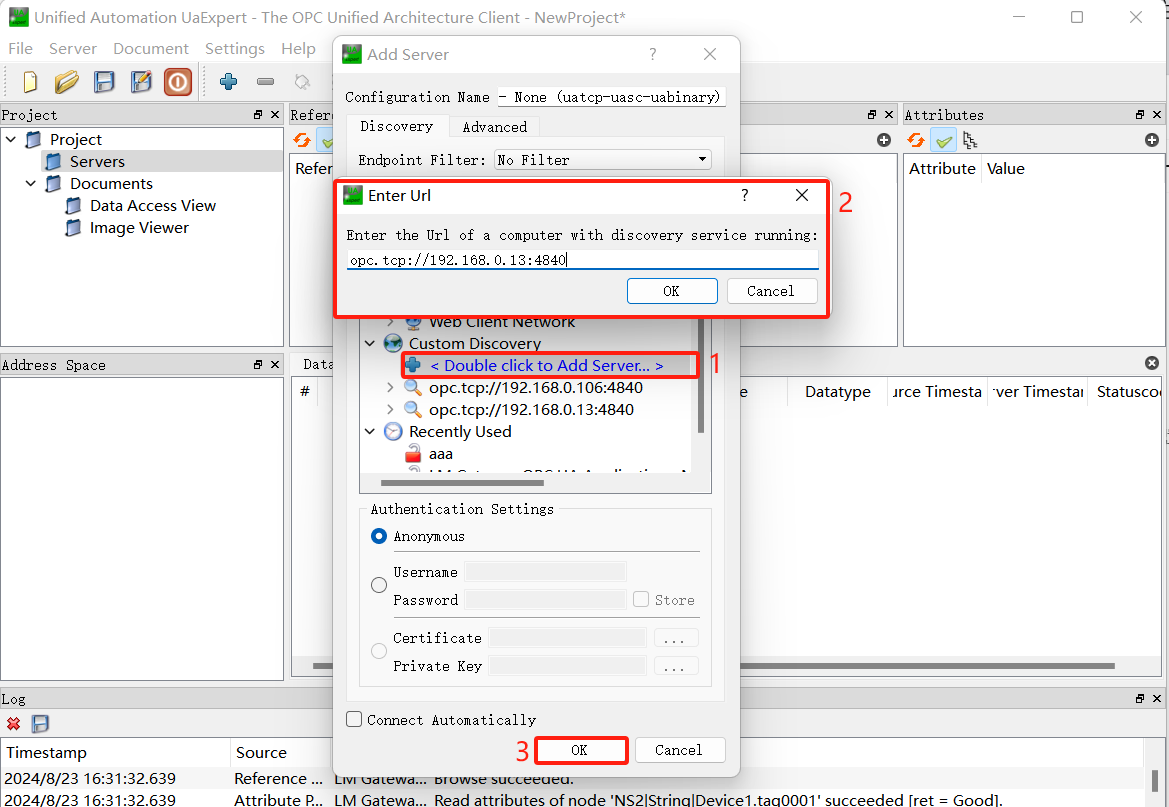
- open Ua Expert, Clickabovetoolin"+"button, in is"Add Server"openin Double-click"Double click to Add Server.", input LM Gateway IP addressandonin Port number, Click"OK".
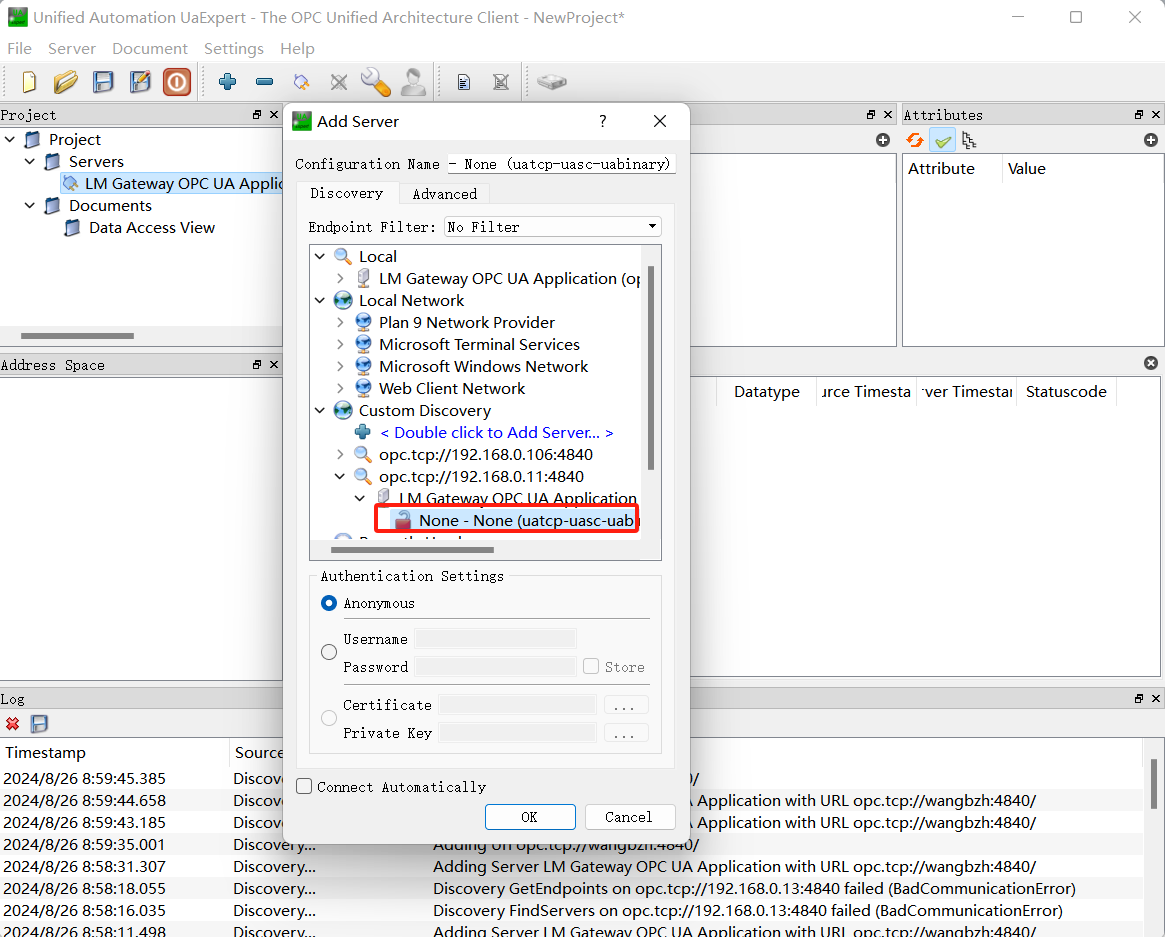
- whenin Serversunderaddone LM Gateway OPC UApoint, select"Connect".
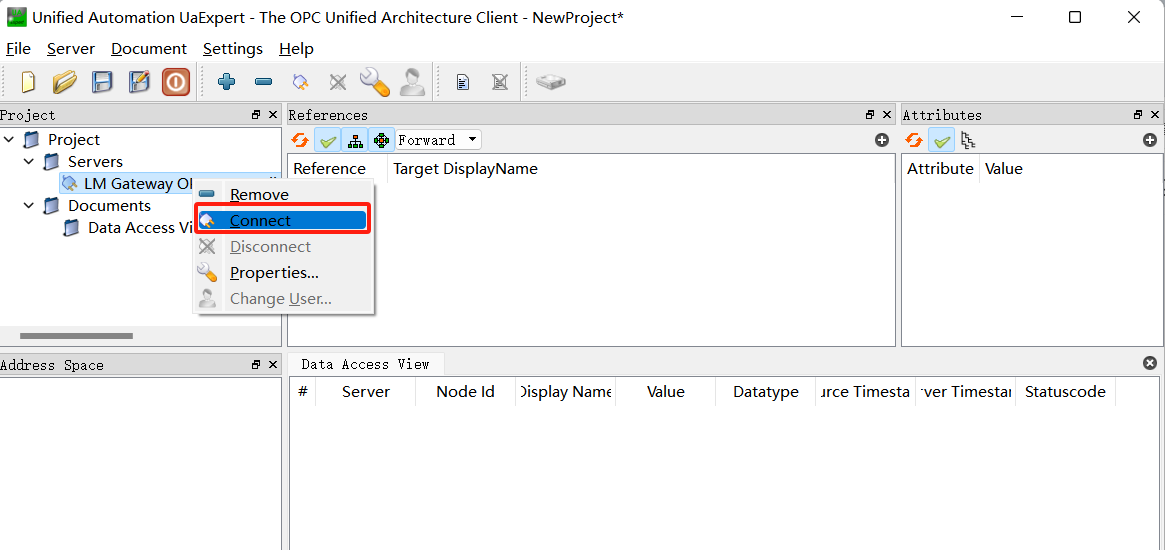
- connectionafter, in left side point, Clickpointin right sidethe point .