Modbus Service
gatewaycommunicationunder: Default value: Modbus Address point valuetablein"Default value"column value aftervalue: Modbus Address point valueafter value
- gatewaycommunication: Tag pointwhen, Modbusregisterpoint value .
- servicestarttime: Modbus servicewhensecondsstart.
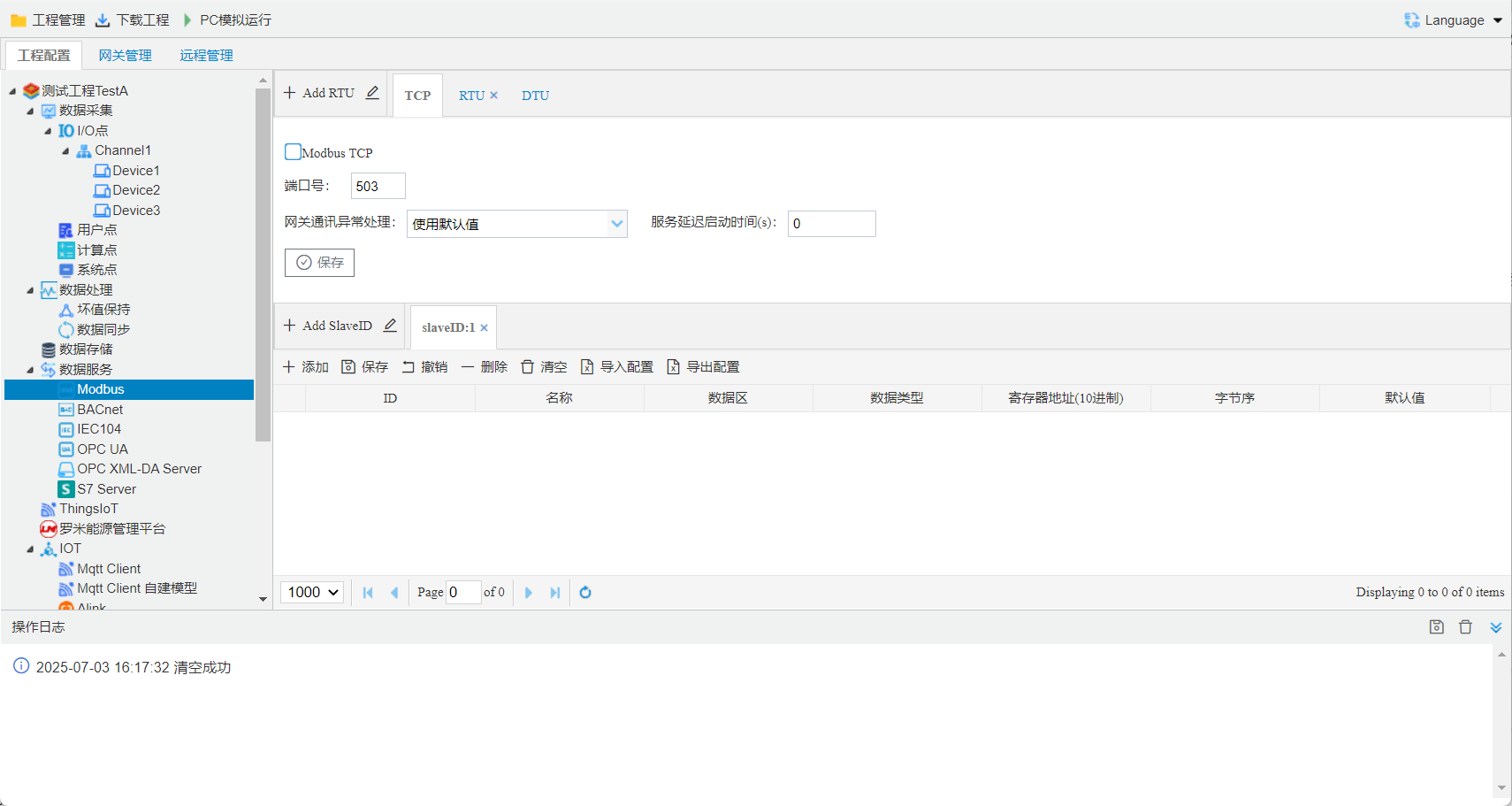
Modbus TCPConfiguration
Modbus TCPservice, allowshost computerthrough Modbus TCPprotocolEthernet portconnectiongateway.
- slave ID: gateway Modbus service slave ID; canthrough Add Slave IDaddmultipleslave ID
- Port number: Settings Modbus TCPPort number, Default valueis 503.
select Enable Modbus TCP Service, click Save.
Modbus RTUConfiguration
Modbus RTUservice, Click"Configuration"button, in openinaddspecifiedserial port, provide Modbus RTUservice. allowshost computerthrough Modbus RTUprotocolserial portconnection(RS-232/485)gateway.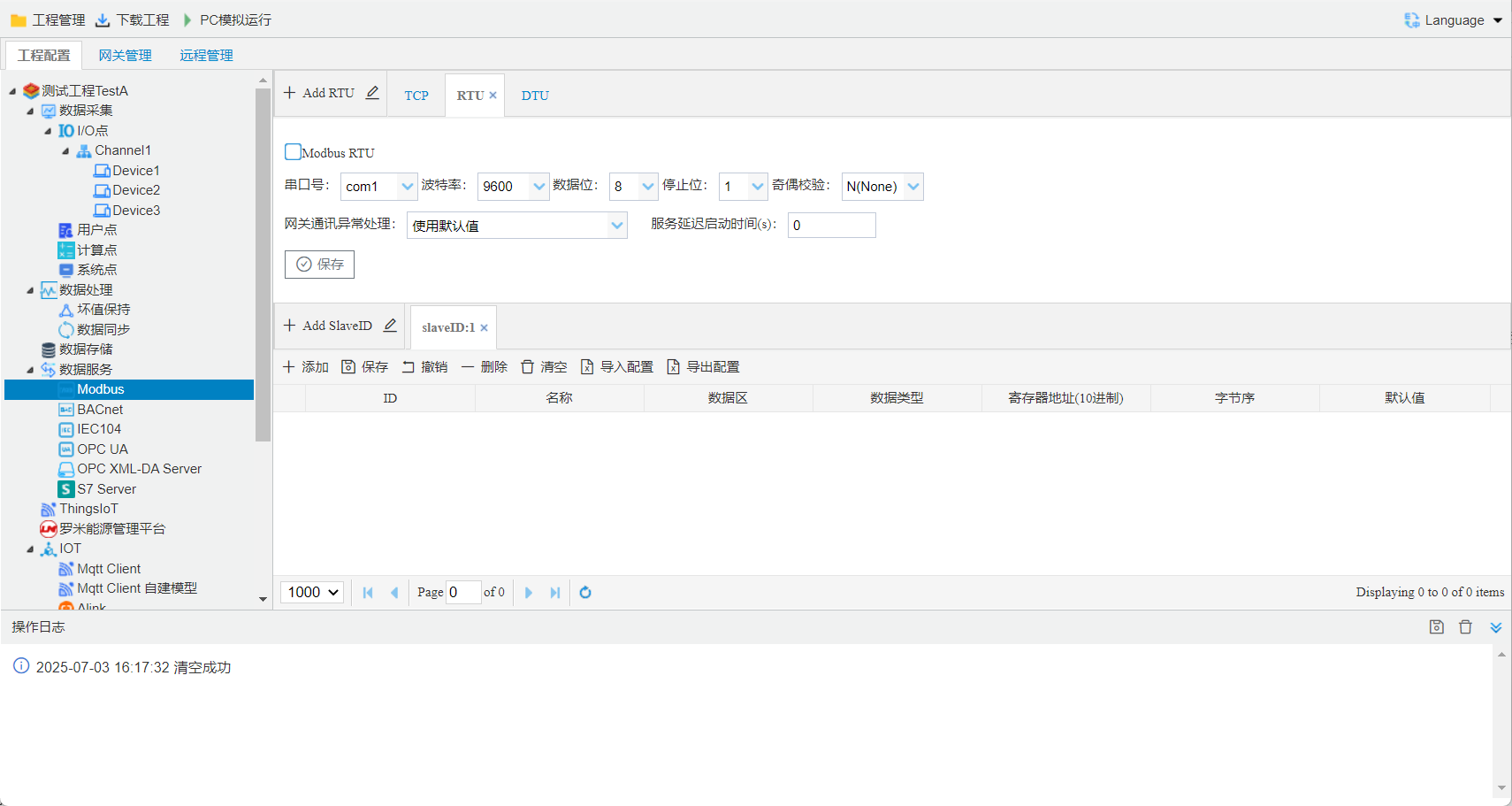
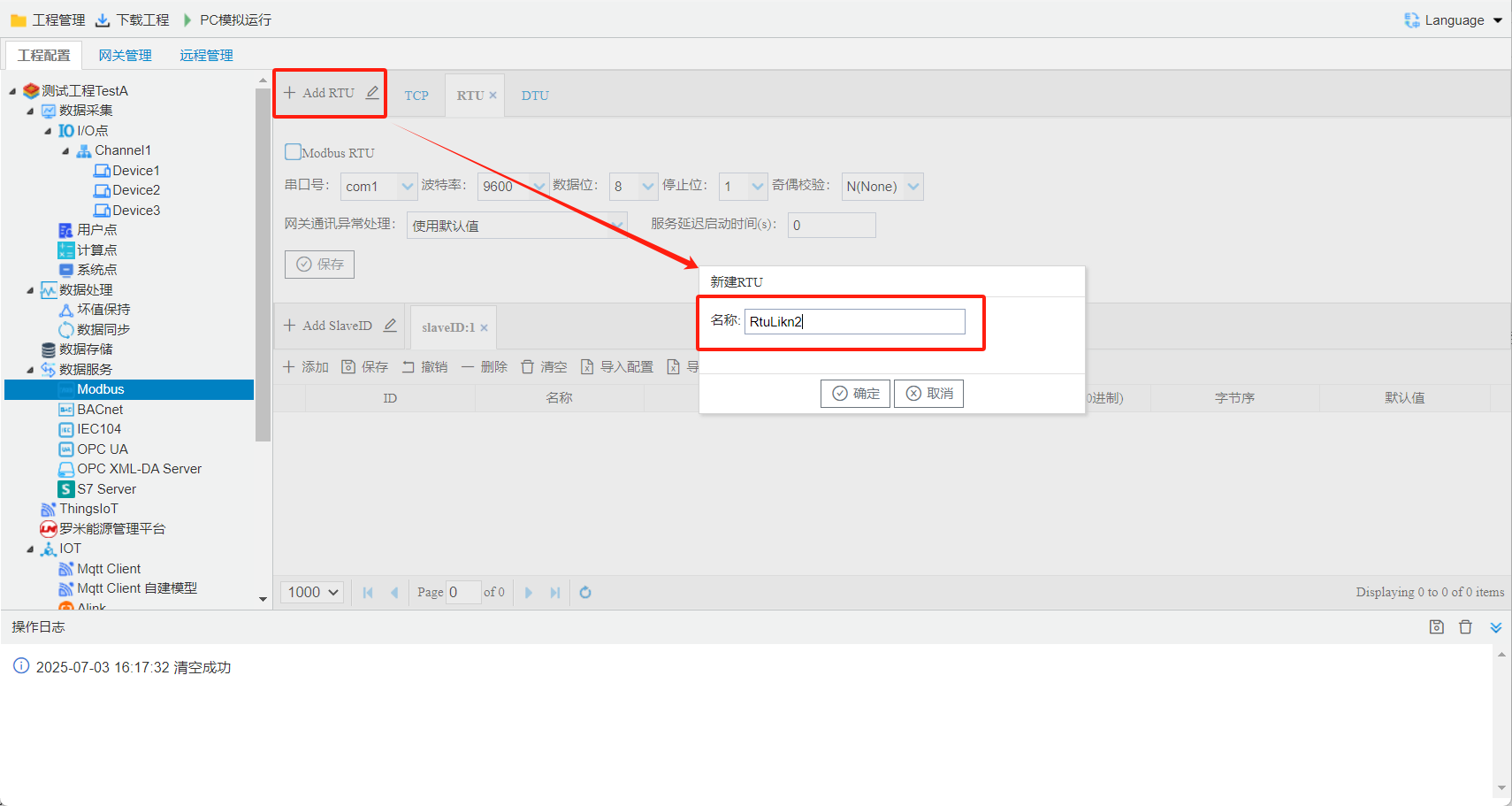
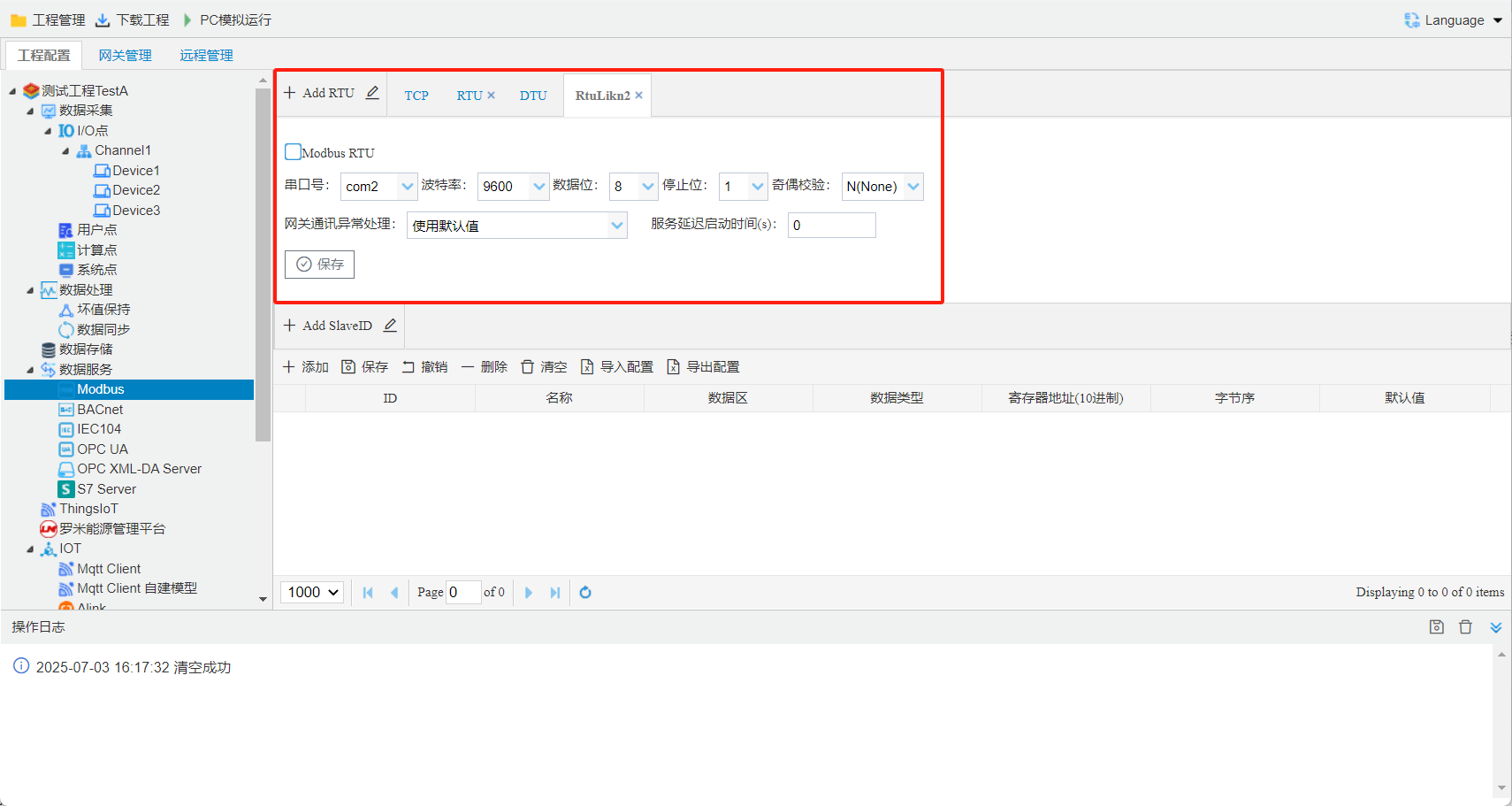
Modbus DTUmodeConfiguration
Modbus DTUmode, gatewayonwhen, throughfill in server Addressand Portconnectionserver, serverthroughgateway, gatewayIP. serverin the TCPlinkonthroughmodbus TCPormodbus RTUmessageread/writegateway Tag point.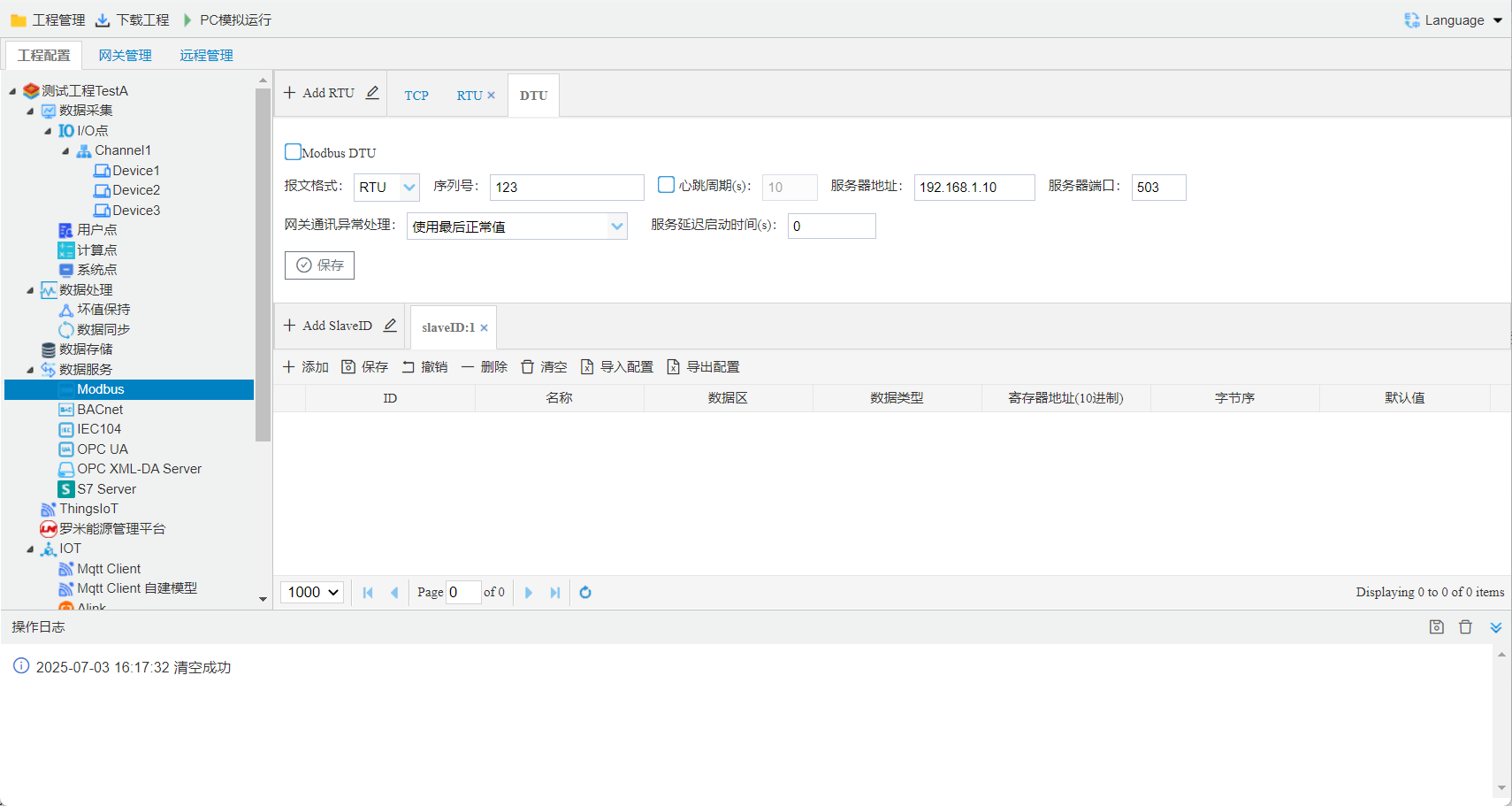
message: specifiedmodbus TCPormodbus RTU messageperform.
interval: selectgatewayintervalupload, selectgatewayin onwhensend.
Modbus address mapping
Tag pointModbusregisteron, Configurationstepsas follows:oncanaddmore pointAddresslist.
- Click the Add button.
- in openwindowinselectneed to point;
- select the Modbus data area, data type, and byte order;
- Click the "OK" buttoncompletepoint add.
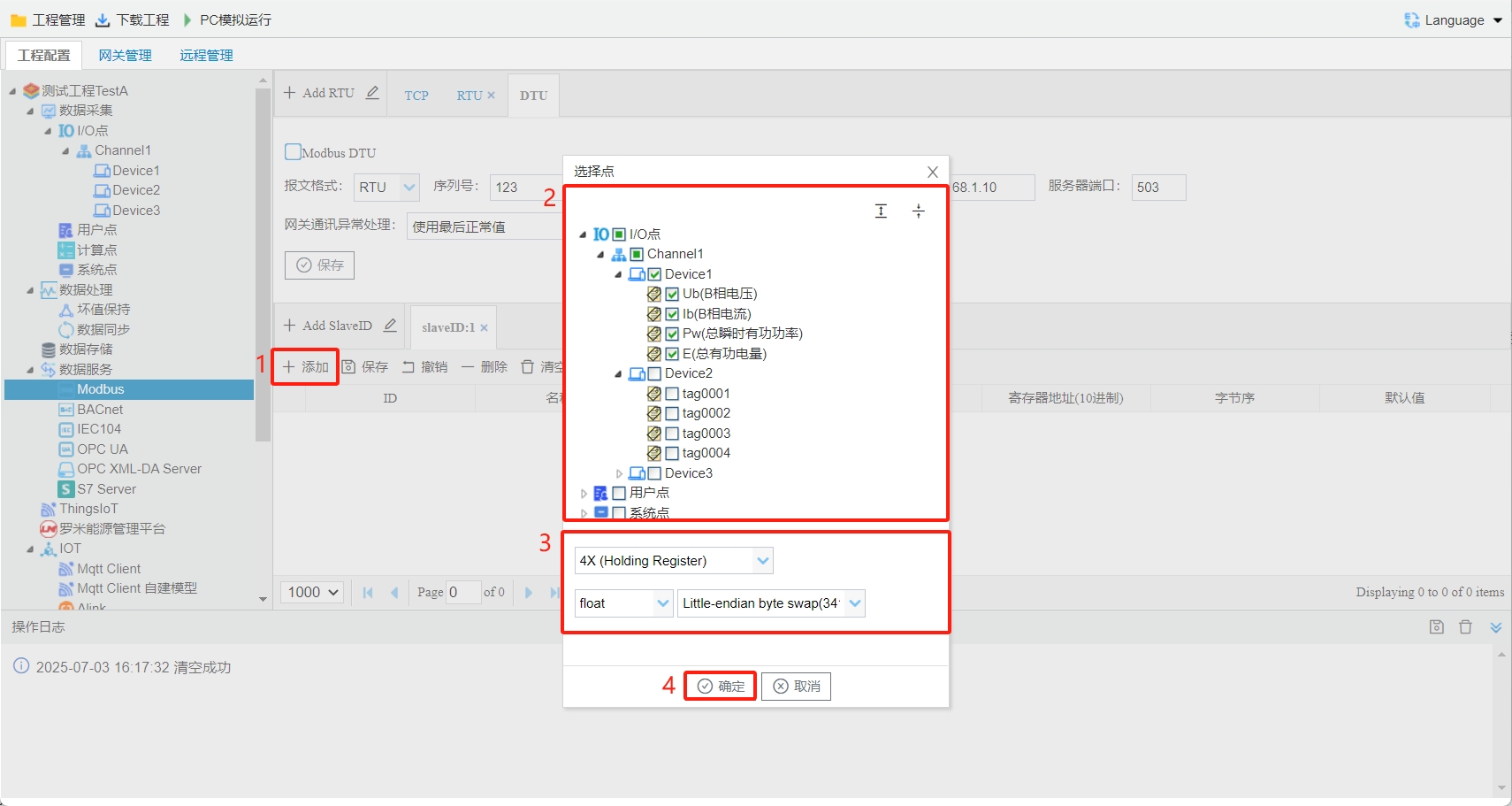
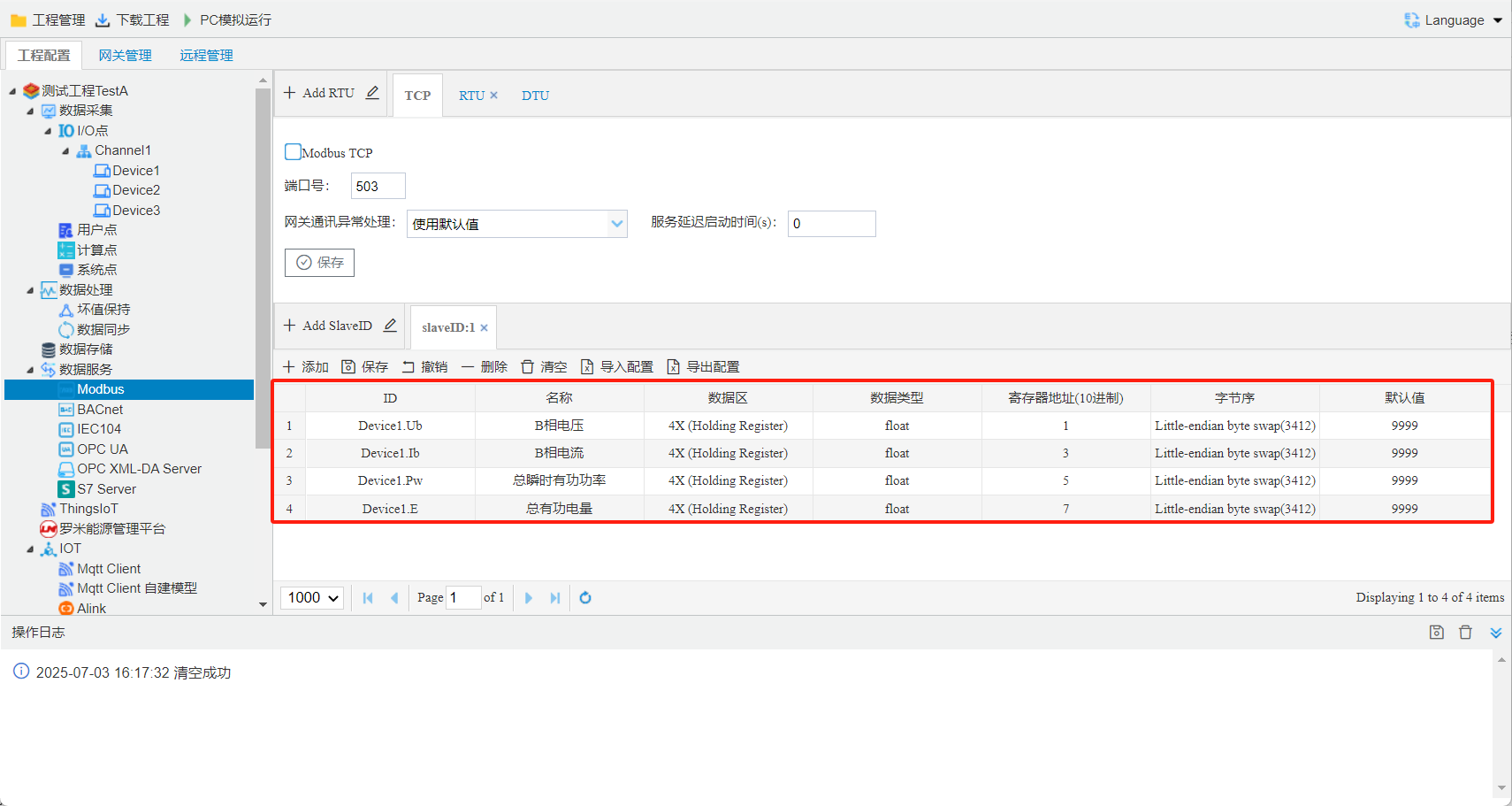
- data area: 0 X (Coil Status),1 X (Input Status),3 X (Input Registers),4 X (Holding Register)data area.
- Modbusregister Address: specifiedthe Tag pointin Modbus Address Address, Addressis 1. Modbusregister Address anddata area, such asdata areaselect 4 X (Holding Register), Modbusregister Addressfill in 1, the point Modbus Addressis 400001.
- Modbusdata type: bool, bit, uint 16, int 16, uint 32, int 32, float, double, uint 64, int 6410 .
- byte order: Null, Big-endian, Little-endian, Big-endian byte swap, Little-endian byte swap5.
- Null: used tobool, bit, uint 16, int 16data type, byte order;
- Big-Endian: mode, is (isvalue after)savein within Addressin, , savein within Addressin, storage modepointconvert/writestring: Addressto, from; in 4 3 2 1
- Little-Endian: mode, is savein within Addressin, savein within Addressin, storage modeAddress anddata bits, Addressminutevalue, Addressminutevalue, and logic. in 1 2 3 4
- Big-Endian byte swap: , in 2 1 4 3
- Little-Endian byte swap: , in 3 4 1 2
- Default value: is 9999, canmodify, in "gatewaycommunication"inselect"Default value", Tag pointwhen, Modbusregister point valuethe Default value.
Tool Softwaretestgateway MODBUSservice
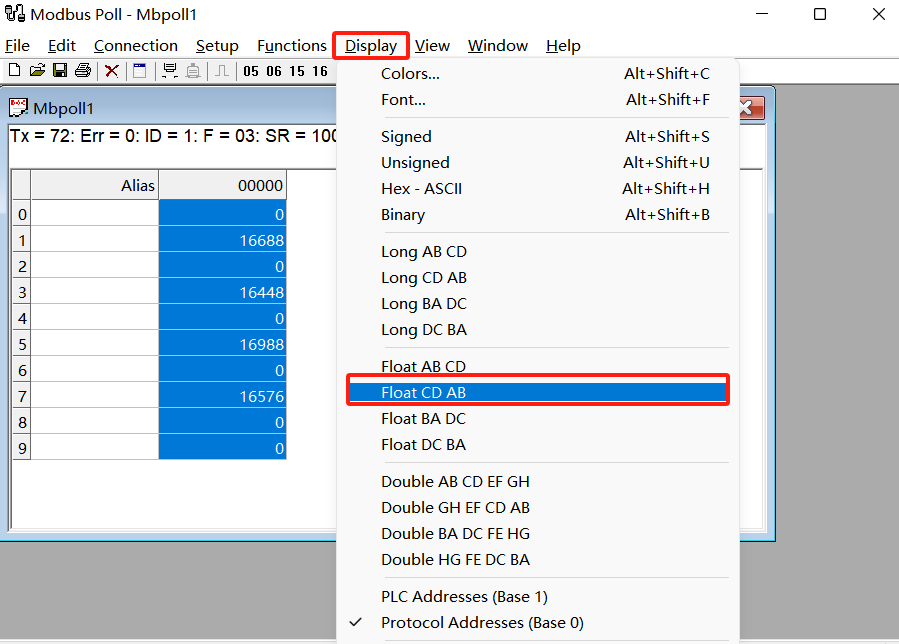
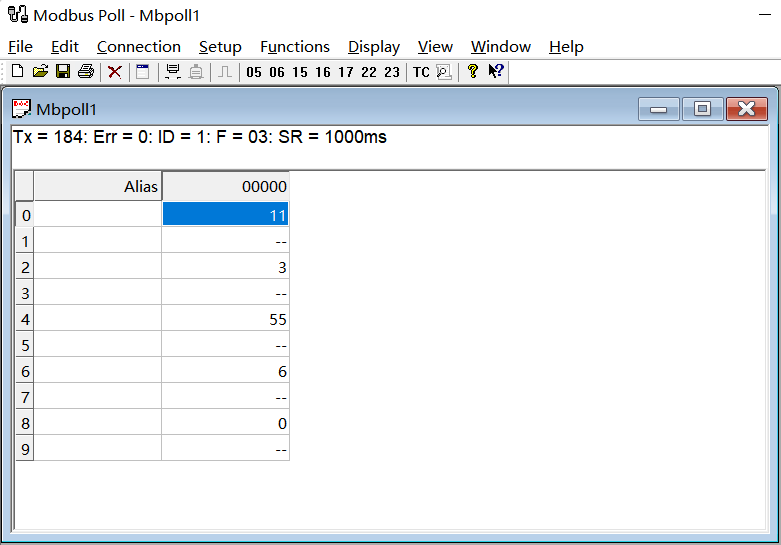
Modbus pollread Modbus TCPservice Example, stepsas follows:- Modbus TCPservice, Addressas follows:
- the projectthroughtoolin "downloadproject"buttondownloadgatewayin.
- open Modbus Poll, Clickabovetoolin"Connection"under "Connect.", in openinselect"Modbus TCP/IP",input LM Gateway IP addressand Port number, Click"OK"completeconnection Configuration.
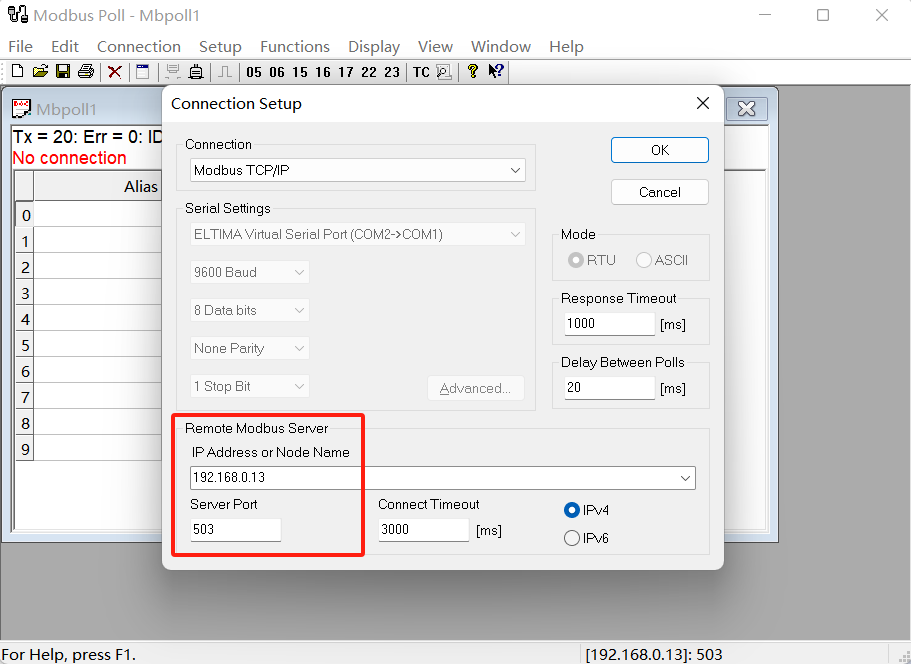
- according to GCin Modbus servicepage Address, data typeandbyte ordermodify Modbus Polltoolin"Display", viewregister.