New Device
1.createdevice
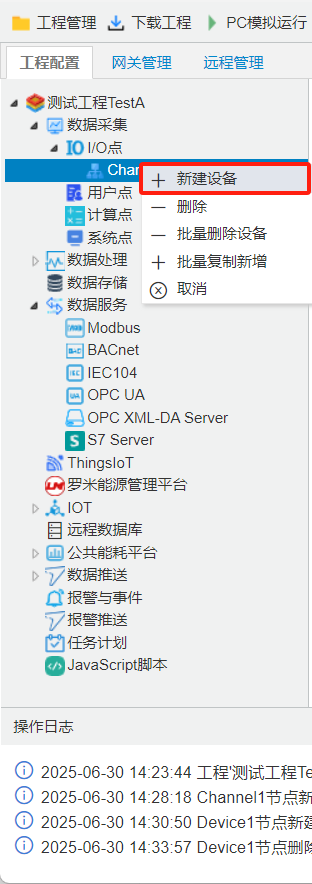
Right-click"channel(Channel 1)"select[createdevice], opendevicewindow. according toactual device, fill indevice IDanddevice address.
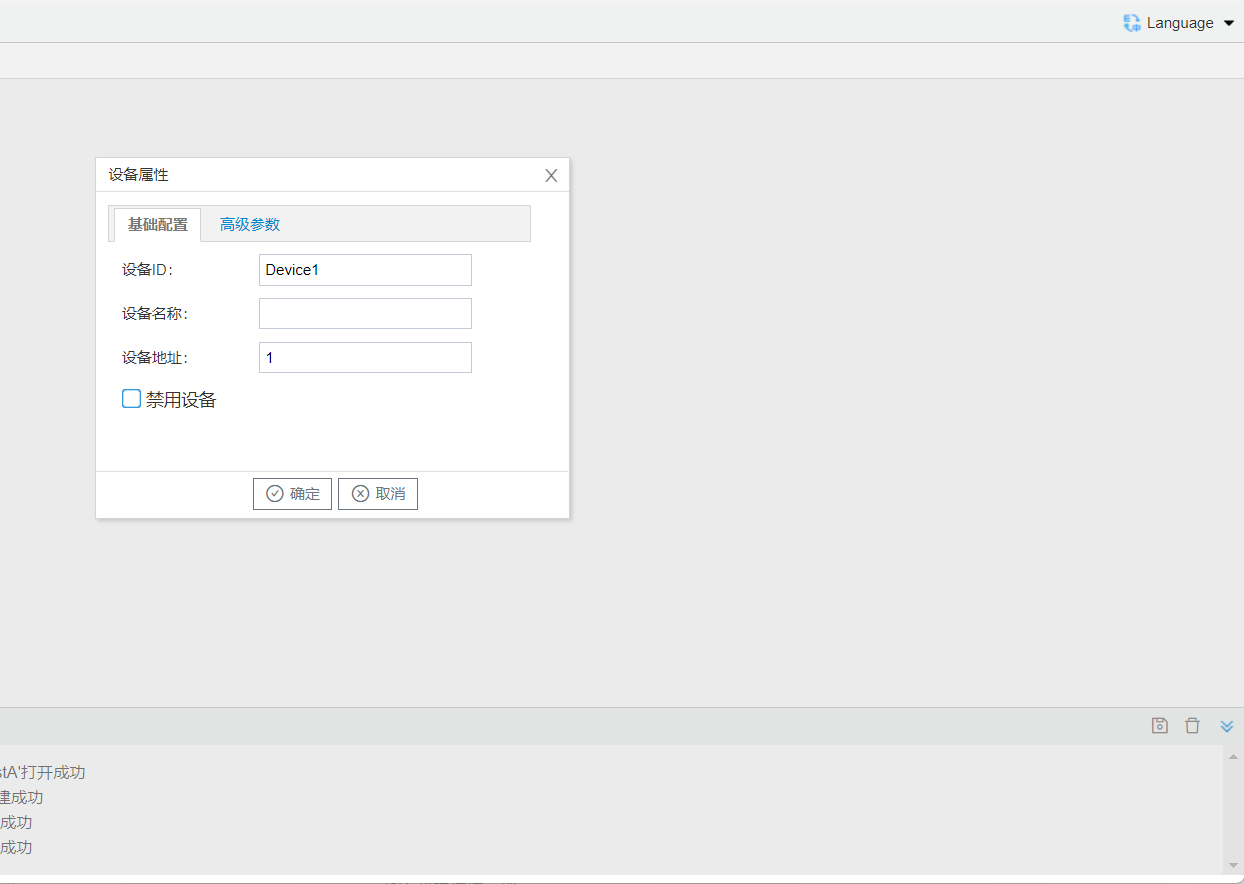
- device ID: cancustom, is"Device X"(Xis 1,2,3.), channelunder, device IDcan;
- device name: cancustom, device ;
- device address: device communication Address, such as Modbus RTUslavedevice (slave ID), 645 , BACnet device IDetc.
2.add
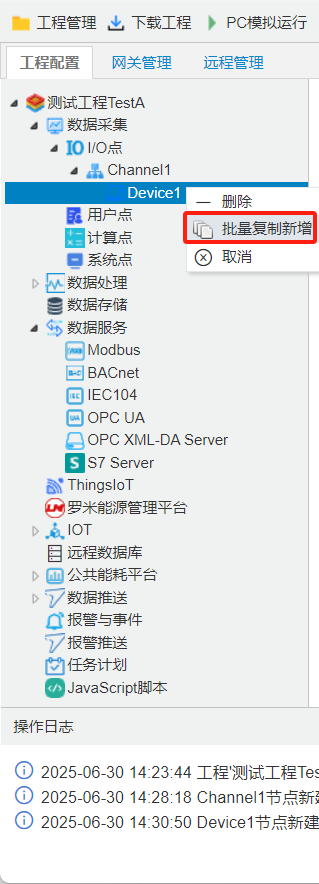
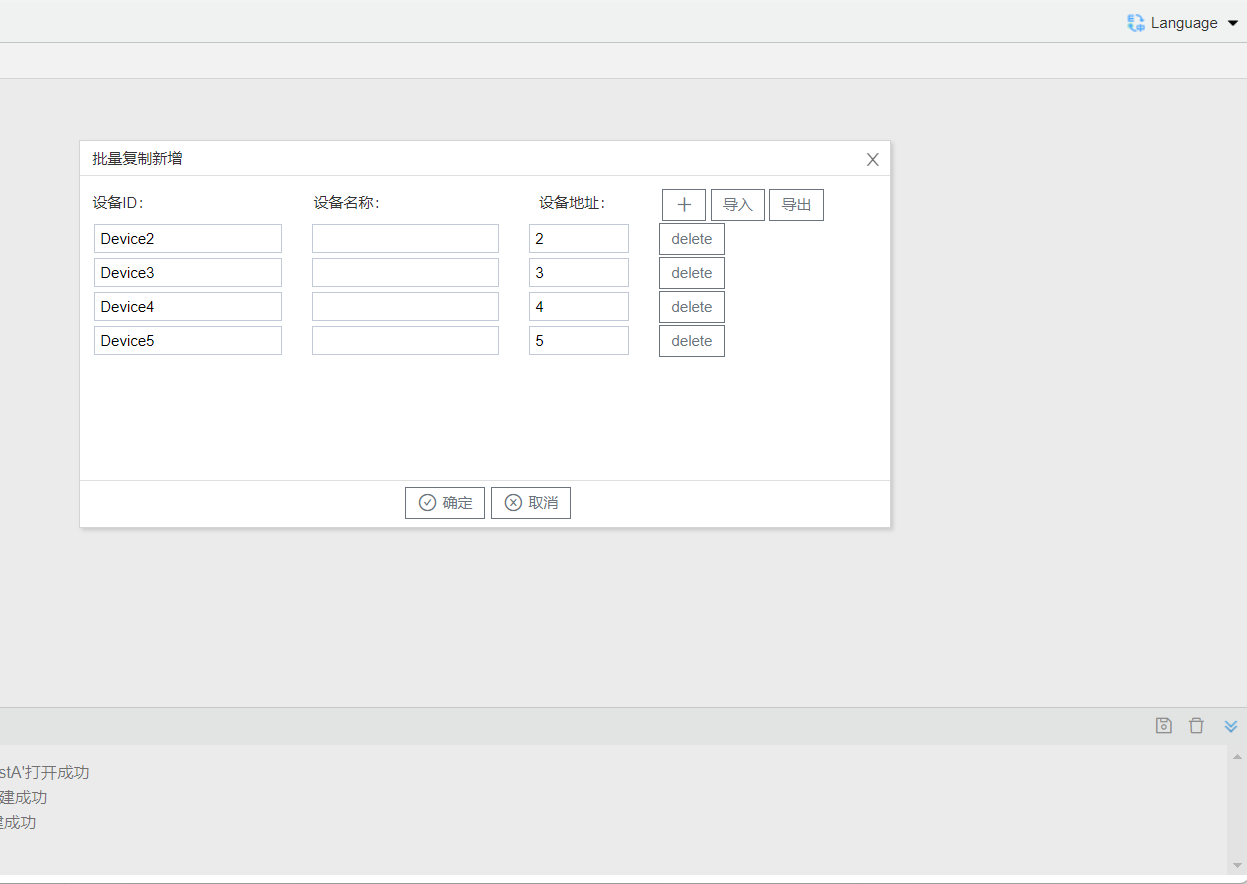
onechannelunder device protocol, canselectalreadyedit device, "add", in openin Click[+]button, editdevice device name, device address. caneditcompleteonechannelunder device. devicewhen, , whencan[export]button, one EXCEL, in EXCELwithinperformafter, [import]buttonconvert/writecontentimportcan.