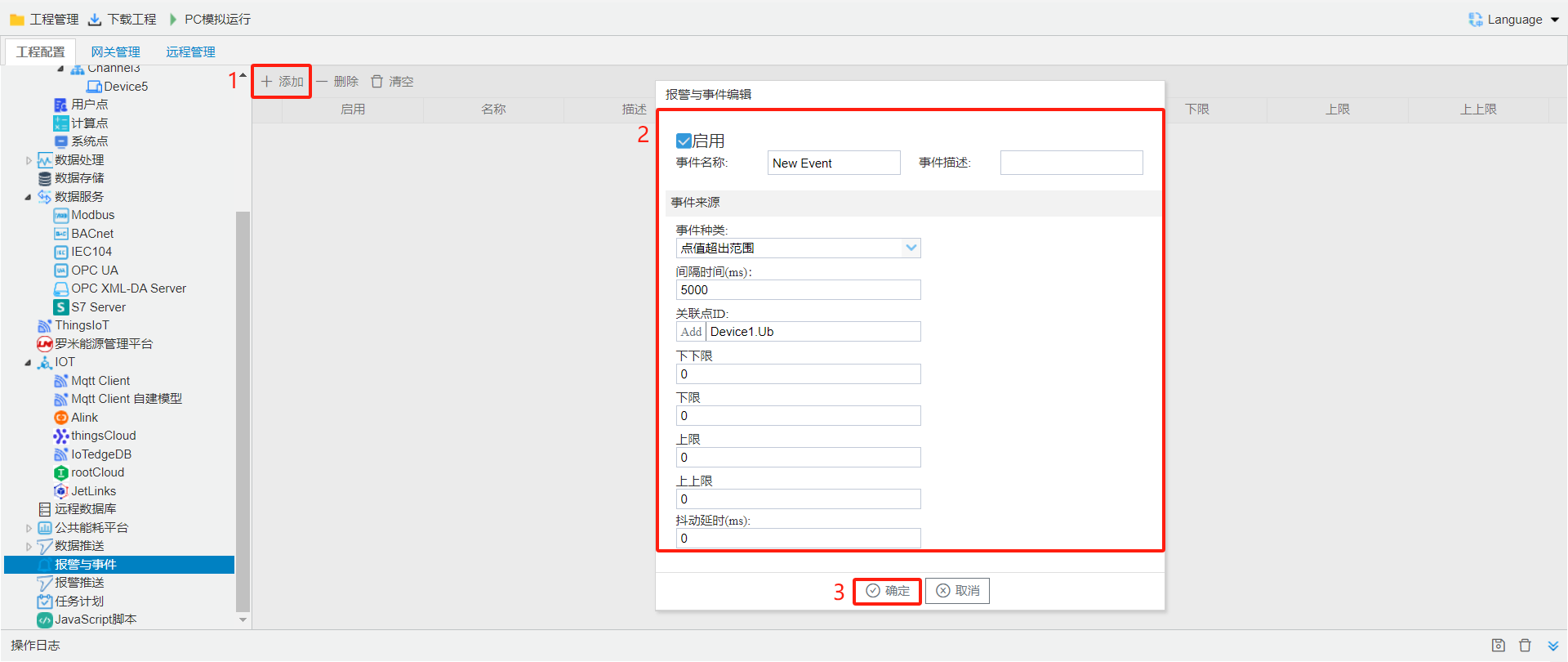
The Alarms and Events page allows users to set event trigger conditions. An event is triggered when the condition is met, and the event is cleared when the status changes from meeting the condition to not meeting it.
Events can be added, modified, and deleted.
add: openeventeditpage, createoneevent.
modify: Double-clickneed to modify event, openeventeditpage, modifyselect event.
delete: deleteselect event.
Alarms and Eventsaccording toAlarmis divided into"point value"and"qualityis not Good"Type, useraccording toneed to Alarmevent.
Alarm trigger and alarm clear records are stored in the database. When the database size exceeds 5 MB, the gateway caches the newest alarm record and deletes the oldest one.