3.2 Remote Gateway Management
The gateway supports remote management. You can create a project and add the gateway to the specified project for remote management. : gatewayneed to supports Internetcommunication.
Register/log in to the ThingsIoT platform and add a gateway.
1.register LM cloud platformaccount(localcanskip)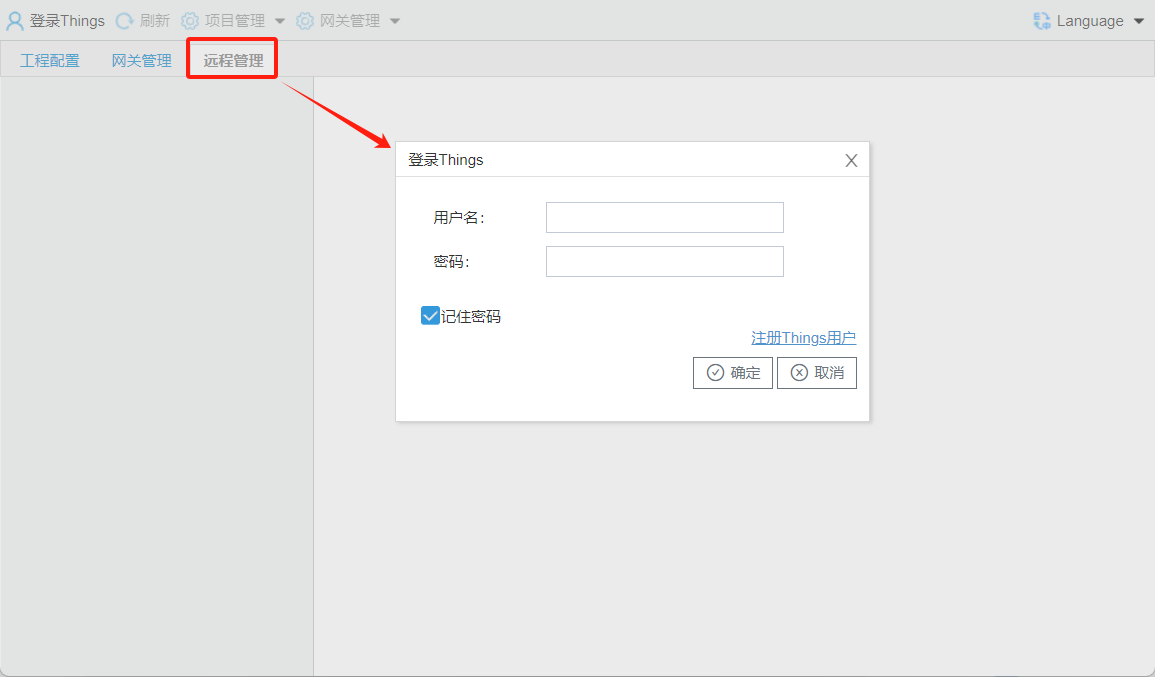
Figure 1 Remote Management
Open the registration web page, fill in the required information, and complete registration.
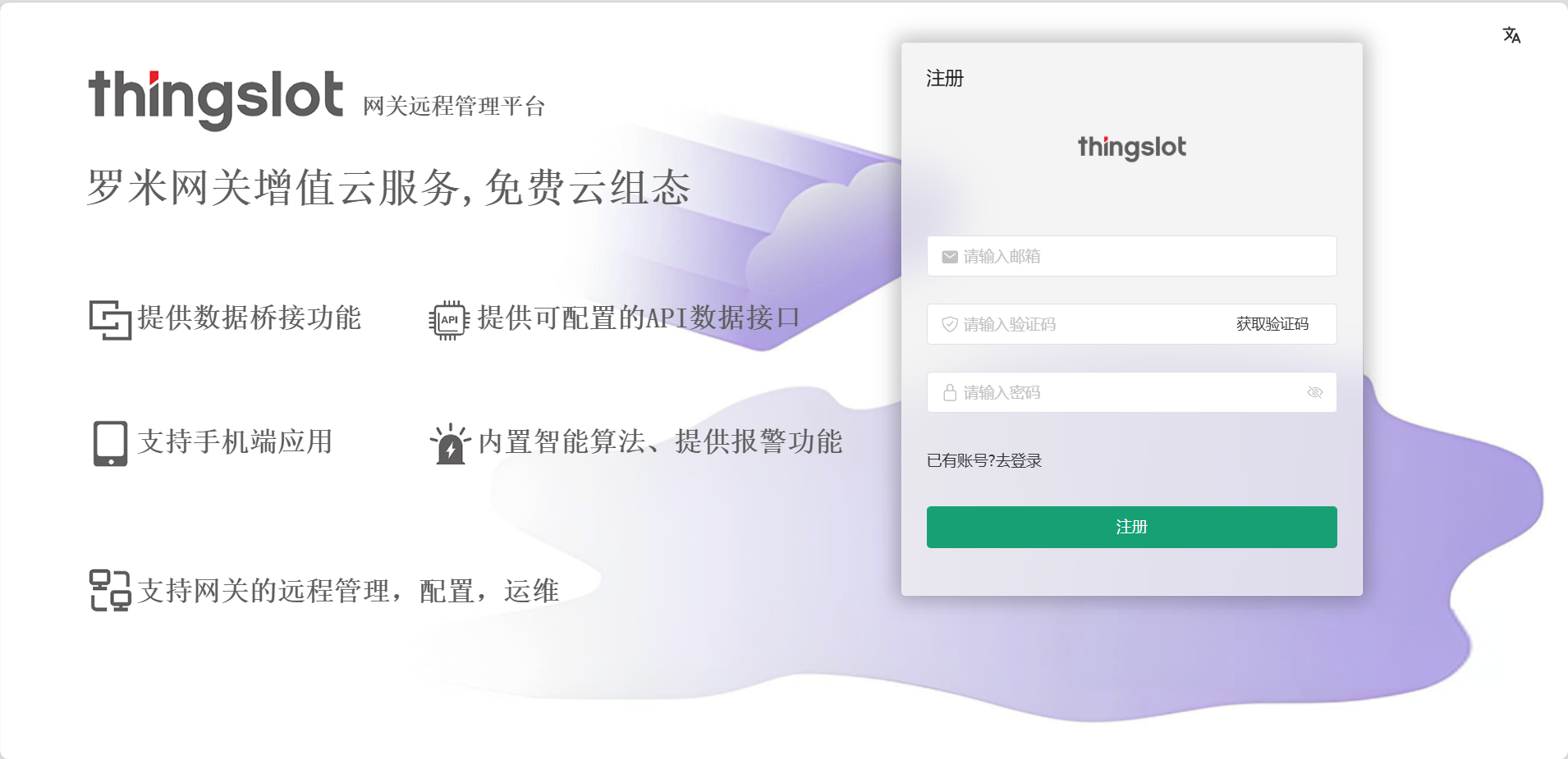
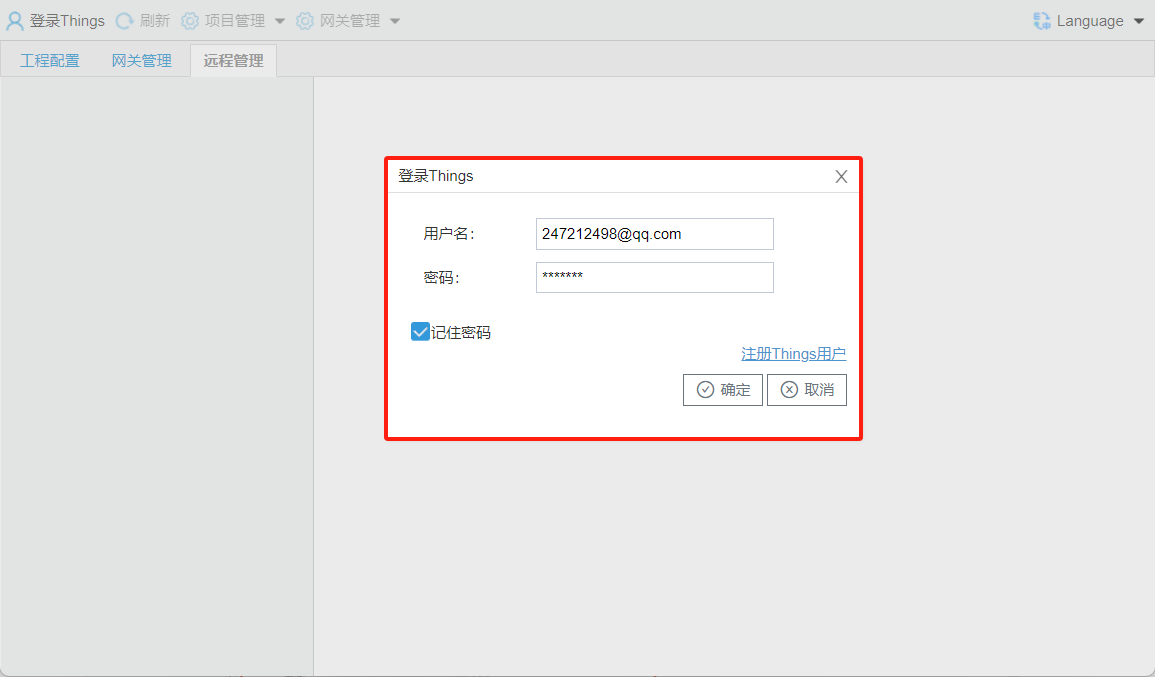
2.log in
Enter the previously registered account and password to log in.
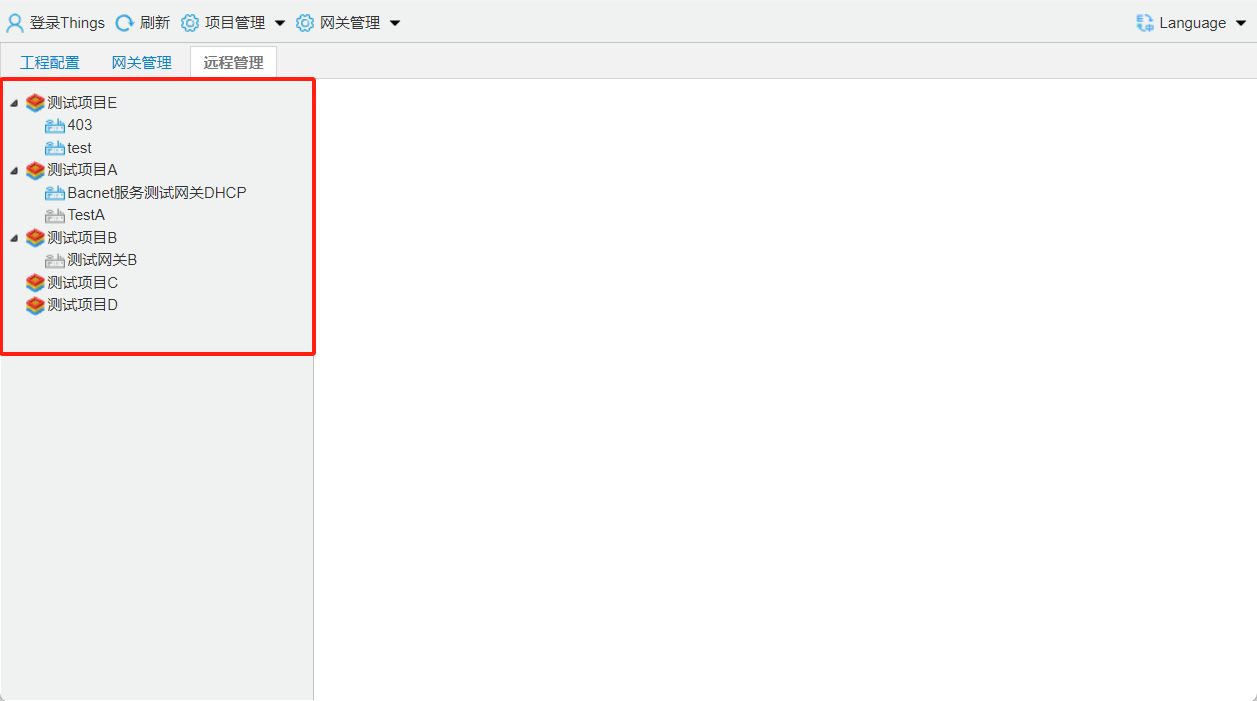
log inafterquerycurrentaccountunder gateway.
3.gateway SNand
in LANwithinconnectionlocal gateway, browserlog ingatewaywebpageSNand.
gatewaylog inaccount and password[admin/luomi]
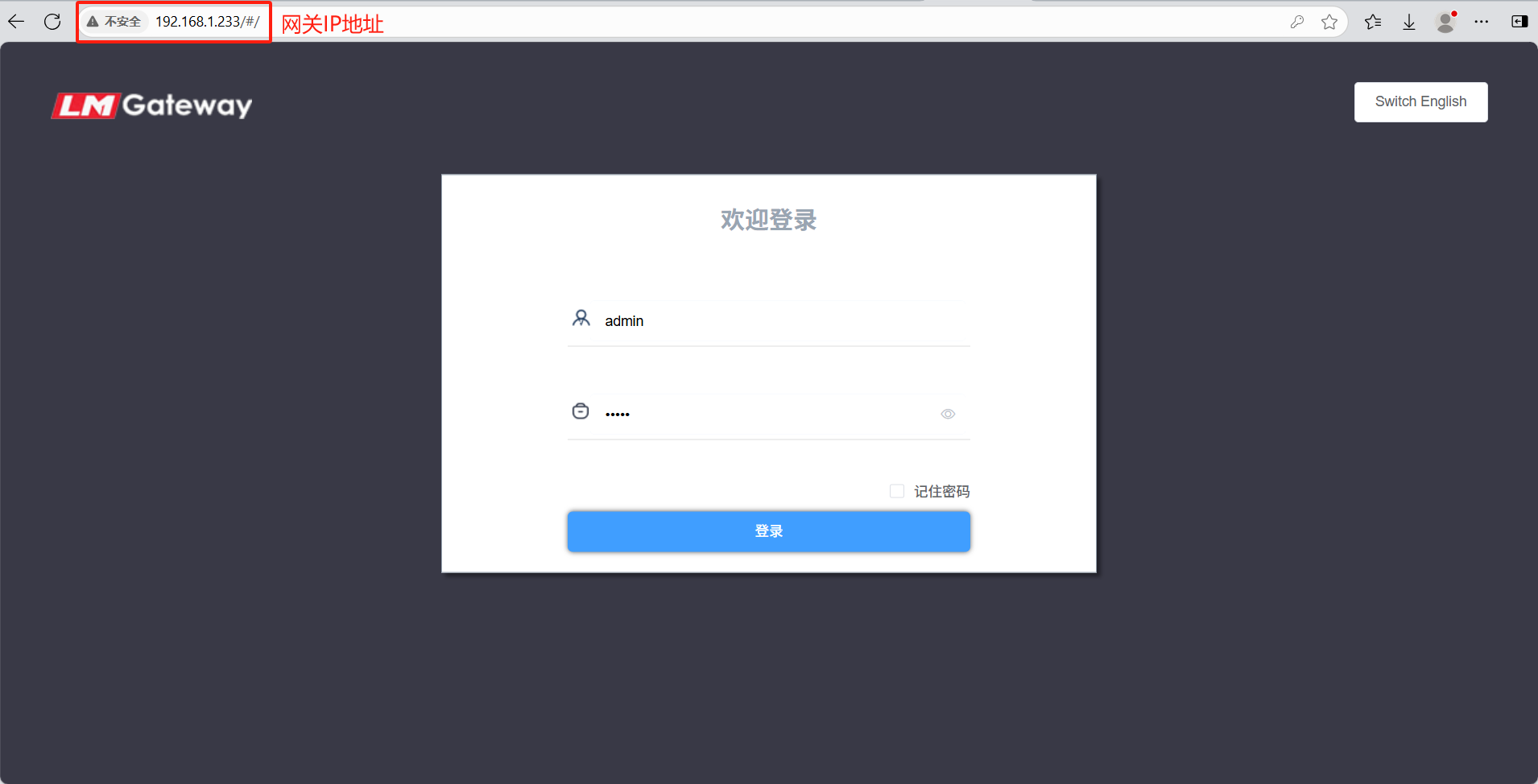
in Configuration--->Remote Managementinquerygateway SN(gateway)and.
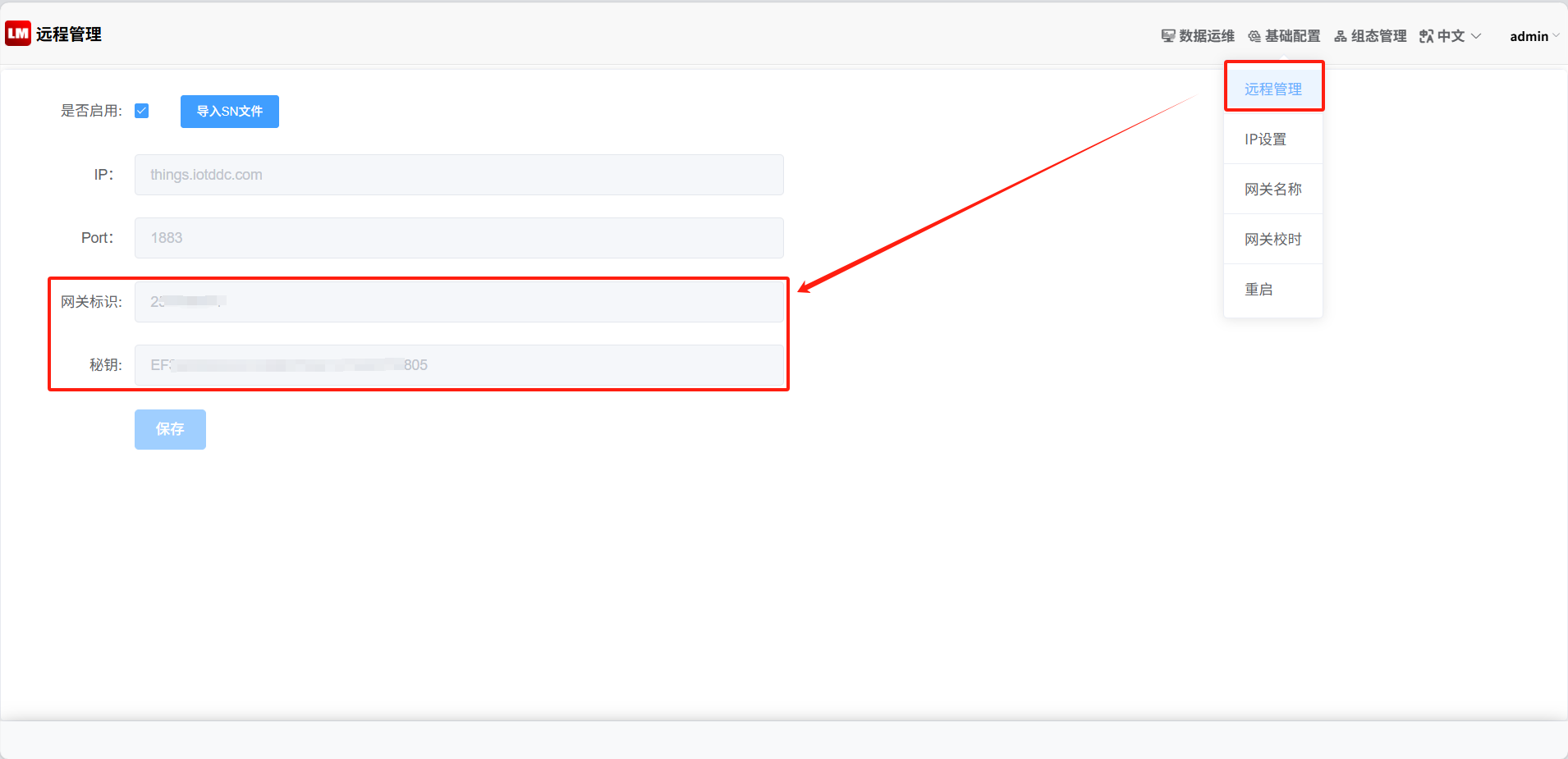
warning
: if Remote Managementpagein, gatewayandis. pleaseandwhen LM, supports.
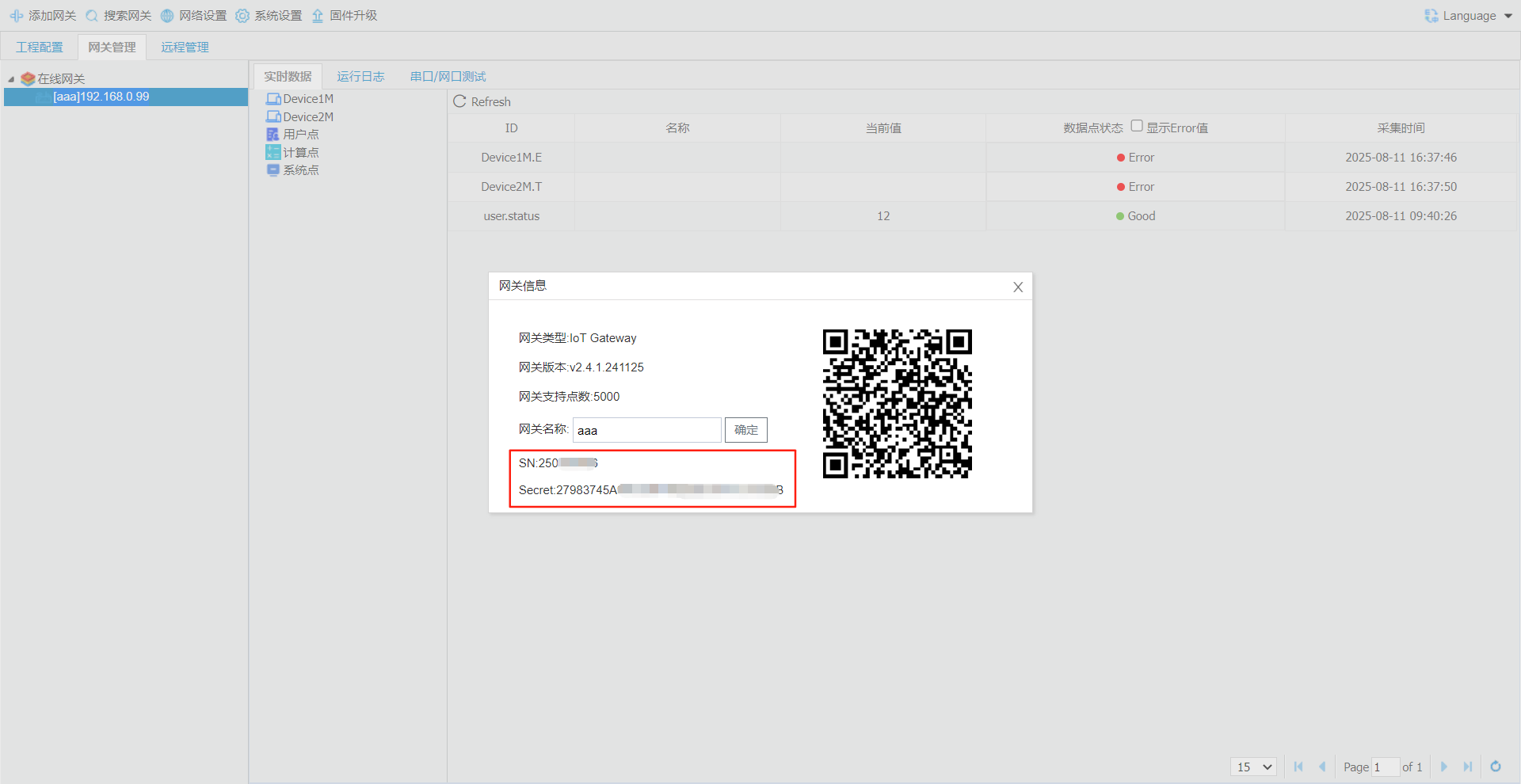
orin configuration toolin Double-clickgateway IPSNand
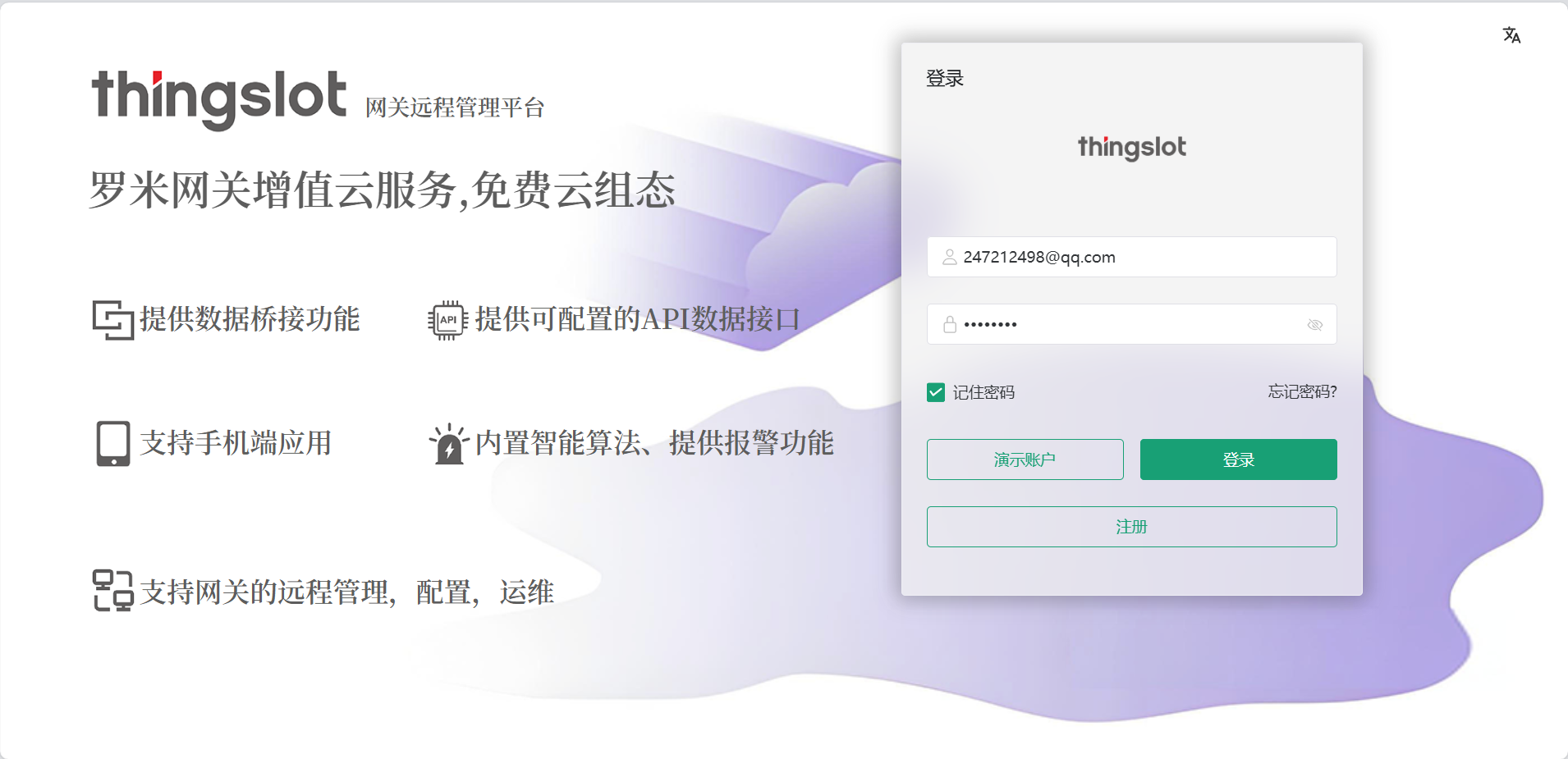
4.log inThingsIoTplatform
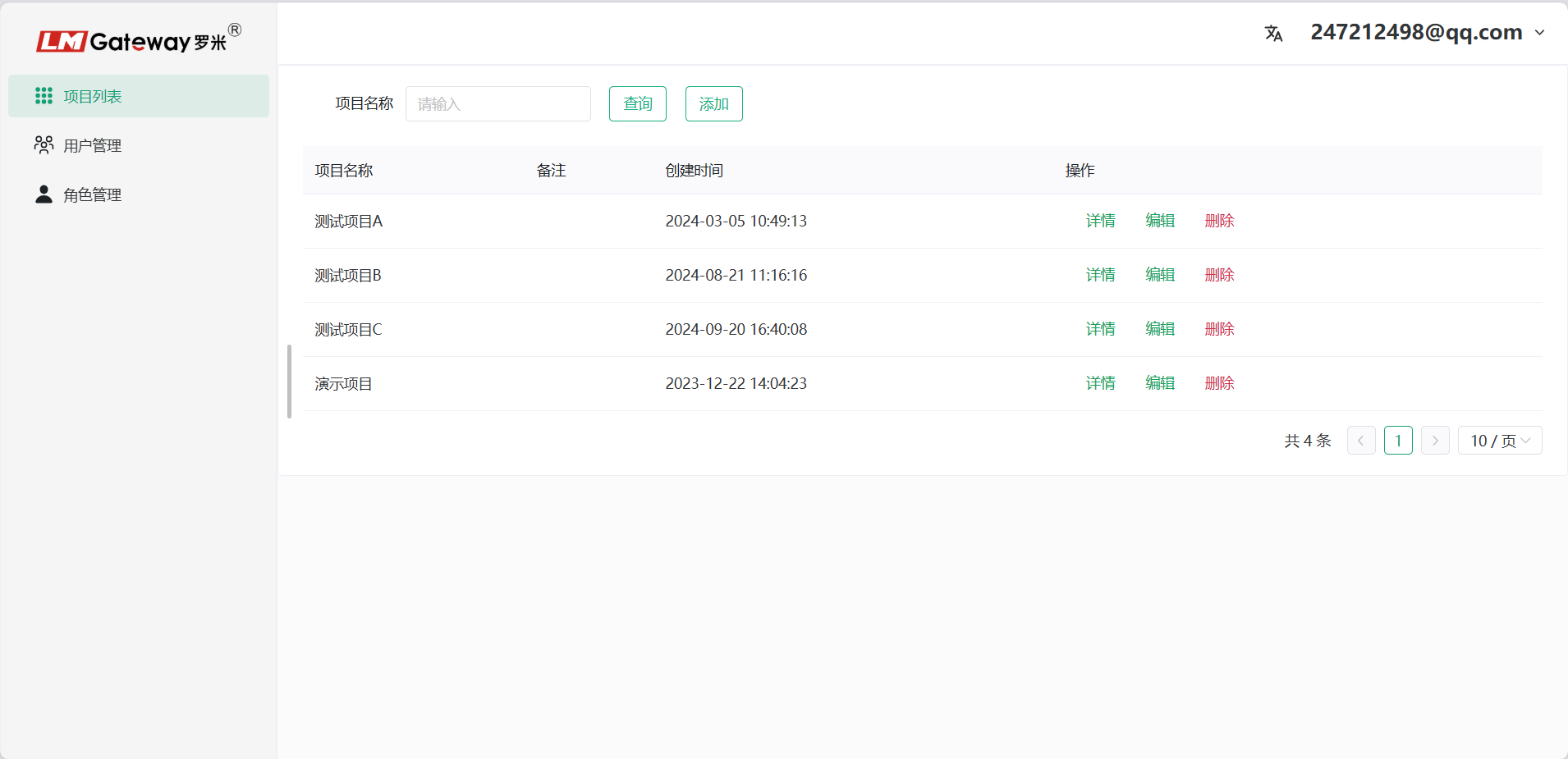
5.addprojectlist
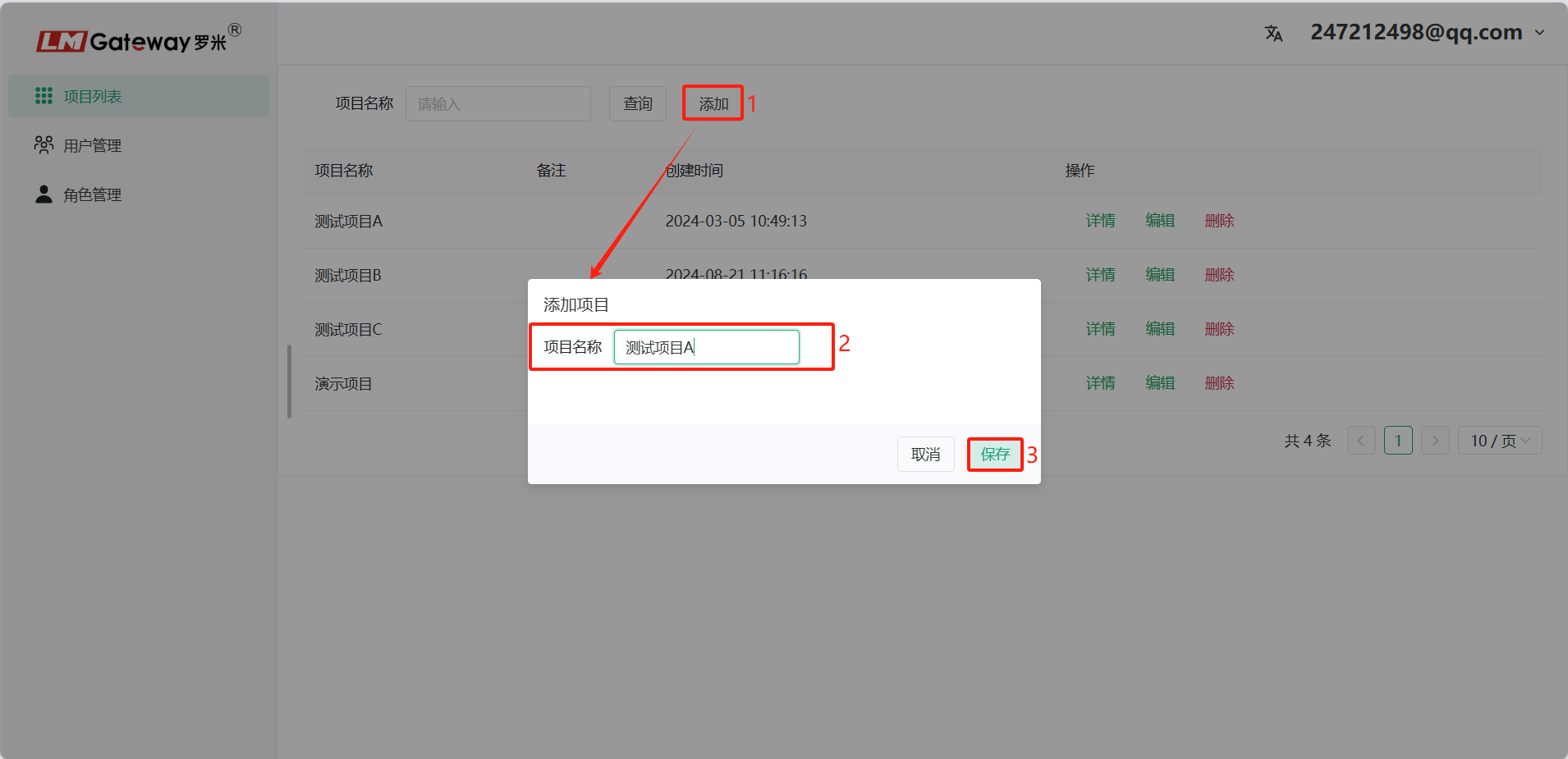
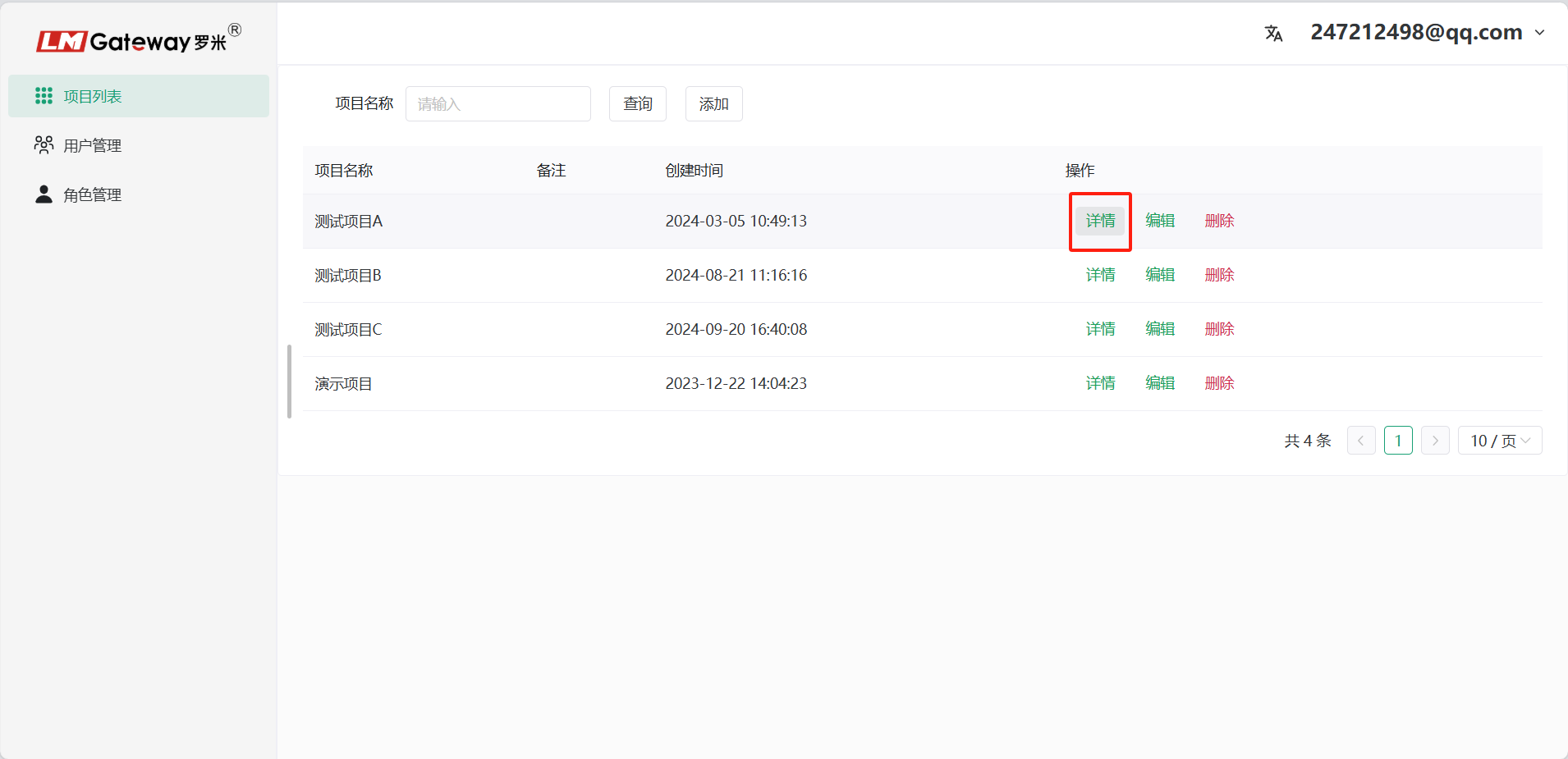
Clickadd--->addproject. Clickproject enterproject.
addgateway, inputgateway Name, gateway SN, gatewayandselectcorresponding gatewaytype.
gateway SNandseeon[Figure 6 gatewayweb-Remote Managementpage]
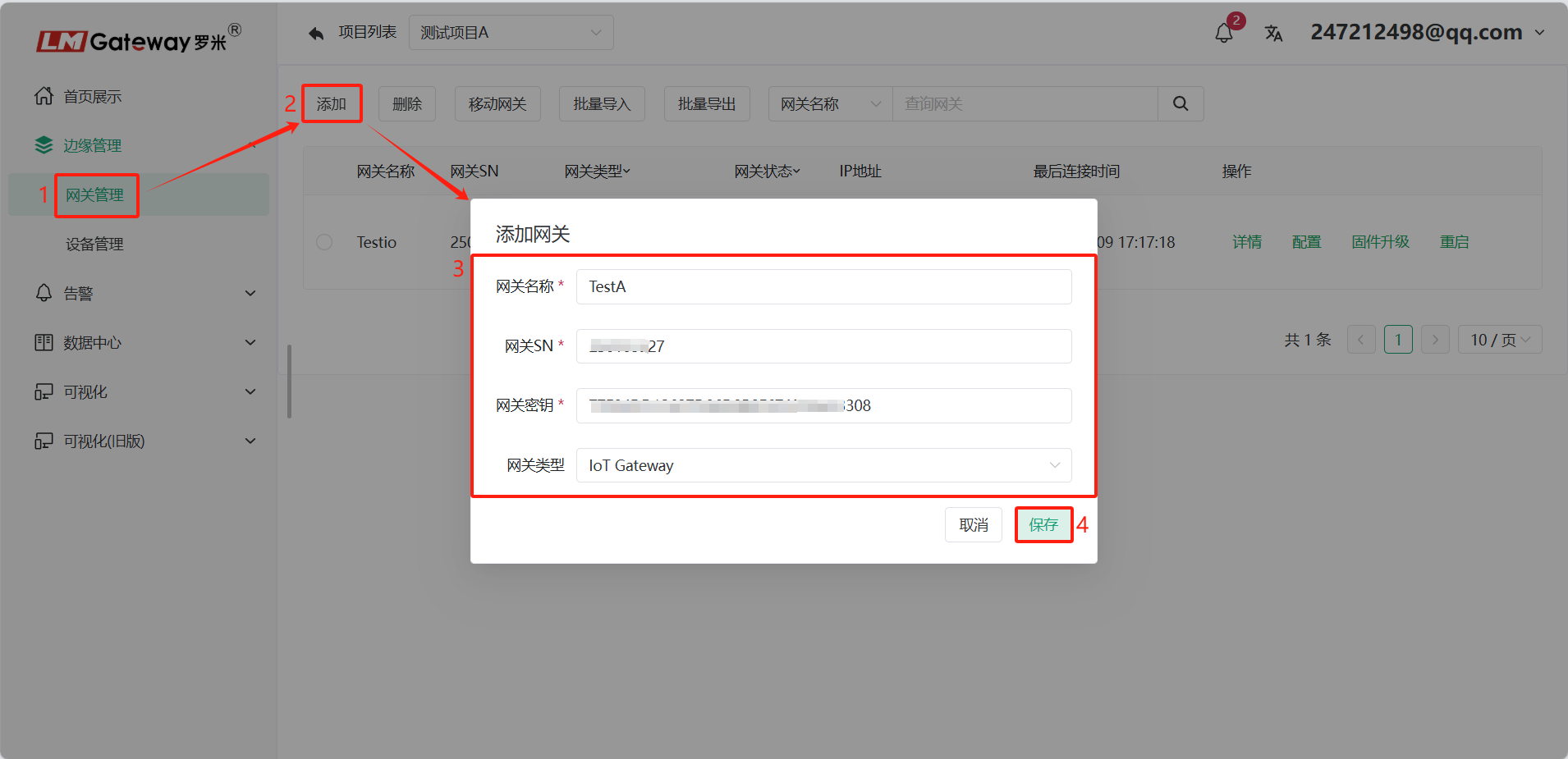
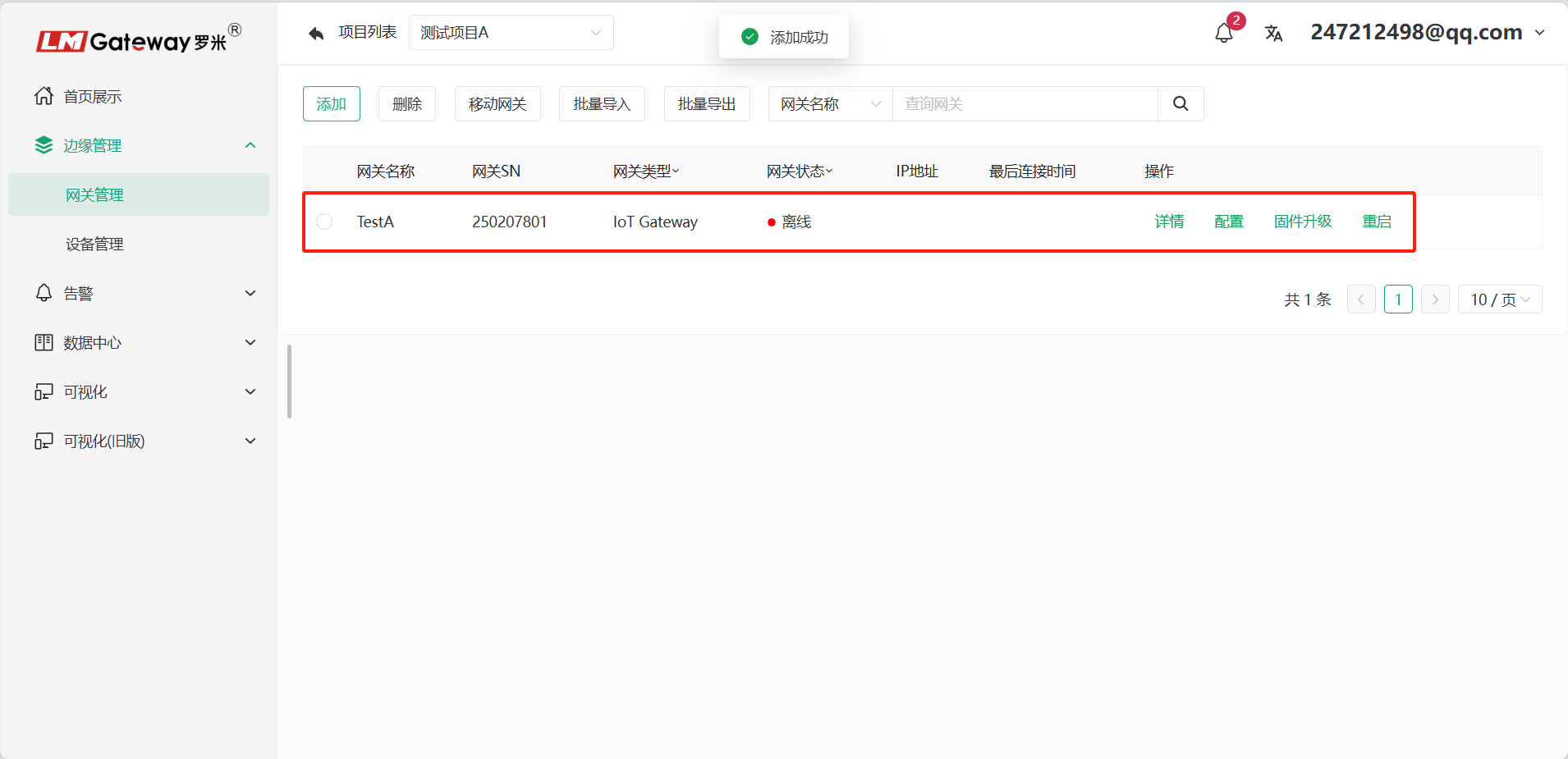
addgateway
downloadAPP, LM Things APPDownload link.
- addgateway
gatewayon cangatewayadduser Things IoTaccountin. gatewaycanby yourselfmodify.
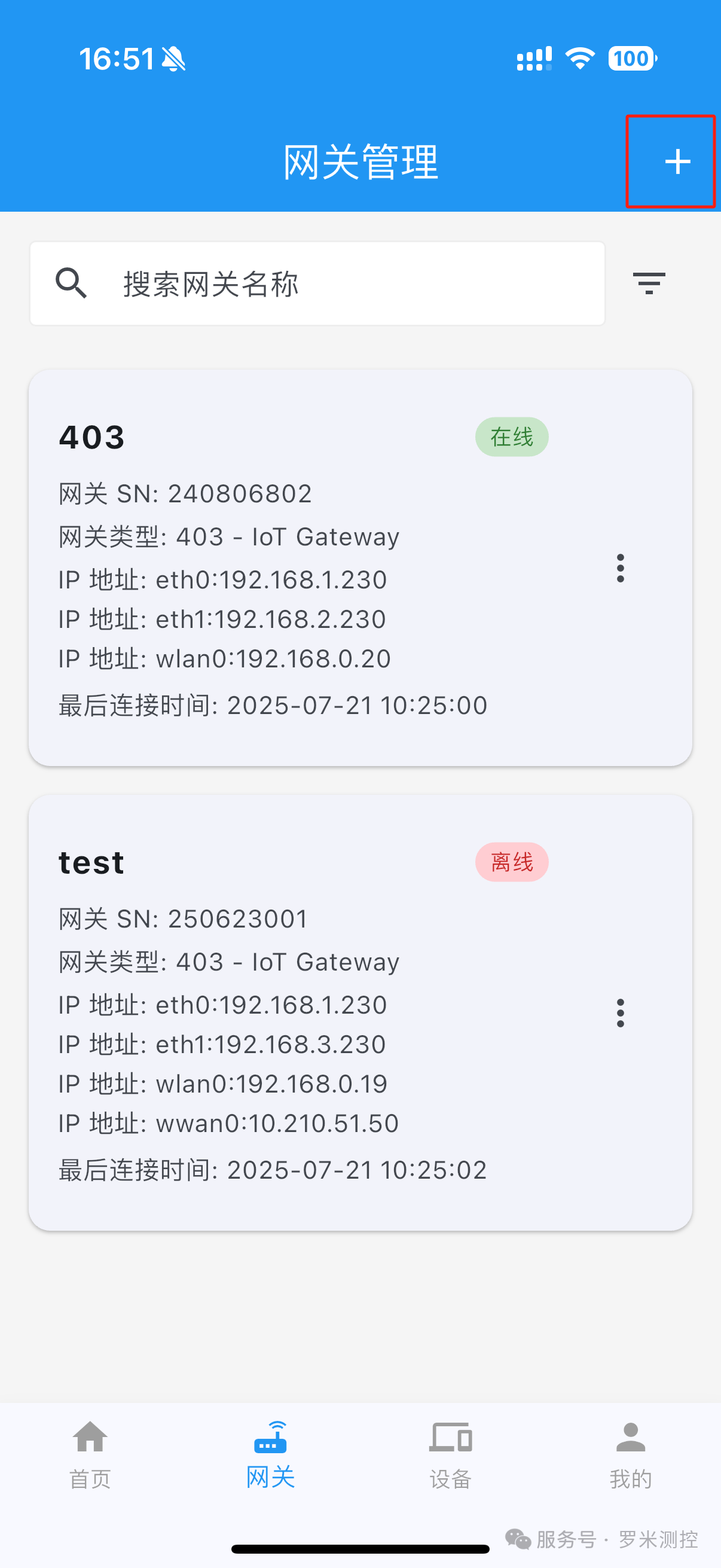
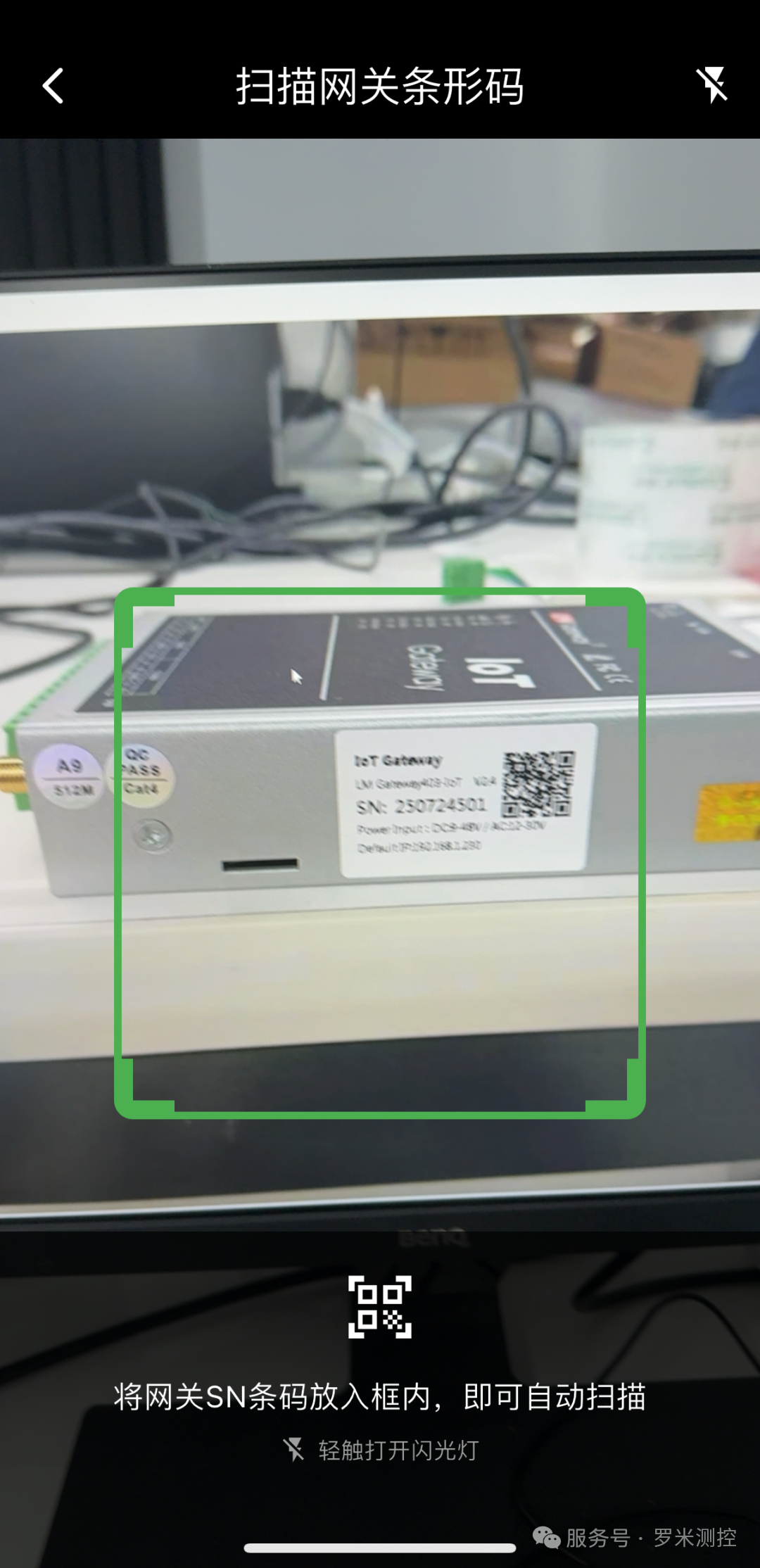
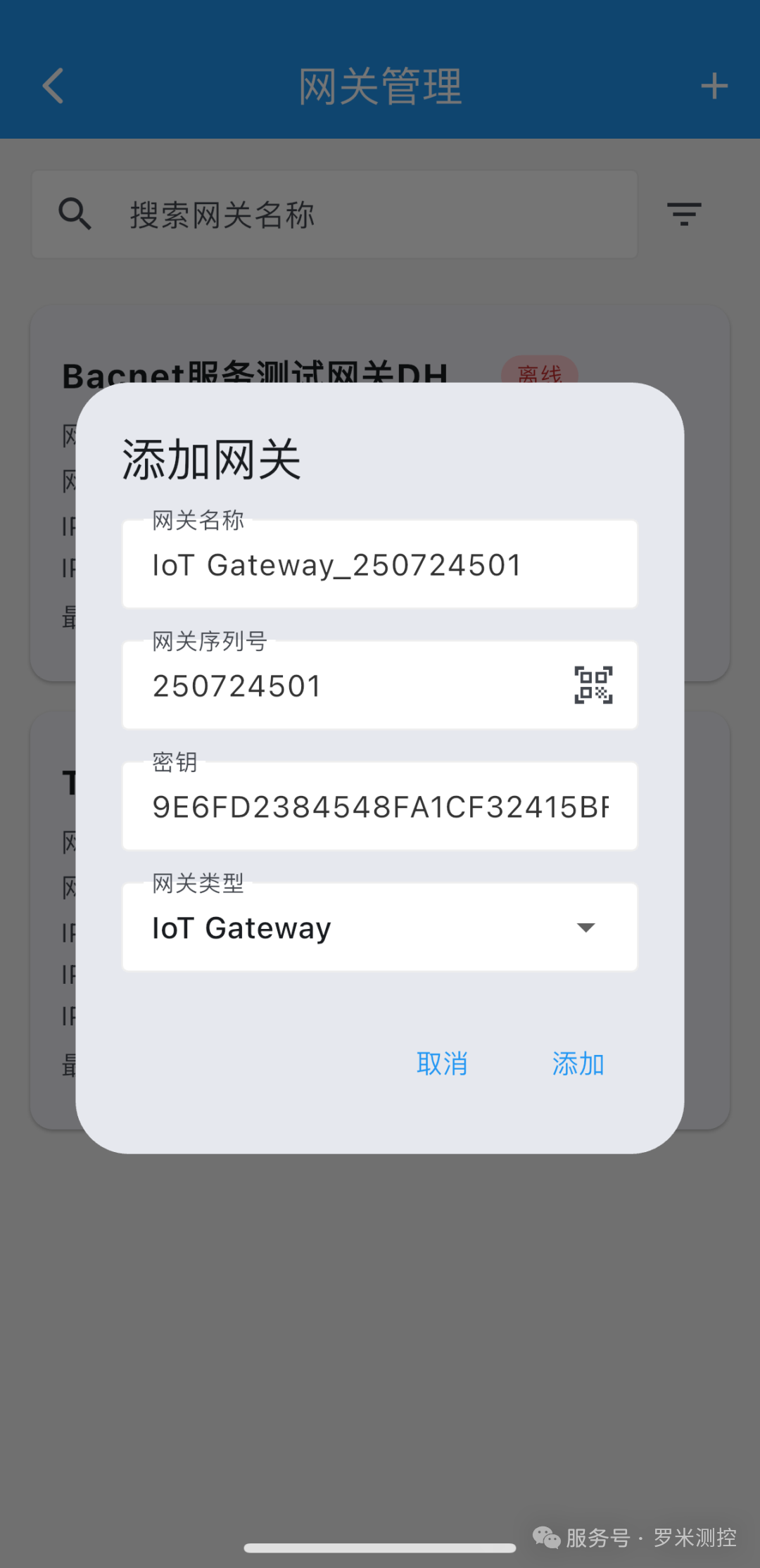
APPfunction: LM Things IoTservice APPupgrade
Things IoTplatformConfiguration, seeThings IoTcloud platform