BACnet Gateway

Bring Modbus devices, meters and controllers into BACnet-based BMS and BAS platforms

The LM BACnet Gateway bridges Modbus devices into BACnet networks through protocol conversion and data mapping, enabling interoperability across multi-vendor building automation equipment.

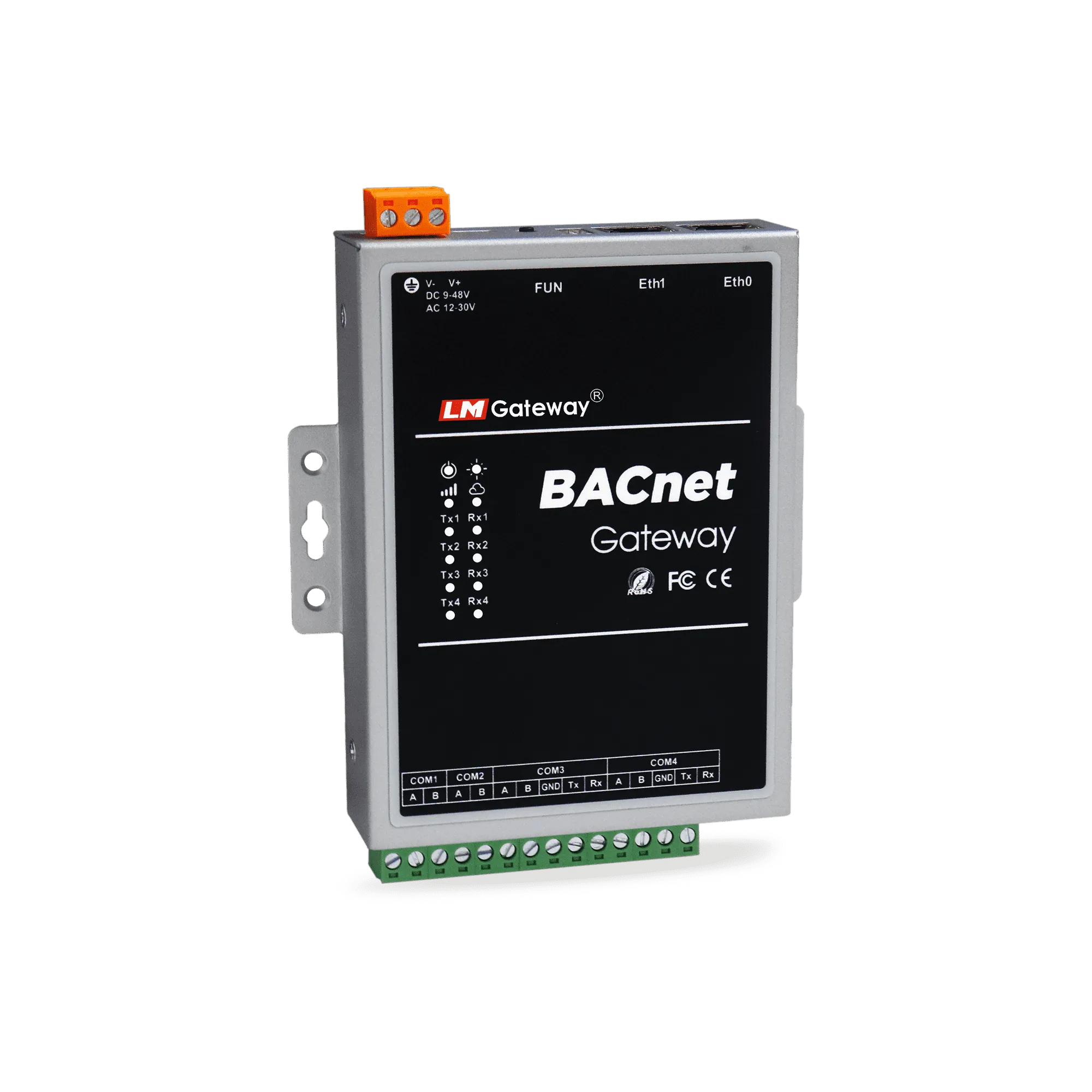
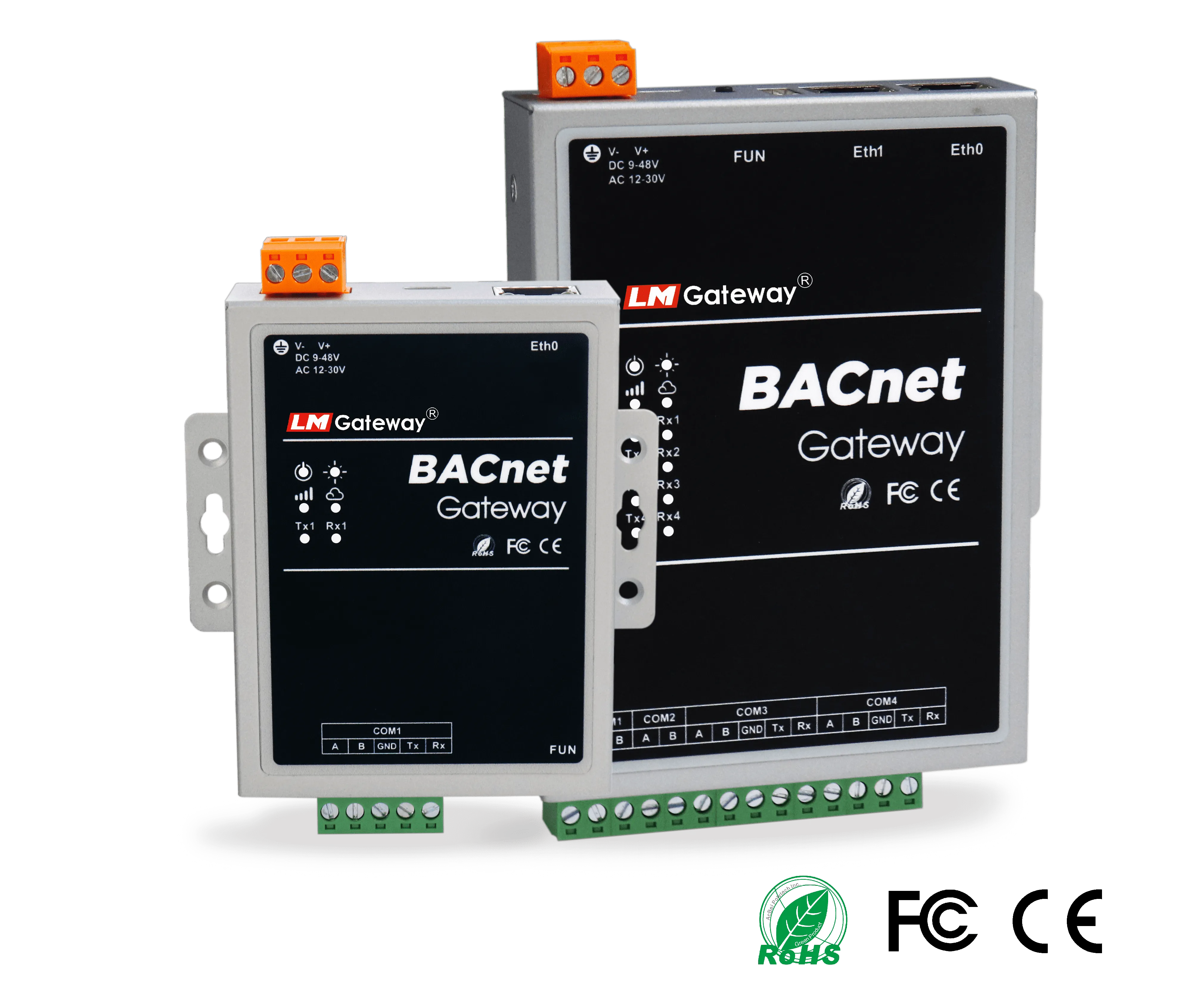
LM Gateway BACnet Gateway product image

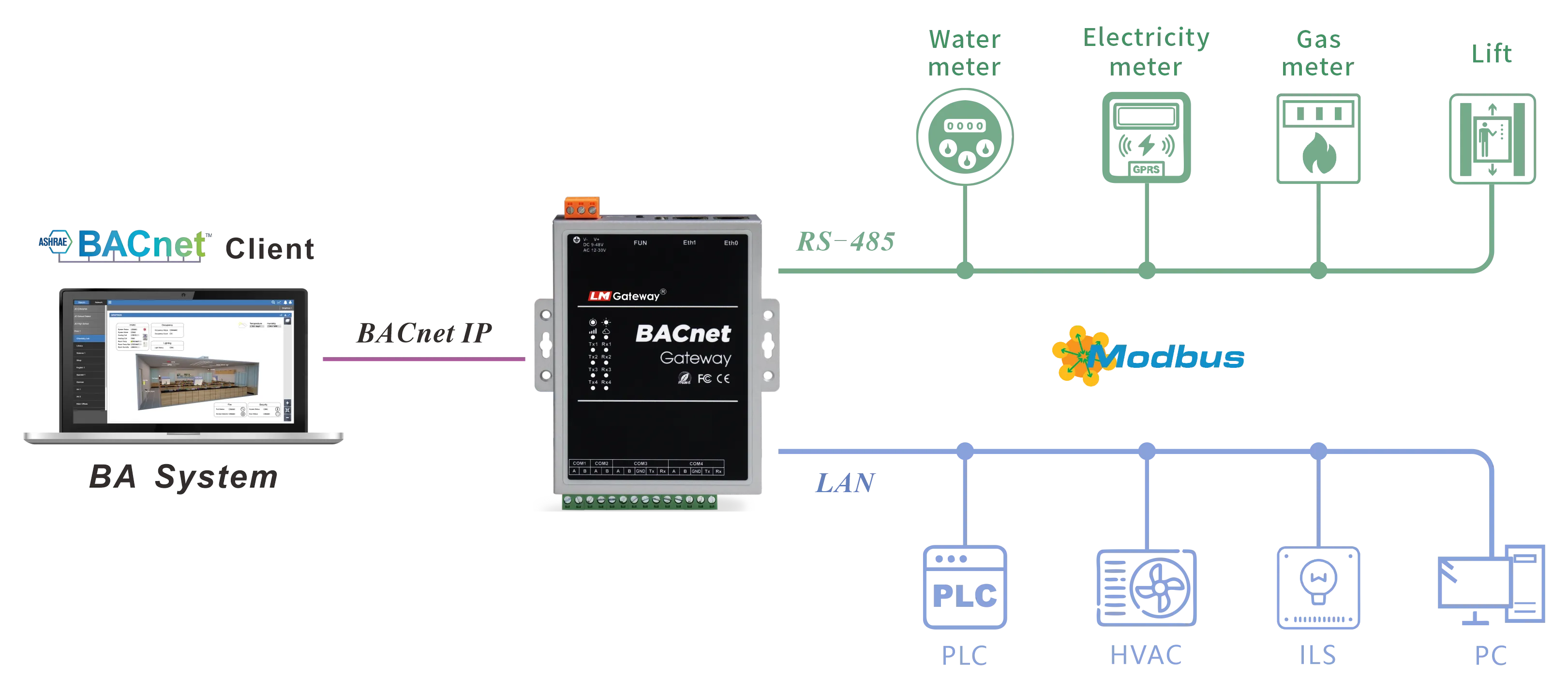
Application Topology

Device interconnectivity for Modbus to BACnet integration.

BACnet application scenarios

What Integrators Need from a BACnet Gateway

Beyond protocol conversion, successful projects depend on predictable engineering workflow, stable point exposure and practical deployment characteristics.

Data Acquisition

Configure Modbus RTU/TCP collection and map field registers into BACnet-ready data structures with a point-oriented workflow.

  • Supports data areas 0X, 1X, 3X and 4X
  • Supports Boolean, Bit, Int, Float and related data types
  • Supports BACnet objects AI, AO, AV, BI, BO, BV, MSI, MSO and MSV
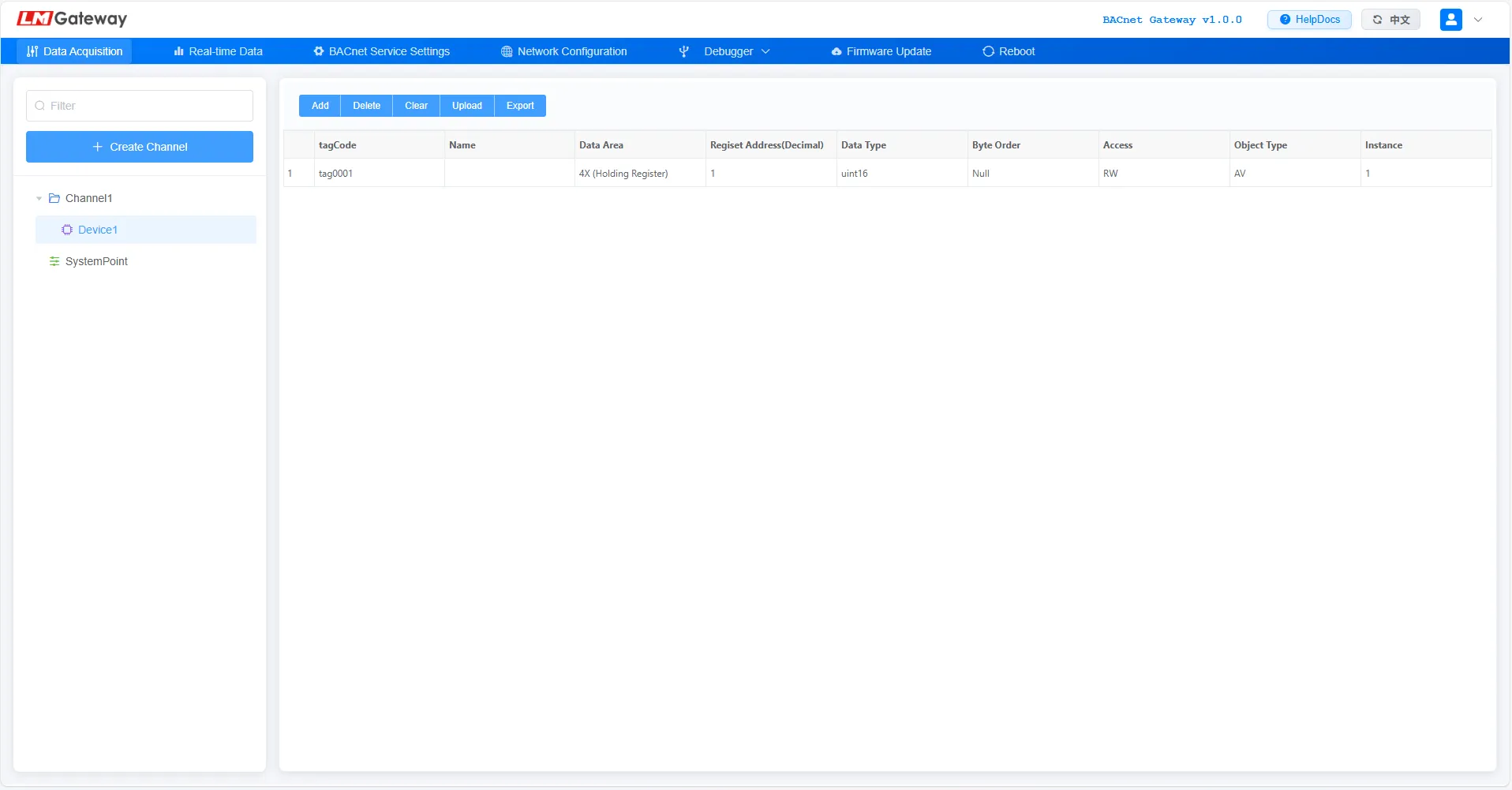
BACnet gateway data acquisition configuration interface

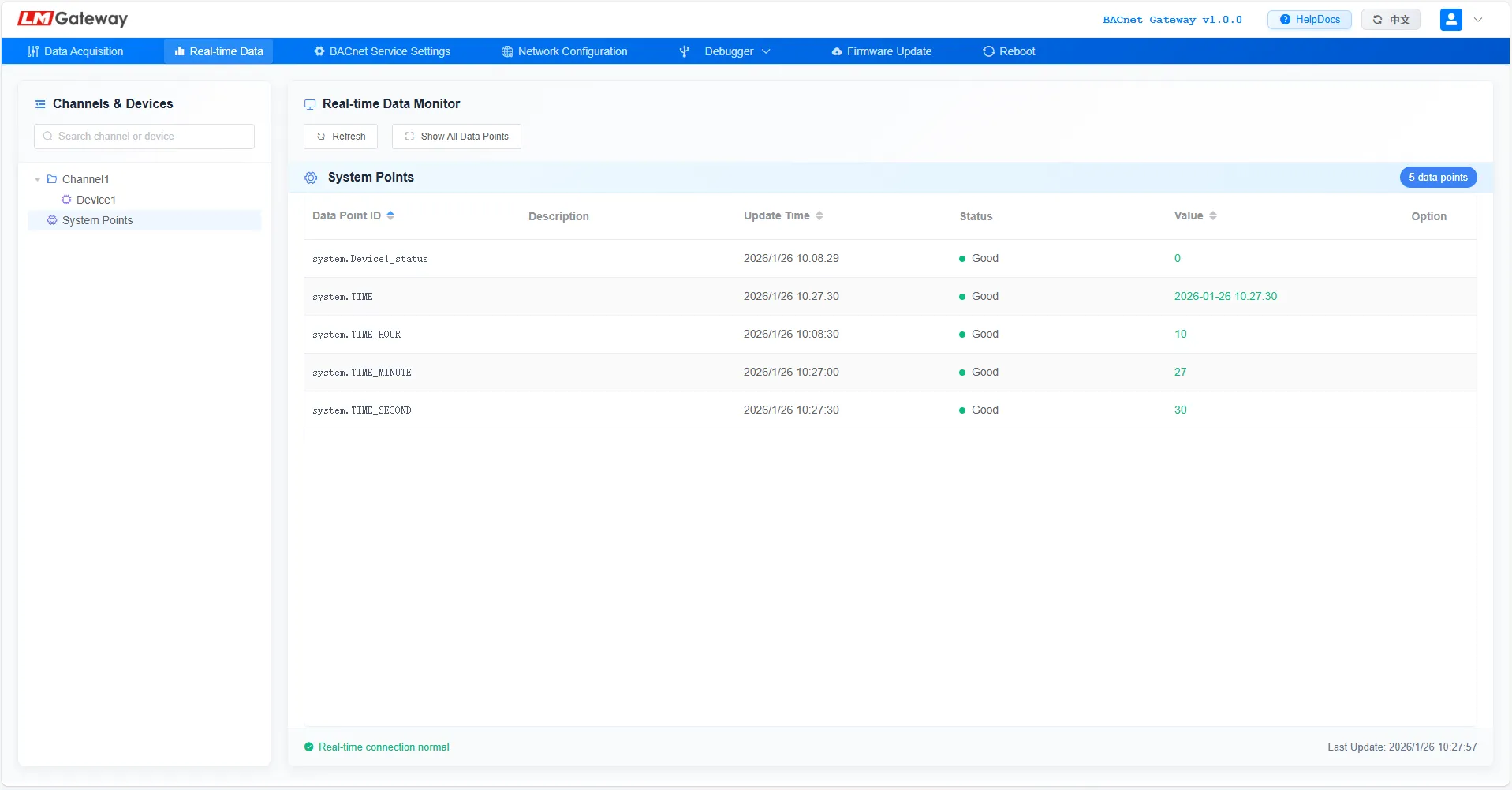
Real-time Web Monitoring

Use the embedded web interface to observe live point values, communication status and gateway behavior during startup and daily operation.

  • Live visibility into collected field data and object updates
  • Quicker validation during onsite commissioning and remote checks
  • Reduces blind troubleshooting across device and platform layers
BACnet gateway real-time web monitoring interface

Basic BACnet Service Settings

Set up essential BACnet communication parameters so the gateway can be integrated cleanly into BACnet IP or BACnet MS/TP environments.

  • Centralized setup for BACnet-side service behavior
  • Helps standardize delivery across multiple projects and sites
  • Improves consistency before points are exposed to the BMS
BACnet gateway service setting interface

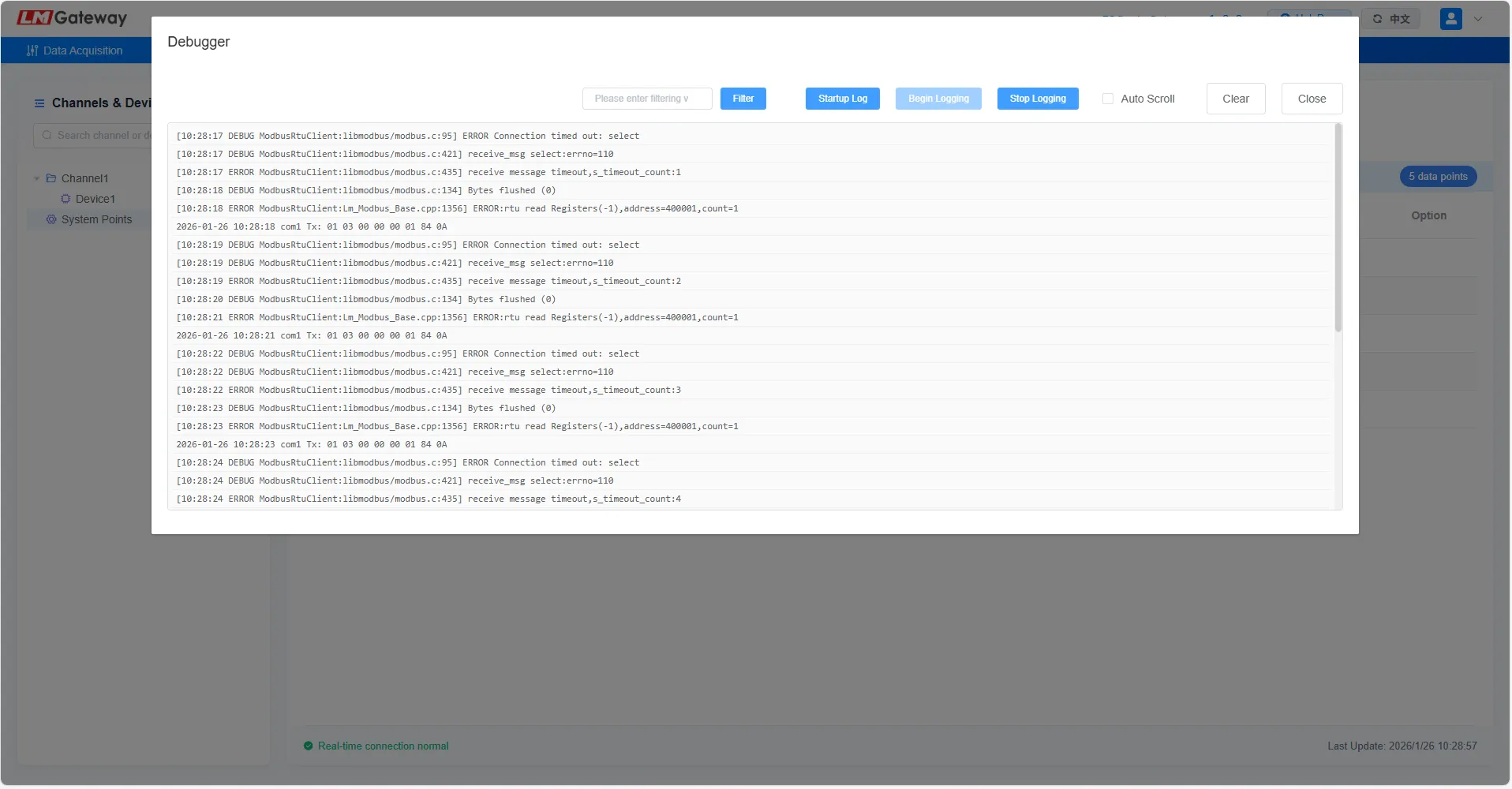
Diagnostic Logging

A core diagnostic tool providing comprehensive logs of runtime status, communication interactions and errors to pinpoint root causes.

  • Essential for tracking historical issues and fault chains
  • Helps isolate communication anomalies faster
  • Supports long-term optimization of system performance
BACnet gateway diagnostic logging interface

Typical BACnet Gateway Use Cases

The same product pattern works well anywhere field data must be presented to a BACnet-centered supervisory environment.

HVAC Plant Integration

Expose chiller, boiler, pump, VFD and auxiliary controller data to a unified BACnet head-end for operational supervision.

Energy Metering to BMS

Bring electrical and utility metering data into BACnet-based energy dashboards, tenant systems and facility reporting platforms.

Retrofit Building Automation

Keep existing Modbus-side equipment while giving the new BMS a cleaner BACnet-facing integration layer.

Built Around the Integrator Workflow

From submittal review to site startup, the goal is to keep the BACnet delivery path understandable for controls teams and project owners.

Step 1

Define Device Scope

Identify the field devices, required points and expected BACnet-side object organization.

Step 2

Match the Model

Select the gateway that best fits panel constraints and expected project density.

Step 3

Download Resources

Use model datasheets and the BACnet function manual to support project design and implementation.

Step 4

Commission and Deliver

Verify point visibility, naming consistency and BACnet-side system acceptance on site.

BACnet Gateway Model Selection

Compare and select the right BACnet gateway model based on project point count, serial port needs, and network interface requirements.

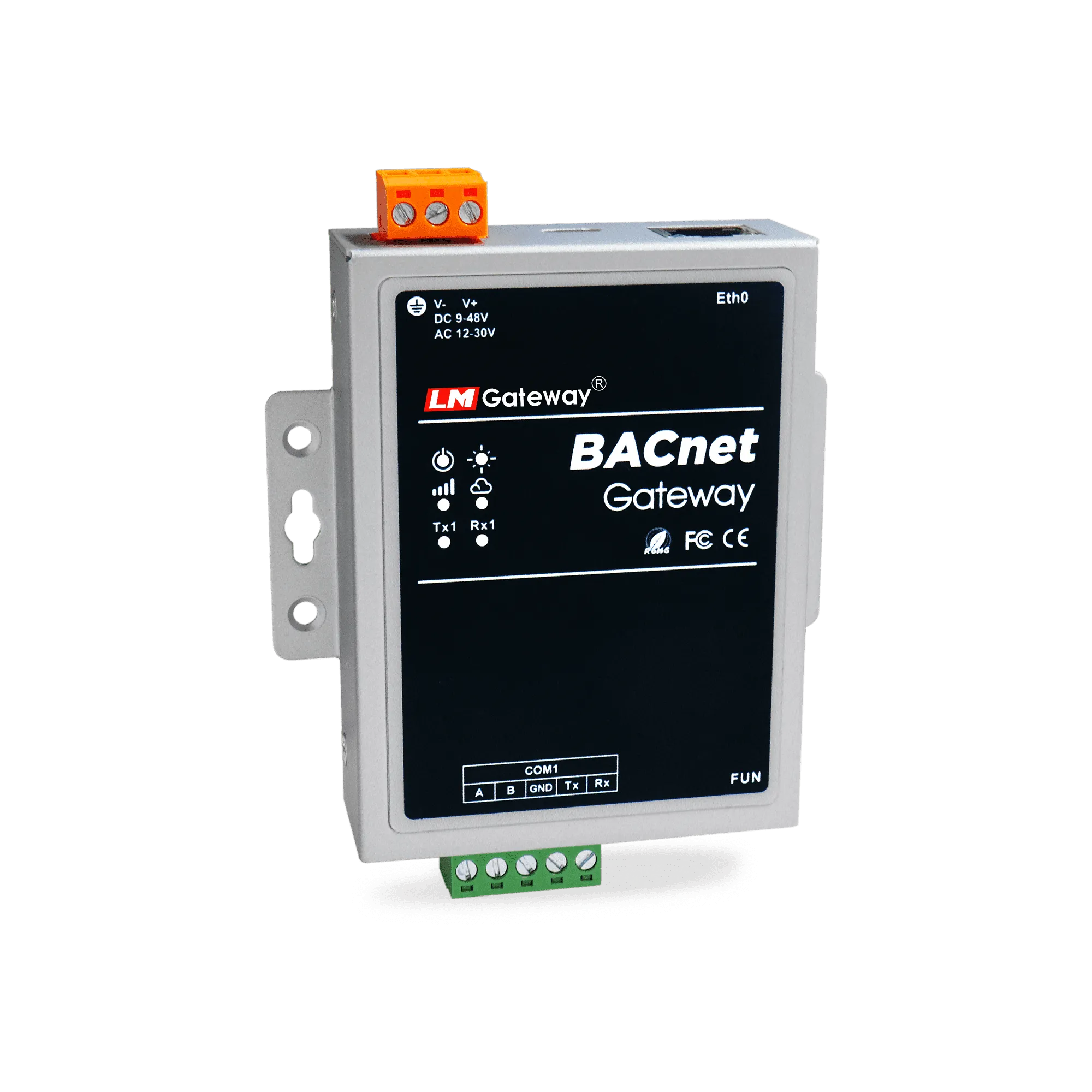
LM Gateway101-BS product image
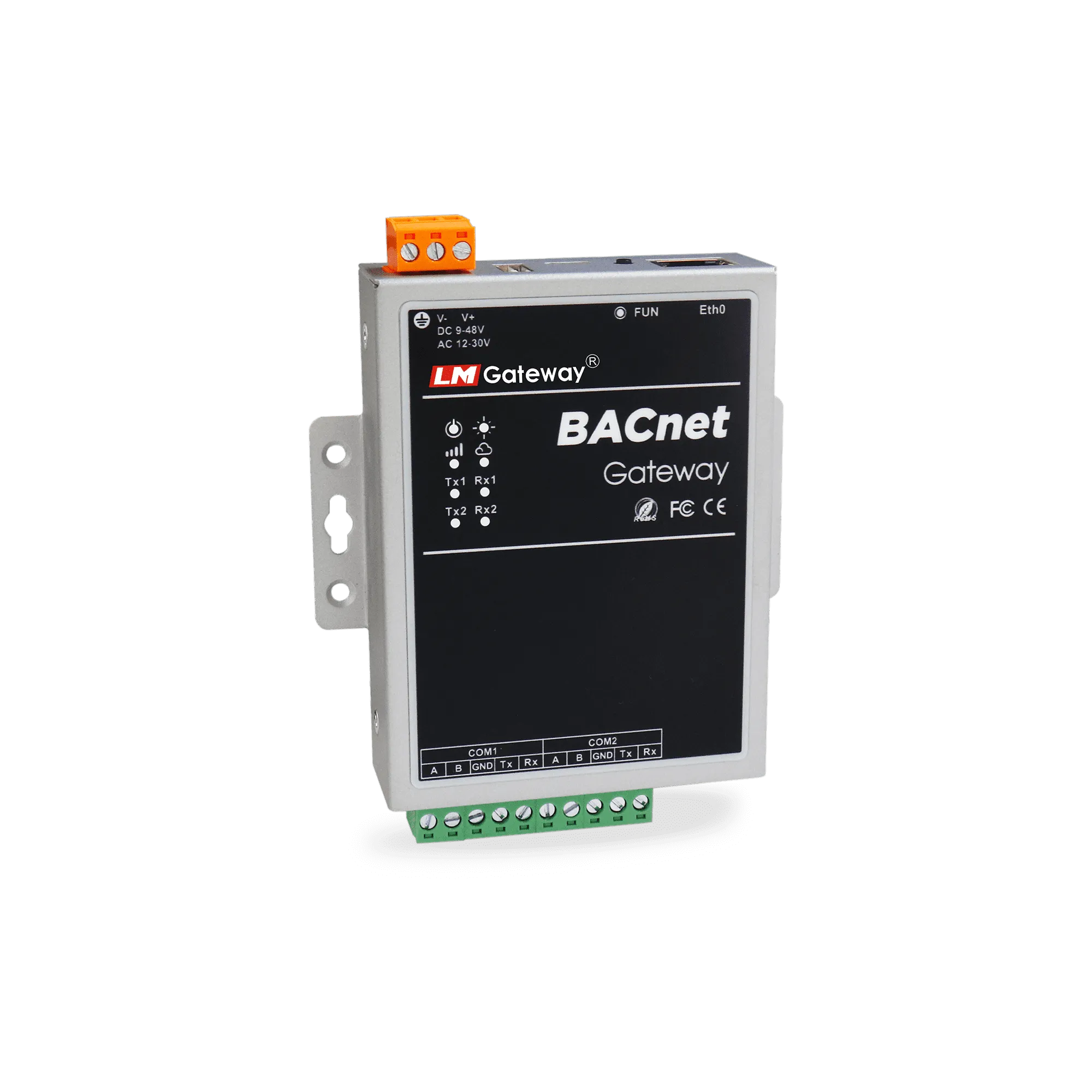
LM Gateway201-BS product image
LM Gateway402-BS product image
ModelLM Gateway101-BSLM Gateway201-BSLM Gateway402-BS
ConnectivityWiredWiredWired
Serial Ports1 fully isolated RS485 (RS232 multiplexed) port2 fully isolated RS485 ports4 fully isolated RS485 ports
Ethernet Ports1 x 100M/10M Ethernet port1 x 100M/10M Ethernet port2 x 100M/10M Ethernet ports
MountingWall-mount & DIN rail rear/side mountingWall-mount & DIN rail rear/side mountingWall-mount & DIN rail rear/side mounting
Data Points2565121024
DocumentationDownload DatasheetDownload DatasheetDownload Datasheet